Xelynx displays list of ONUs which are connected to OLT but are not configured. You can enable autofind on pon ports from OLT settings.
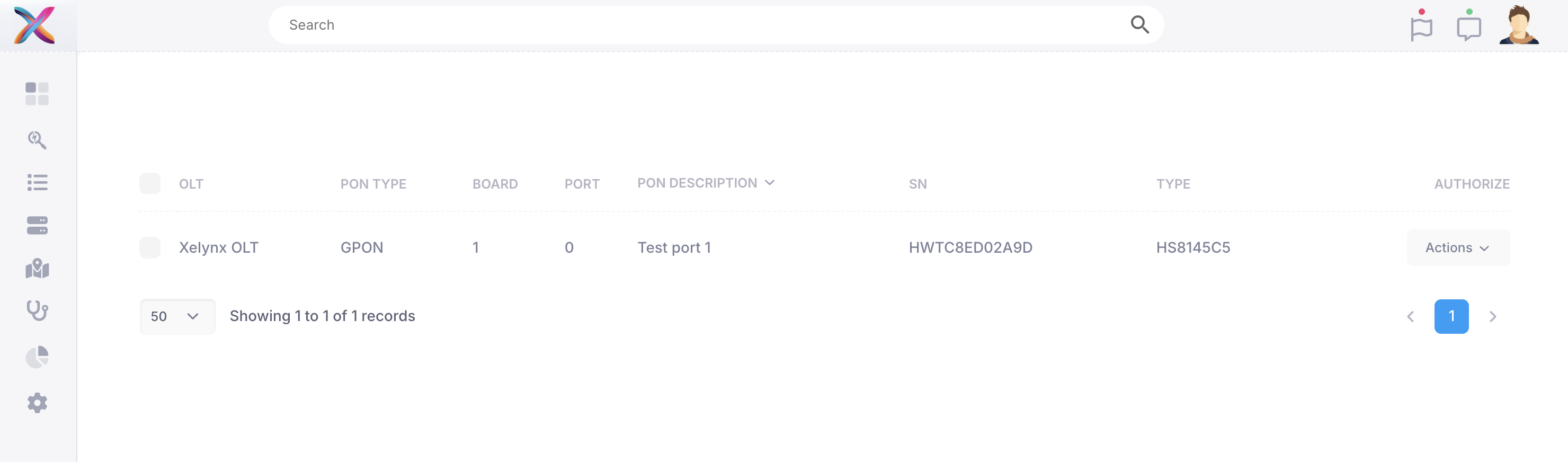
You can select Add/Authorize from actions dropdown to add the ONU. If ONU is moved to a different port then a Move option comes here.
When you click Add/Authorize button following screen comes up where you can details of ONU to be added.
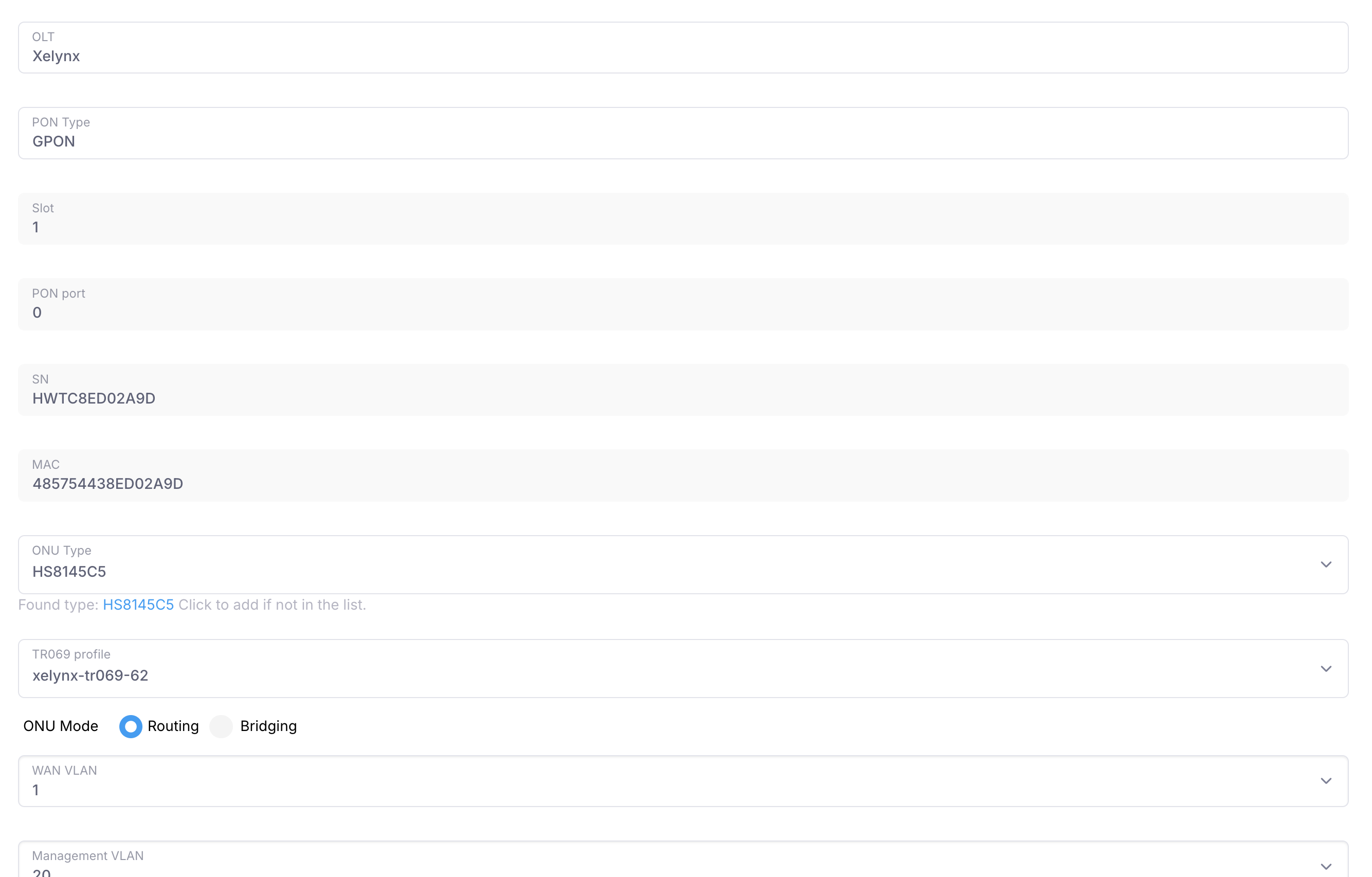
Most of the details are filled automatically. You need to have set a VLAN as management VLAN from OLT settings to add ONU. ONY type is automatically matched if found, else its set to Generic.