AI Suite
Your whole ISP, in one conversation.
Xelynx AI is an agentic assistant built into the CRM and NMS. Ask in plain language and it fetches the report, performs the action and draws the chart — across customers, finances, network and tickets.
01 — The suite
Three tools. One intelligence.
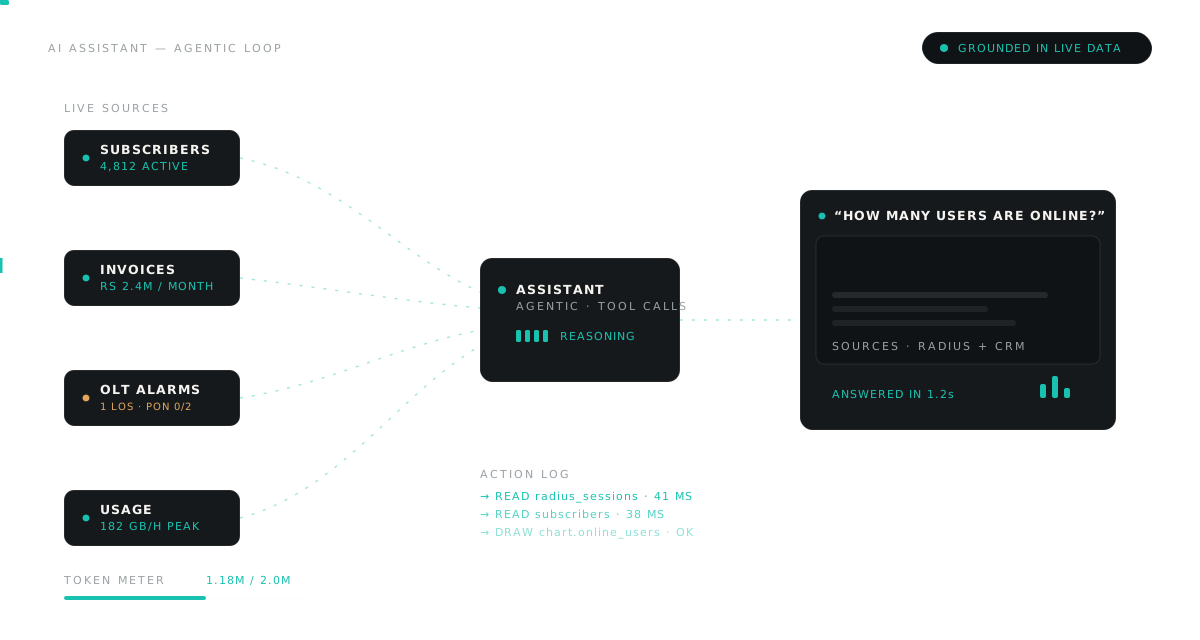
This is not a bolt-on chatbot. The AI Suite runs on the same database as your CRM, billing and NMS, so every answer comes from live data — and every action lands in the real system.
AI Assistant
A conversational copilot that fetches data and performs real actions across the CRM — with a transparent Action Log of everything it does.
AI Analysis
Turns a plain-language question into charts, tables and written insights — financial health, churn risk, collection rates and more.
AI Network Planner
Draw an area on the map and let AI design the FTTH build — OLTs, FATs, splitters and a full fiber power budget.
Explore the Planner02 — The assistant
It doesn't just answer. It gets things done.
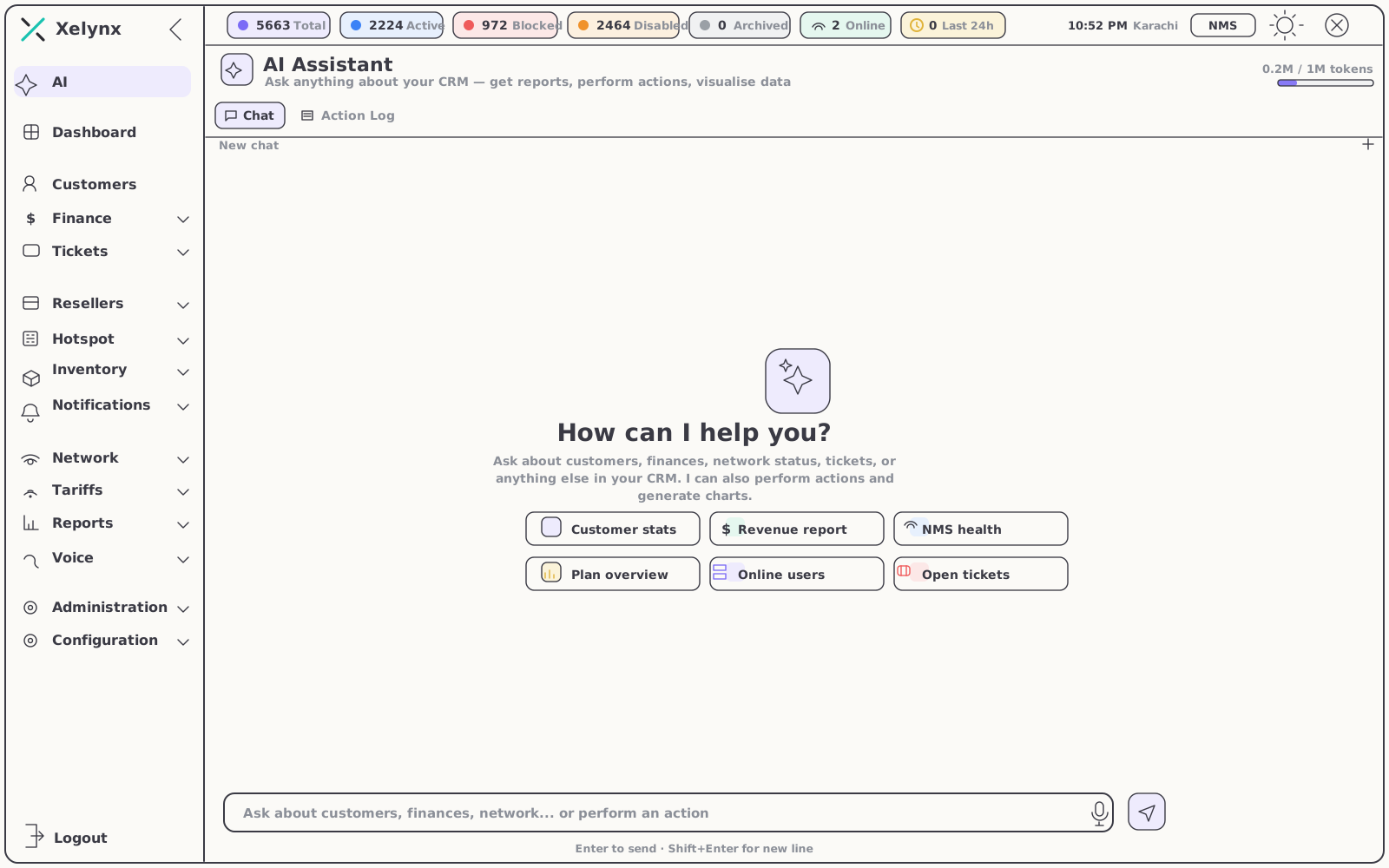
Start typing, or tap a suggestion. The assistant reads the right data, writes the answer and — when you ask it to — performs the action itself, all in the same conversation.
- Natural-language actions — across customers, finance, network and support
- Action Log — every step the AI takes is recorded; nothing is a black box
- Token-metered usage — AI cost stays predictable and transparent
| Guardrail | How it works |
|---|---|
| Action Log | Each read and each action the assistant performs is recorded step by step — you can always see exactly what it did. |
| Token metering | Usage is measured per token, so AI cost stays predictable and visible instead of arriving as a surprise. |
| Live platform data | Answers are grounded in your own customers, finances, network and tickets — your numbers, not generalities. |
03 — AI Analysis
Charts and conclusions.
Not rows of data.
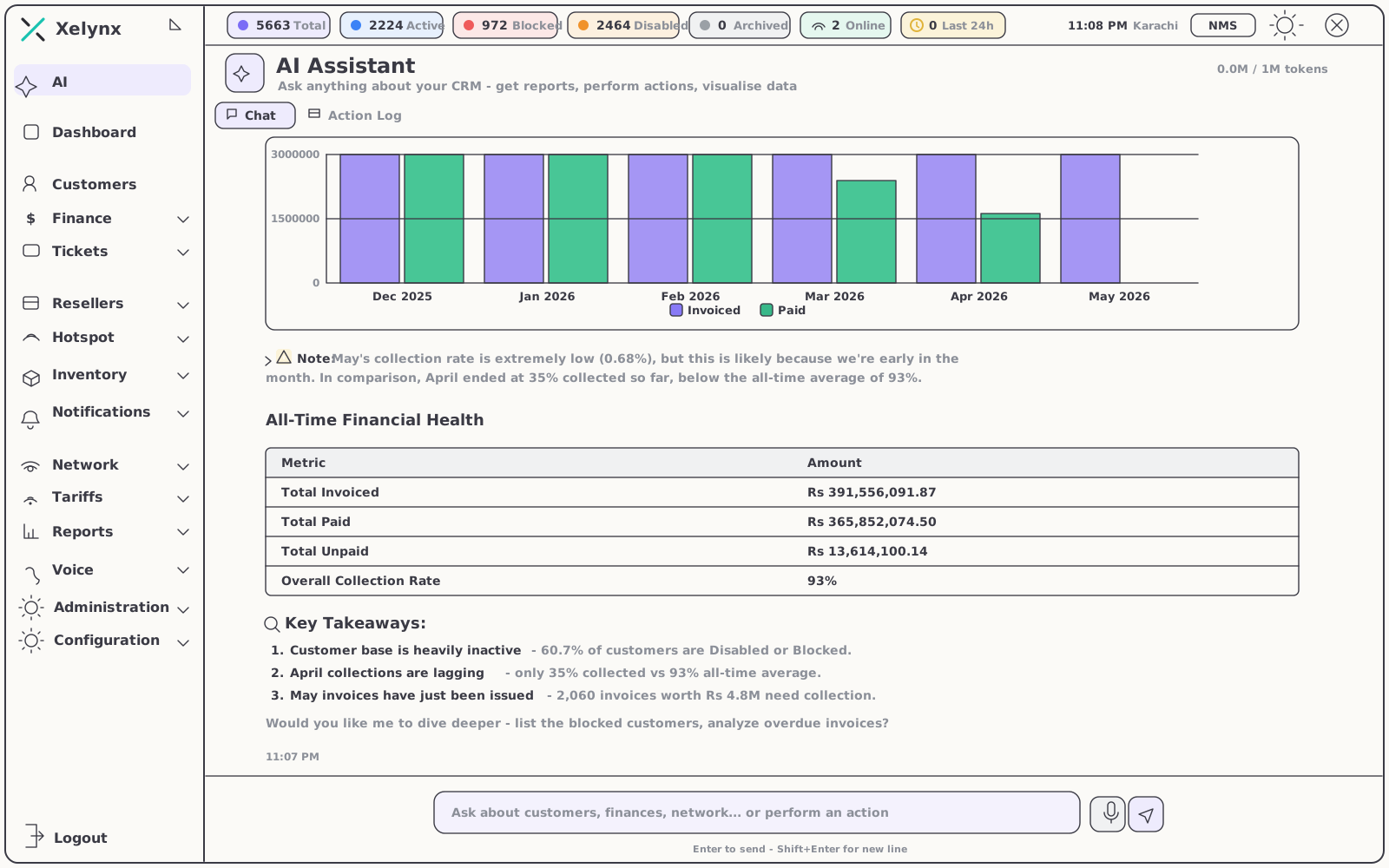
Ask for a summary and the AI builds the visualisation and writes the takeaways — surfacing collection rates, inactive segments and overdue revenue you would otherwise dig for.
From question to decision
One prompt returns the chart, the table and a written reading of what the numbers mean — then keeps the thread open so you can act on what it found.
- Auto-generated visuals — bar, line and breakdown charts on demand
- Written key takeaways — what matters, and what to do next
- Follow-up ready — drill straight into blocked customers or overdue invoices
04 — Try asking
Prompts your team will use every day.
Seven questions straight from daily operations — each answered from your live data, in the same chat.
05 — Reach
Wired into the whole platform.
The assistant works wherever your data lives — the same modules your team already runs the business on.
CRM & Subscribers
Customer stats, account status and the full subscriber lifecycle — queried and acted on in plain language.
Explore CRMBilling & Finance
Revenue, invoices and collection rates — summarised, charted and ready for follow-up questions.
Explore BillingOptical-Fiber NMS
Network health, online users and outages — the state of the plant on demand, without opening a dashboard.
Explore the NMSGet started
Put an AI analyst
inside your ISP.
Let Xelynx AI report, act and analyse across your whole operation. Free for 15 days, no card required.