Module — Syslog
Every log, matched to the right subscriber.
Centralised syslog ingestion powered by VictoriaLogs. Every srcnat log lands in one console, and every source IP is resolved to the customer service behind it — so you go from an event to an account in seconds, not spreadsheets.
01 — The console
Search every log, fast.
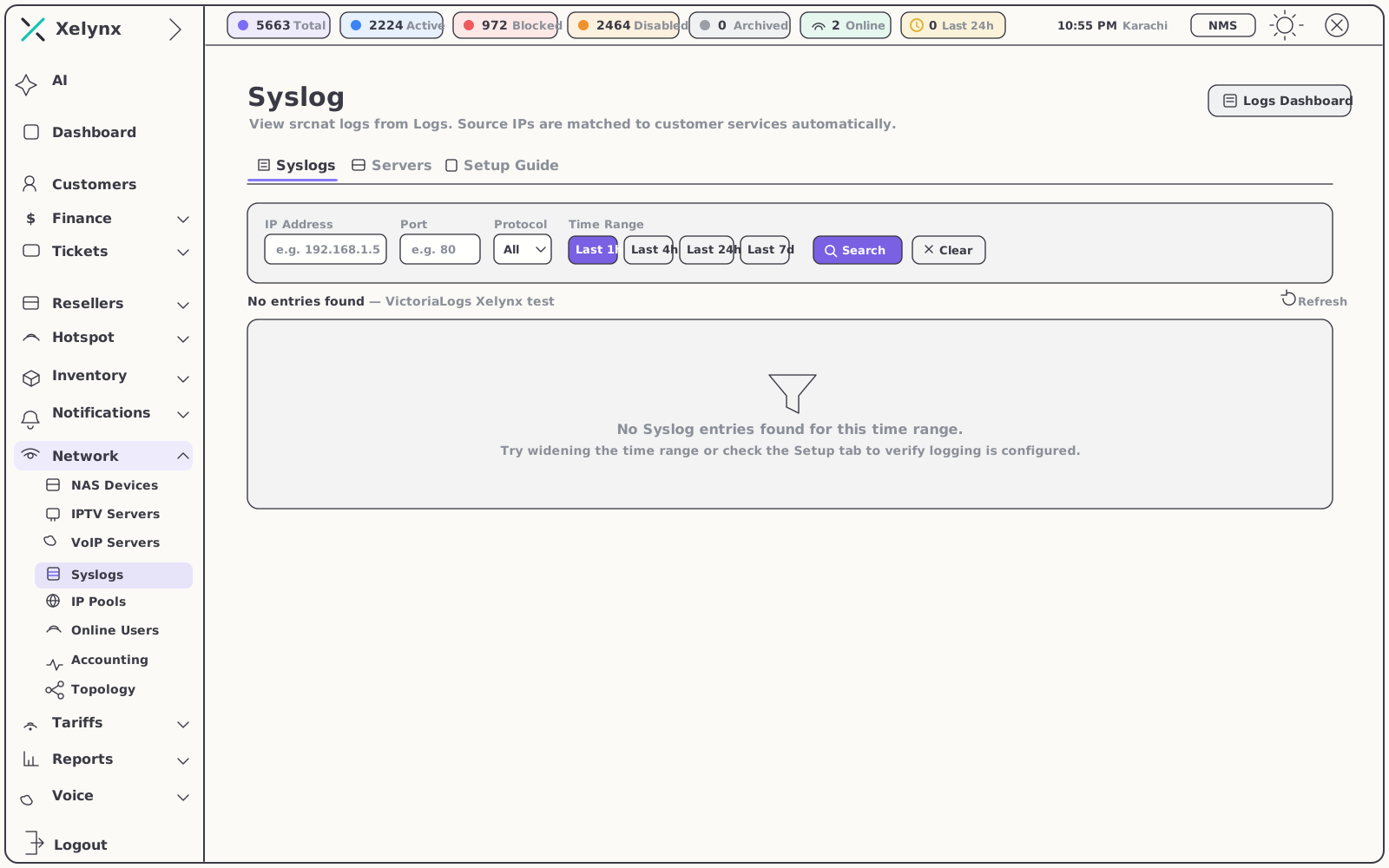
One console for all your srcnat traffic, backed by a purpose-built, high-throughput log store that keeps queries quick as volume grows.
From all traffic to one event
Start broad, then narrow fast. The console reads across everything your routers send and cuts straight to the handful of records that answer the question.
- Filter by IP, port and protocol — isolate exactly the connections in question
- Time ranges that match the question — last 1h, 4h, 24h or 7d, one click apart
- Powered by VictoriaLogs — centralised ingestion with search that stays responsive at scale
02 — Per subscriber
Logs, where you already support the customer.
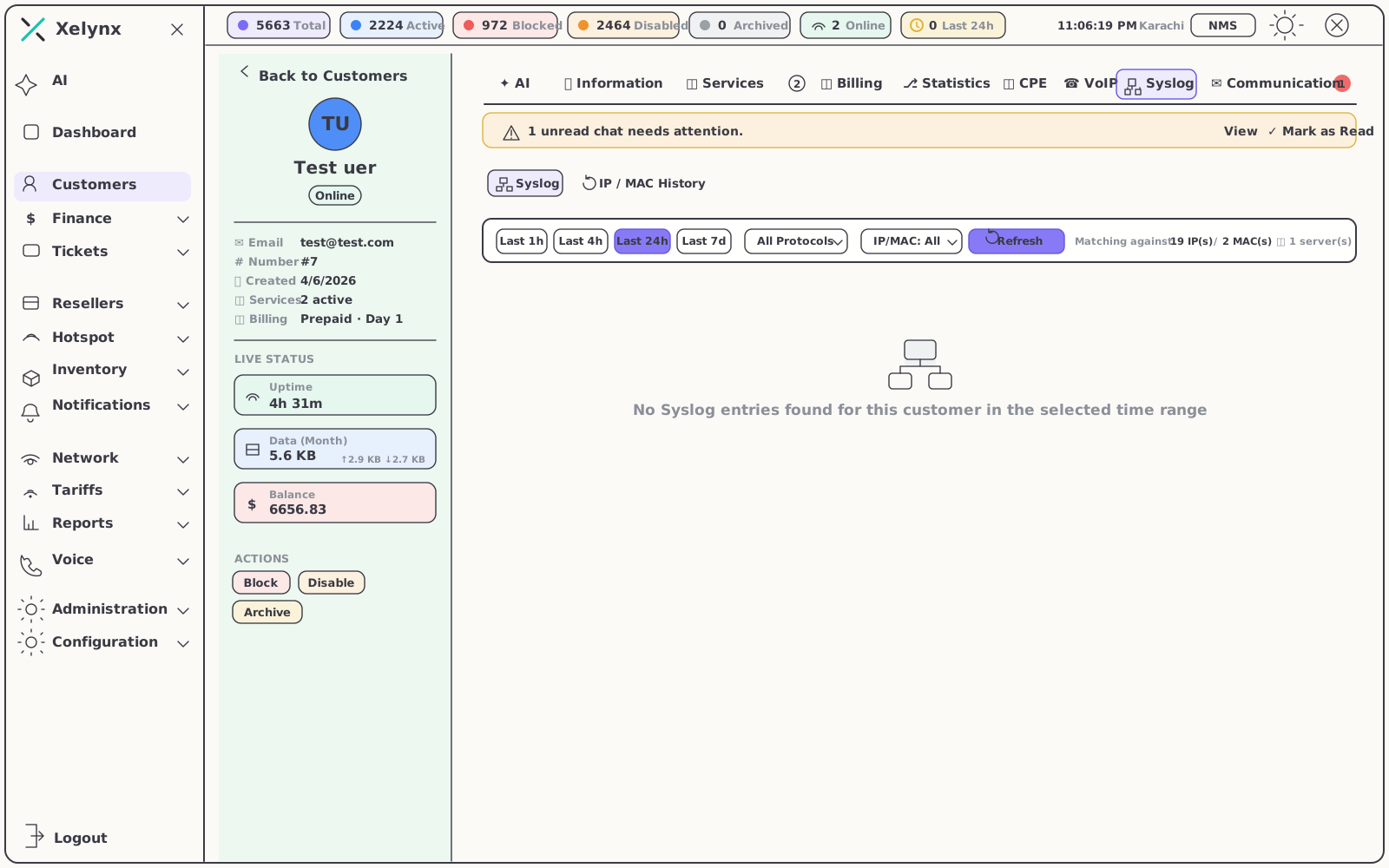
Every account in the CRM carries its own Syslog tab. Open a customer and the relevant entries are already filtered to that subscriber — no copying IPs between tools, no second system to learn.
- A Syslog tab on every account — investigation starts where support happens
- Auto-matched to their service — only this subscriber’s traffic, nothing else
- Context for support and abuse handling — answer what a connection was without leaving the CRM
03 — Setup
From router to record in three steps.
A dedicated Setup Guide tab walks you through pointing routers and NAS at the collector, so srcnat logs start flowing without guesswork.
Point your gear at the collector
The Setup Guide covers routers and NAS step by step, built around srcnat logging so subscriber matching works out of the box. One destination to remember.
VictoriaLogs ingests centrally
Every entry lands in one purpose-built, high-throughput store — designed so searches stay responsive as your log volume grows.
Entries match as they land
Each record is correlated to the active subscriber service at that moment and surfaced on the account’s Syslog tab. There is no spreadsheet step.
04 — CGNAT traceability
One public address, hundreds of subscribers.
One accountable answer.
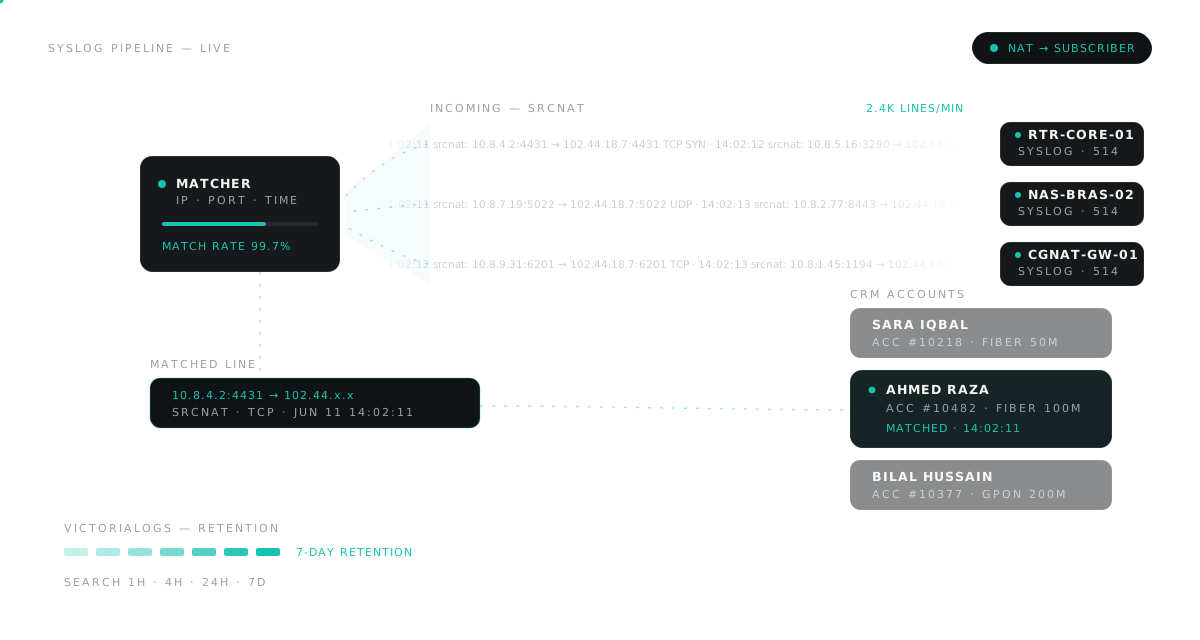
Behind CGNAT, a source IP alone isn’t an answer. Xelynx logs the full NAT translation — the inside subscriber, the shared public IP and the assigned port — and ties every record back to the account behind it.
Every translation, logged
Each NATted connection is recorded as it is translated. When hundreds of subscribers share one address, that mapping is the only way to know who was who.
Public IP + port → subscriber
Take the IP, port and timestamp from an abuse report, court request or upstream notice, and trace it straight to the one subscriber responsible.
Time-accurate to the session
Matching respects when a service actually held the address, so each record is attributed to whoever was behind the connection at that exact moment.
05 — At a glance
The module, specified.
The store, the filters, the matching and where it all surfaces — everything the Syslog module ships with.
| Area | What you get |
|---|---|
| Log store | VictoriaLogs — centralised, high-throughput ingestion that stays fast as volume grows |
| Log source | srcnat translations from your routers and NAS |
| Search filters | IP address, port and protocol |
| Time ranges | Last 1h, 4h, 24h or 7d |
| Matching | Source IP resolved to the active subscriber service, accurate to the session |
| Where it surfaces | The central console and a Syslog tab on every customer account |
| Setup | A guided Setup Guide tab for routers and NAS |
06 — Pairs well with
The modules around the logs.
Optical-Fiber NMS
Monitor the OLTs and ONUs that generate the events, right beside the logs themselves.
Explore the NMSRADIUS & Provisioning
The sessions that feed your srcnat logs — authentication, IP pools and accounting.
Explore RADIUSXRTG Graphing
Real-time traffic graphs to read usage trends alongside the underlying events.
Explore XRTGGet started
From a public IP
to the account behind it.
Centralise your syslog, match every connection to a subscriber, and search any range from the last hour to the last week. Free for 15 days, no card required.