Module 03 — Optical-Fiber NMS
Your entire fiber plant, on one screen.
Live GPON and EPON monitoring built for ISPs — OLT and ONU health, signal strength, alarms, outage root cause and PON capacity in one console, speaking SNMP and TR-069 to your Huawei and ZTE OLTs.
01 — The control room
Every OLT, every ONU,
at a glance.
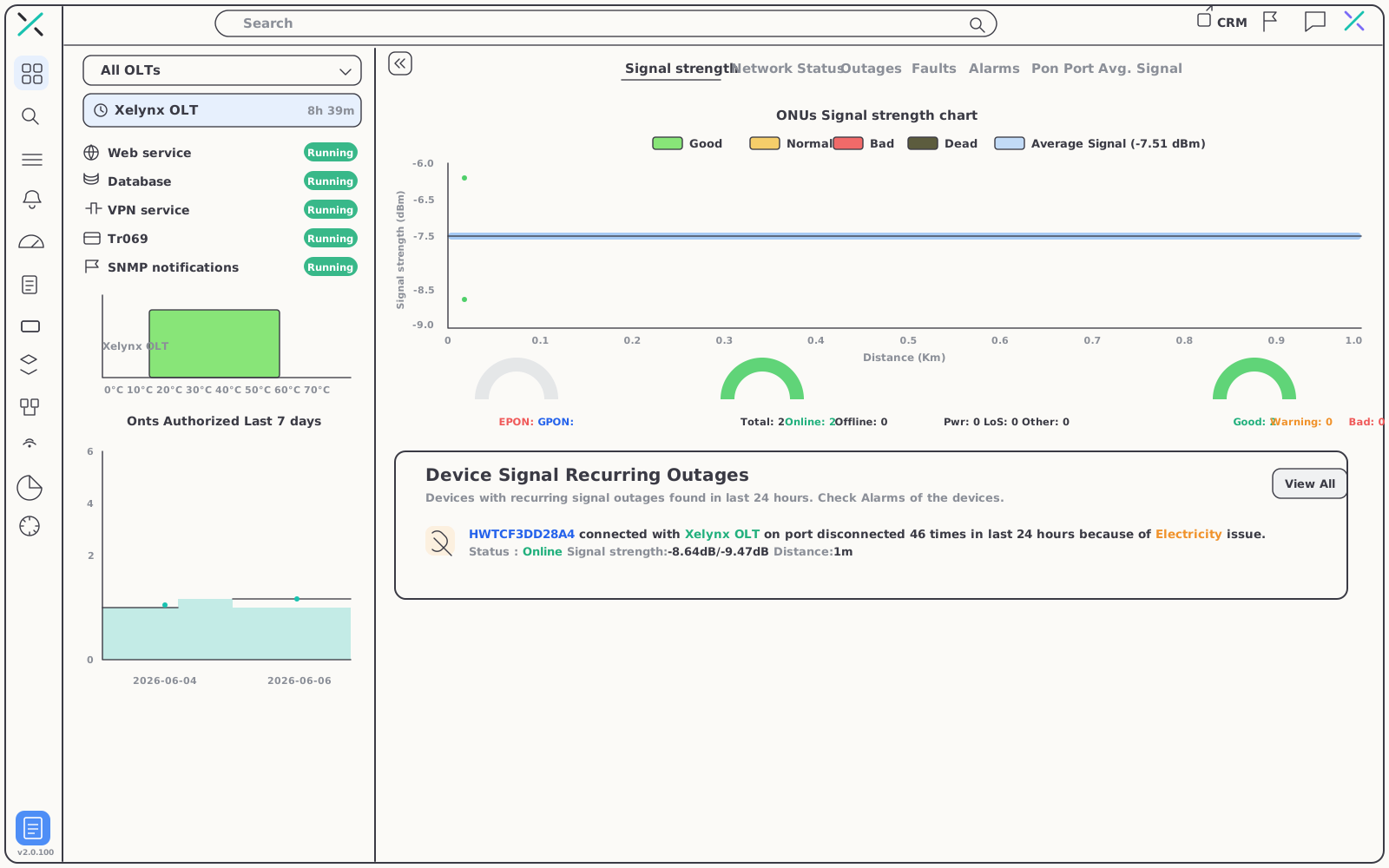
The dashboard puts service health and the live signal distribution side by side, so the state of the plant is obvious the moment you log in.
02 — Faults & maps
Faults that explain themselves.
Stop guessing at 2am. Alarms land in one console, recurring outages get a named cause, and everything is plotted where it physically lives.
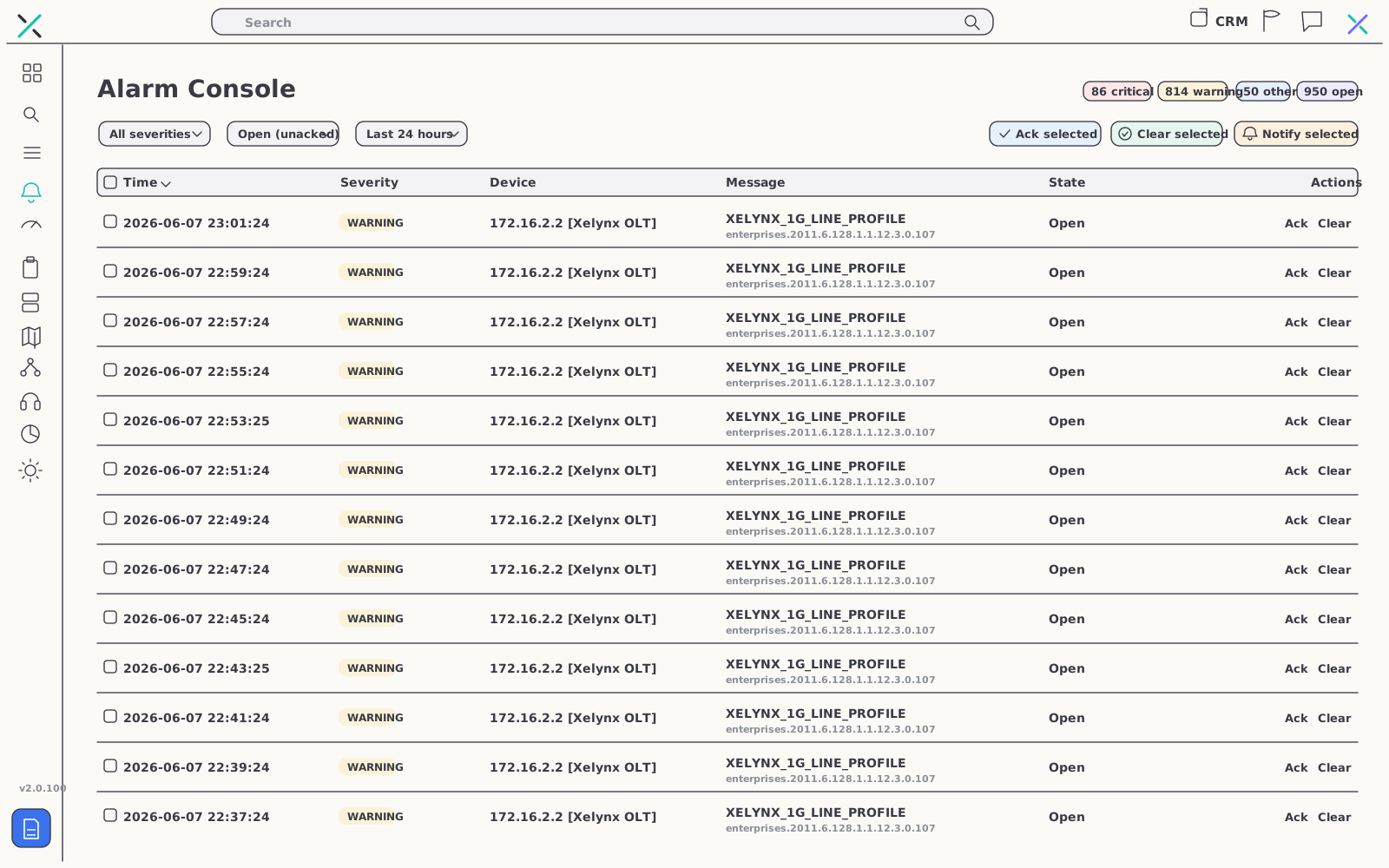
Alarm console
From symptom to cause, automatically
Faults across OLTs and PON ports escalate to a single console the moment they happen. When an area keeps going dark, recurring-outage detection names the underlying cause — an electricity issue on a feeder, not a vague alert.
- Automatic fault detection — across every OLT and PON port, in one list
- Named root cause — repeat outages diagnosed, e.g. an "electricity issue"
- Service health watch — notifications for web, database, VPN and SNMP outages
Network map
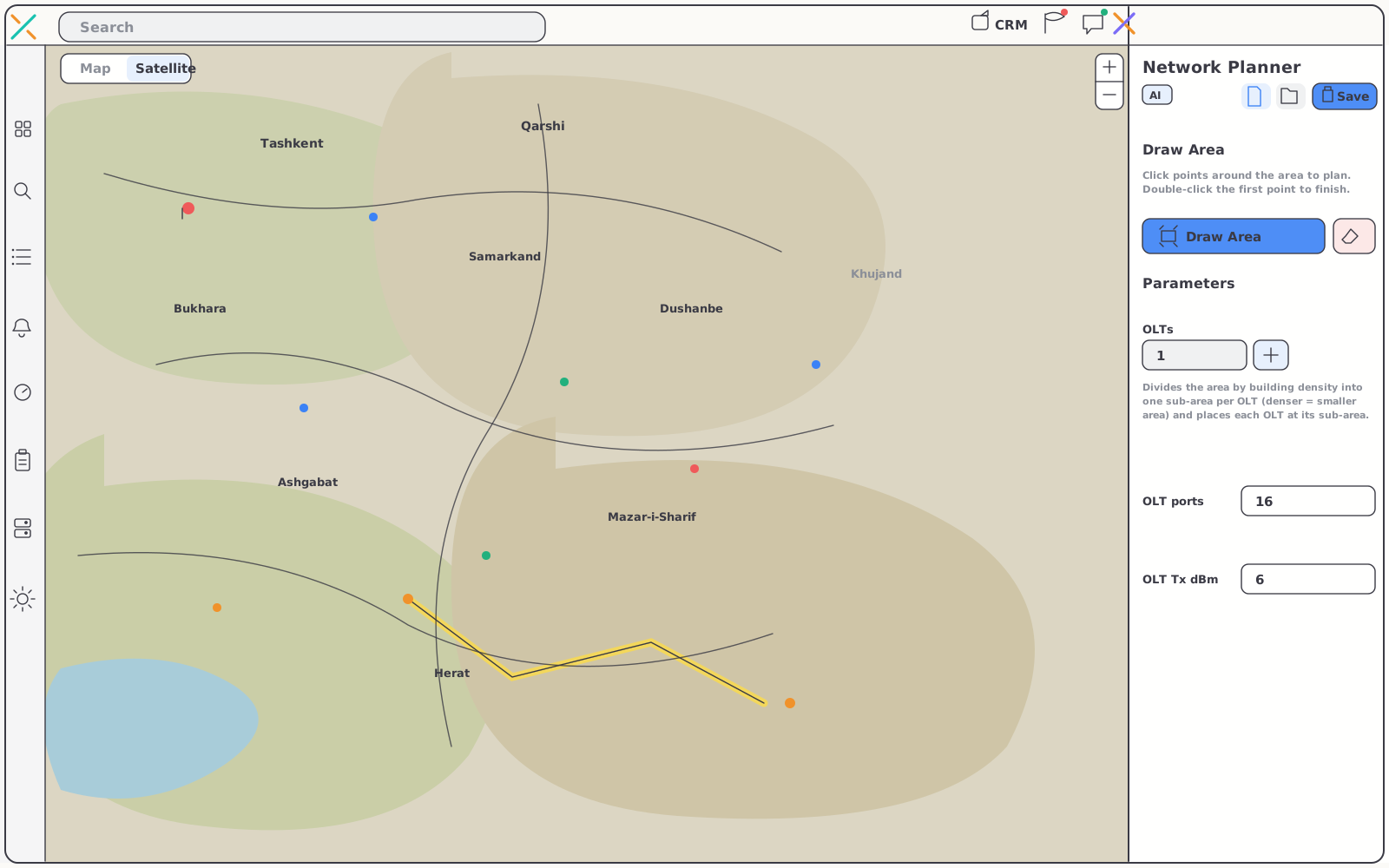
See it where it lives
Faults and coverage make far more sense on a map than in a table. Your whole footprint — OLTs, towers and fiber routes — sits on one geographic view with live overlays.
- Full plant plotted — OLTs, towers and fiber routes in their real positions
- Fault overlays — affected segments highlighted, so crews dispatch to the right spot
- Coverage overlays — served areas mapped for planning and sales conversations
03 — Subscriber depth
Down to a single ONU
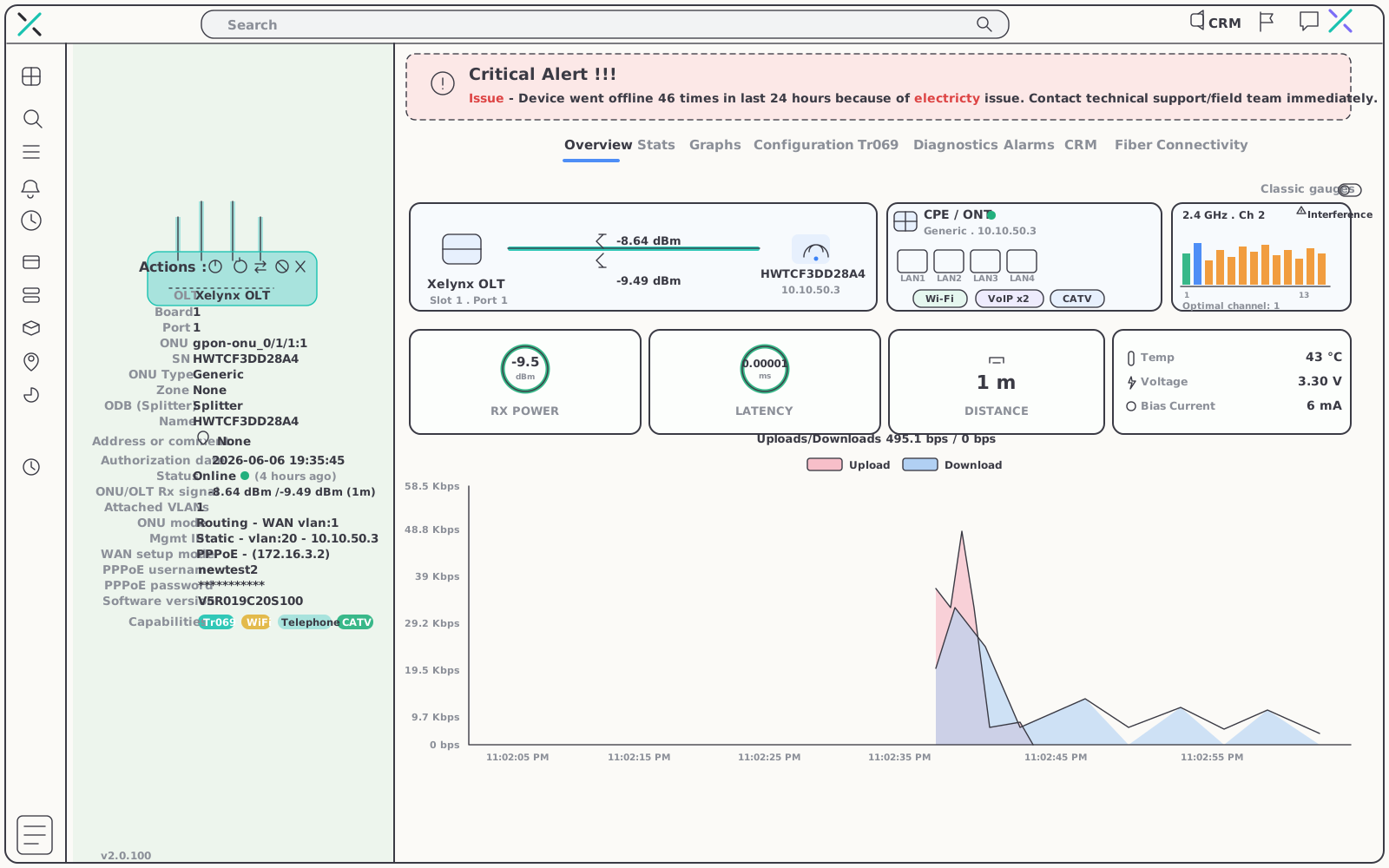
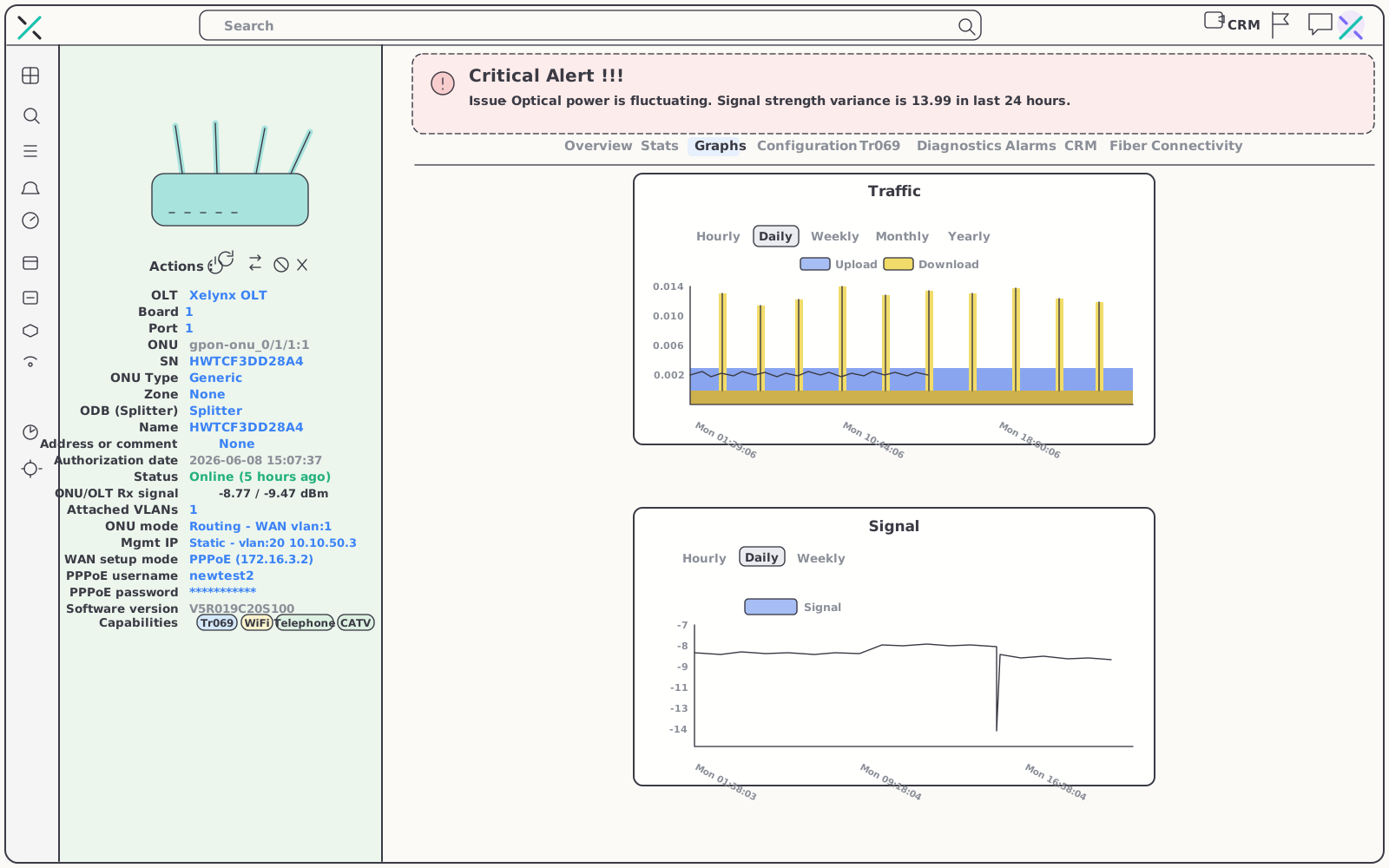
Drill into any subscriber's optical network unit and the whole story is on one page — what it is, where it hangs off the plant, and how its light looks right now.
- Full ONU record — serial, board/port, splitter, signal, distance and authorization date
- Health at a glance — live status and signal strength in the same view
- Provisioning trail — configured and unconfigured units kept in separate lists
TR-069 auto-configuration
Fix the CPE without a truck roll
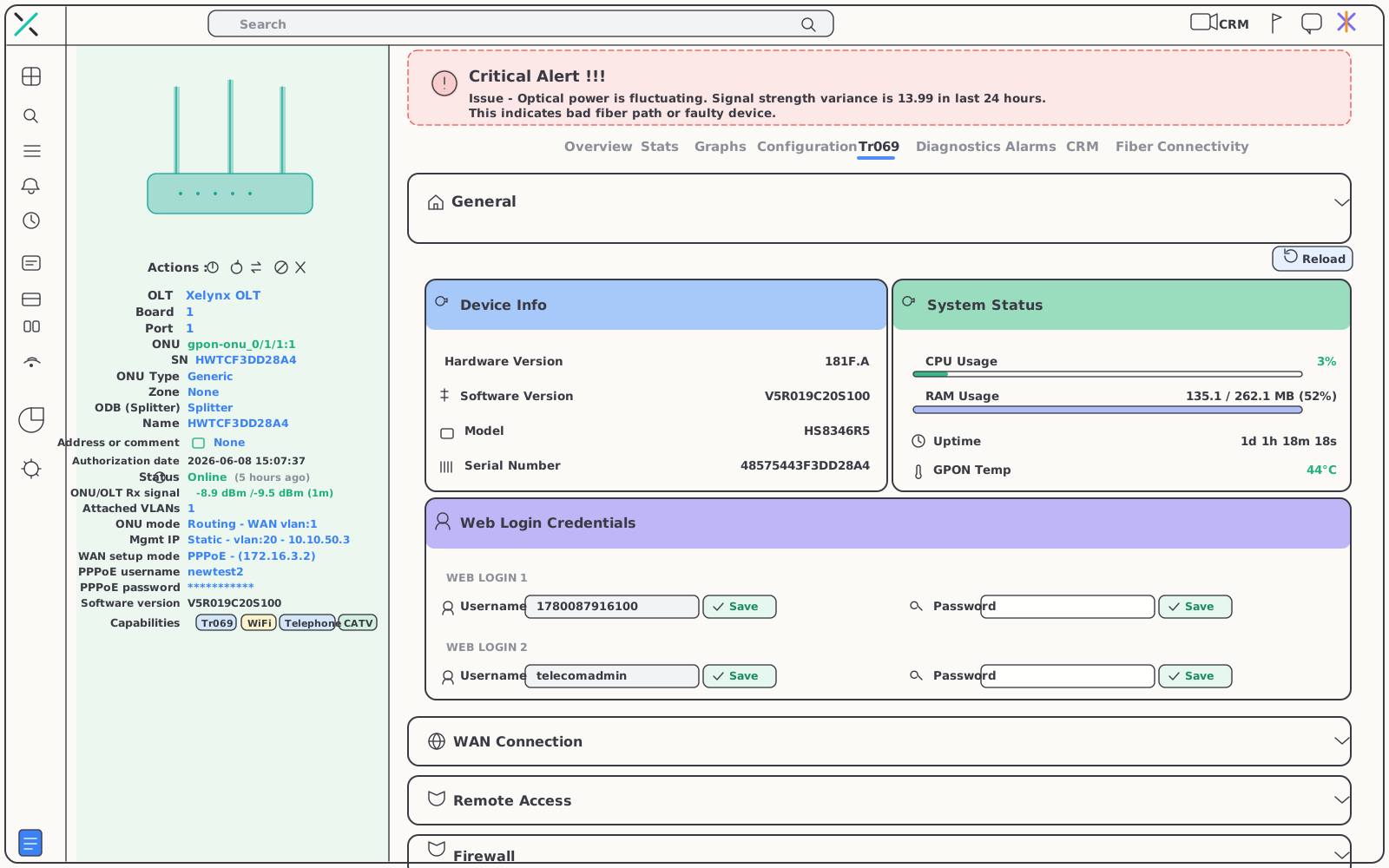
Reach into subscriber CPE over TR-069 straight from the ONU page — read the full device picture, push the settings that close the ticket, and verify the line before you hang up.
- Instant diagnostics — pull device info, system status and web login in one shot
- Remote configuration — push WiFi, WAN and firewall settings, or queue tasks to run when the device checks in
- Line verification — run ping, traceroute and speed-test from the CPE itself
04 — Fiber intelligence
The math that finds the break.
Before the calls start.
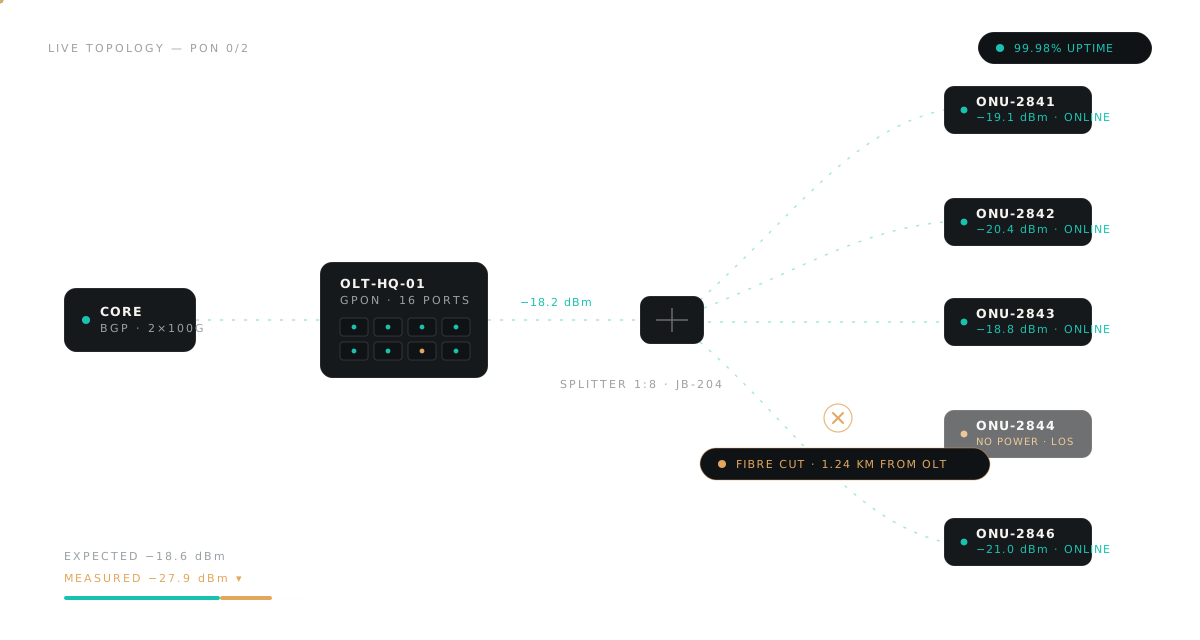
Xelynx computes the dBm you should see at every hop — TX power minus splice and splitter loss, minus fiber at 0.35 dB/km — and compares it with the ONU's measured RX. The difference exposes bad splices, bends and failing splitters, and points to the break.
Fibre Connectivity tab
Expected vs measured power, hop by hop
Every ONU carries its full optical path. The Fibre Connectivity tab lays out the predicted and the real power at each splice and splitter, so an out-of-spec span jumps out instantly.
- Per-hop comparison — expected against measured optical power down the entire path
- Drops attributed — a power loss pinned to the exact section of fiber, not the whole run
- AI critical alerts — persistent issues flagged, e.g. "signal variance 13.99 in 24h, bad fibre path"
Fiber-cut localization
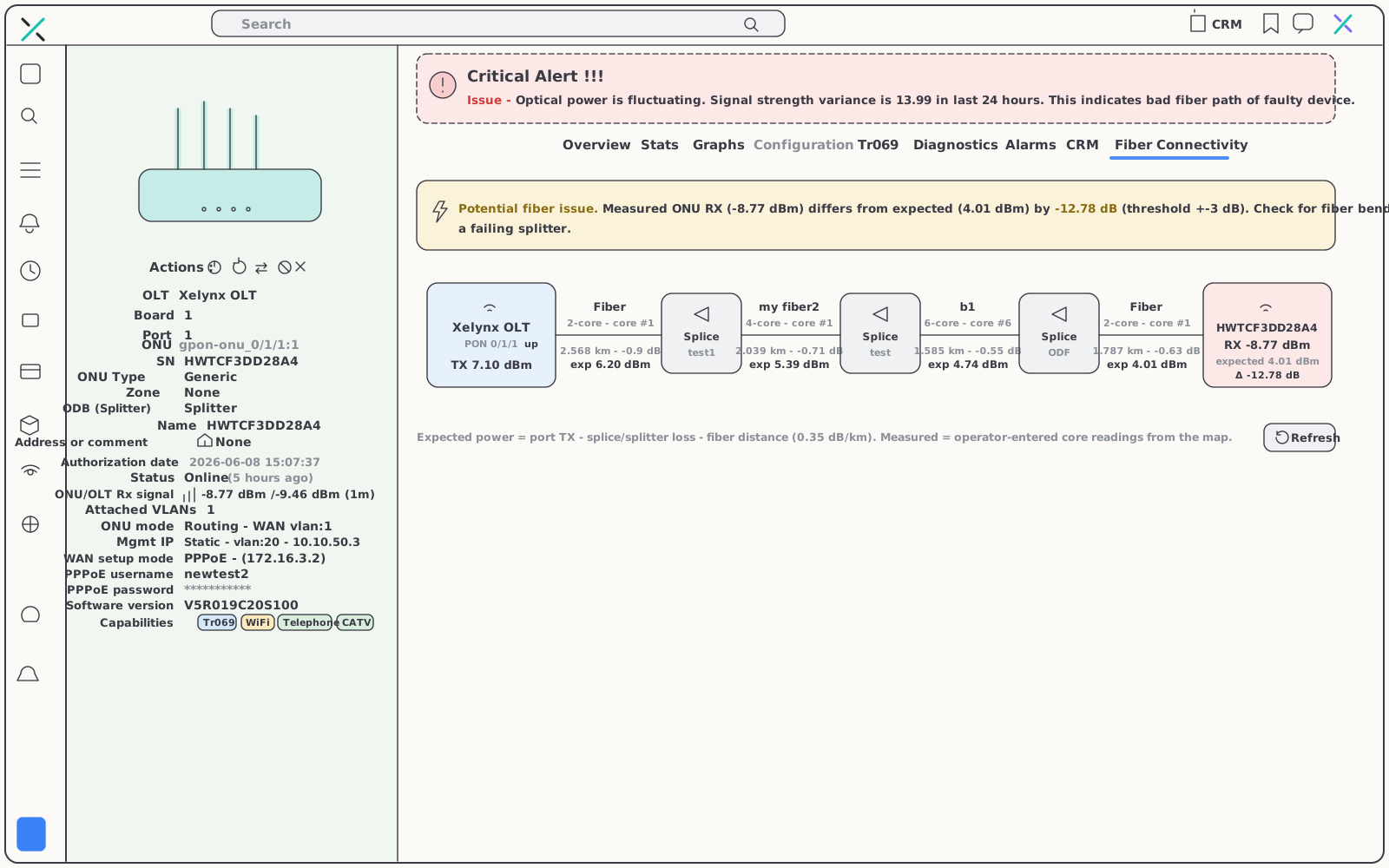
A cut, narrowed to the nearest box
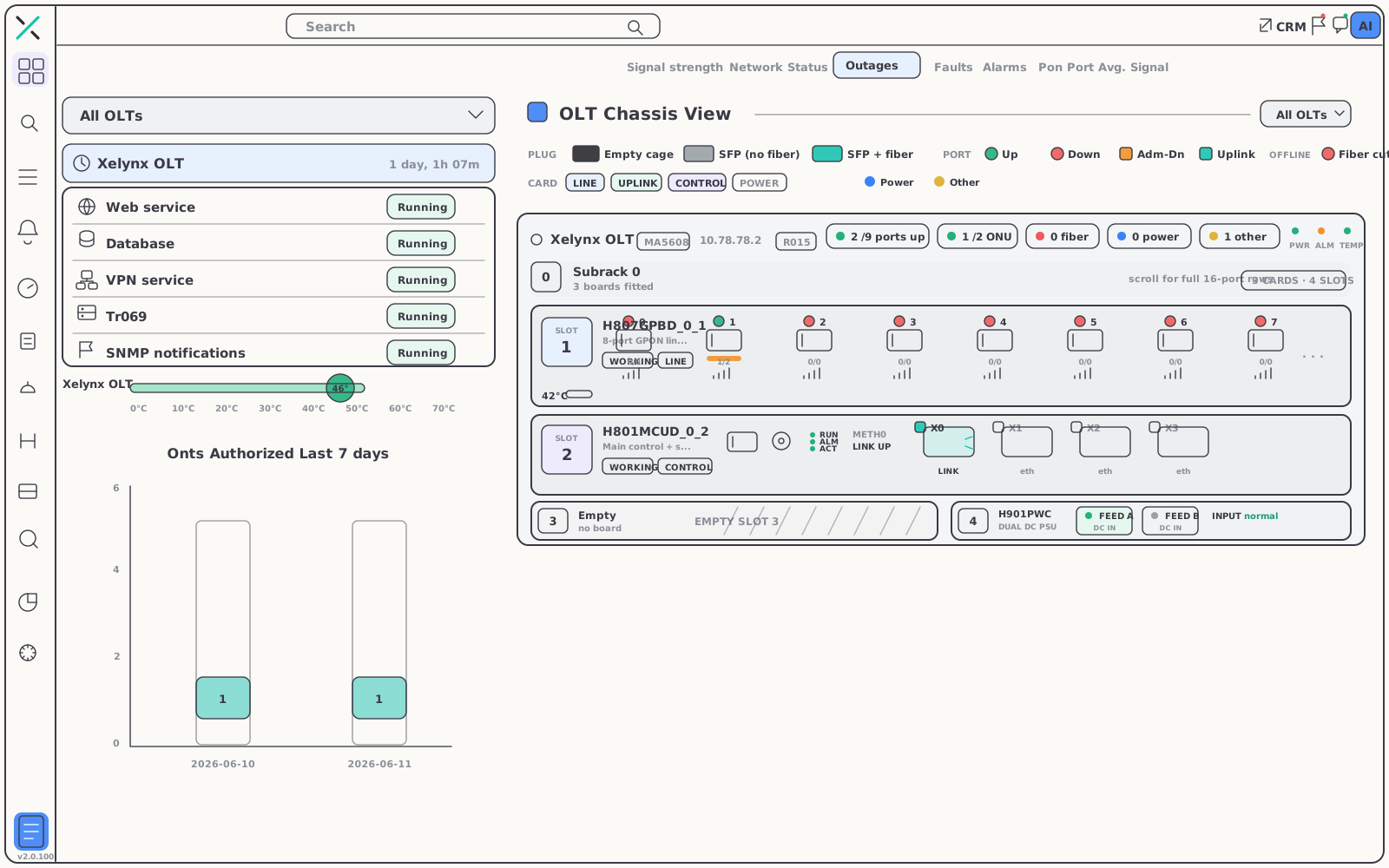
Because the plant is modeled on the map, a dark span is a location, not a mystery. Xelynx walks the topology and localizes the fault down to the nearest distribution box — while the dashboard's Outages tab renders the OLT chassis live.
- Map-modeled plant — a cut becomes a precise place to send the crew
- Live chassis view — every port drawn as up, down, fibre-cut or power issue, like the physical card in front of you
- Cross-checked — per-ONU power drops confirm the finding under Fibre Connectivity
05 — Reach
Every OLT, reachable anywhere.
Public IP or private address behind NAT — every OLT gets onto the platform, and its page shows exactly how it is being reached.
OLT live dashboard
The hardware, polled in real time
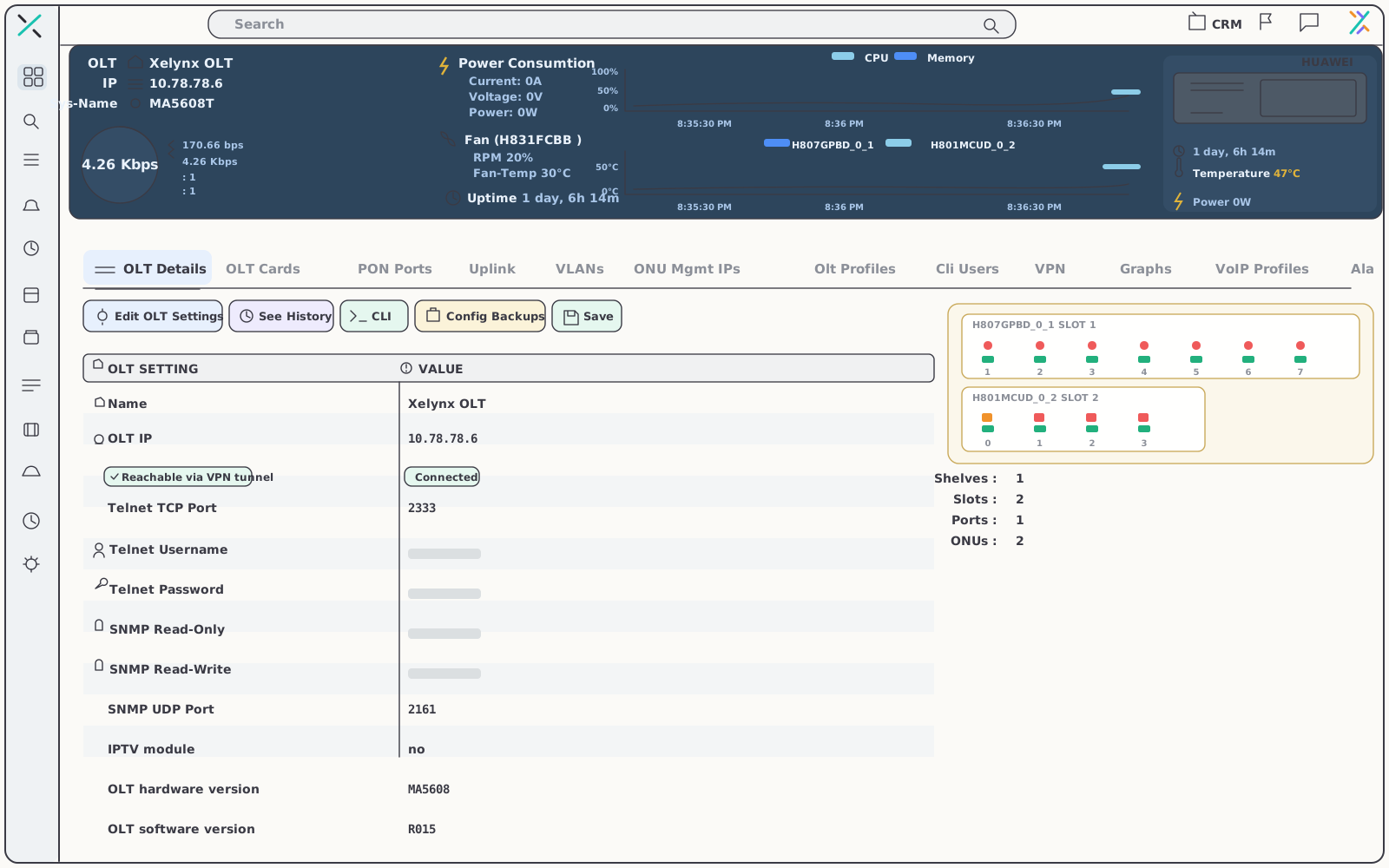
One page per OLT ties status, capacity and traffic together for fast triage — with the physical machine's health read live, not from the last sync.
- Live hardware health — power supplies, fans, CPU and the full chassis
- Clear reachability — a "Reachable via VPN tunnel" badge shows the active path
- Everything on one page — status, capacity and traffic for the whole device
Secure VPN tunnel
Behind NAT is not out of reach
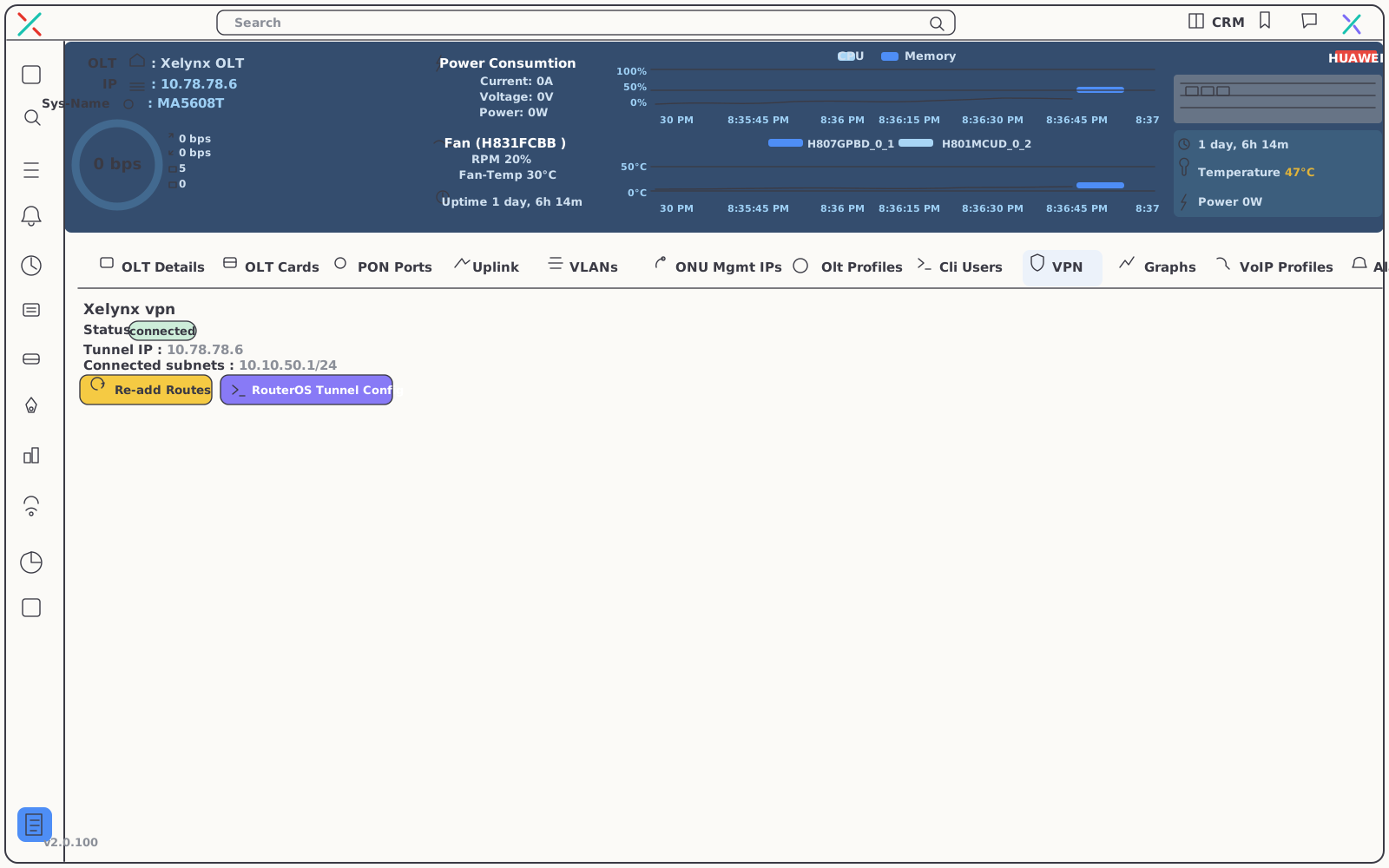
OLTs on private addresses come onto the platform through a built-in encrypted tunnel — no port-forwarding, no exposure. The OLT page shows the live tunnel state next to the configuration that brings it up.
- No port-forwarding — NATed OLTs reached through an encrypted tunnel
- Live tunnel status — connection state shown right on the OLT page
- RouterOS config inline — the tunnel setup presented next to its status, so bring-up is copy-and-go
OLT Chassis View
The physical chassis, port by port.
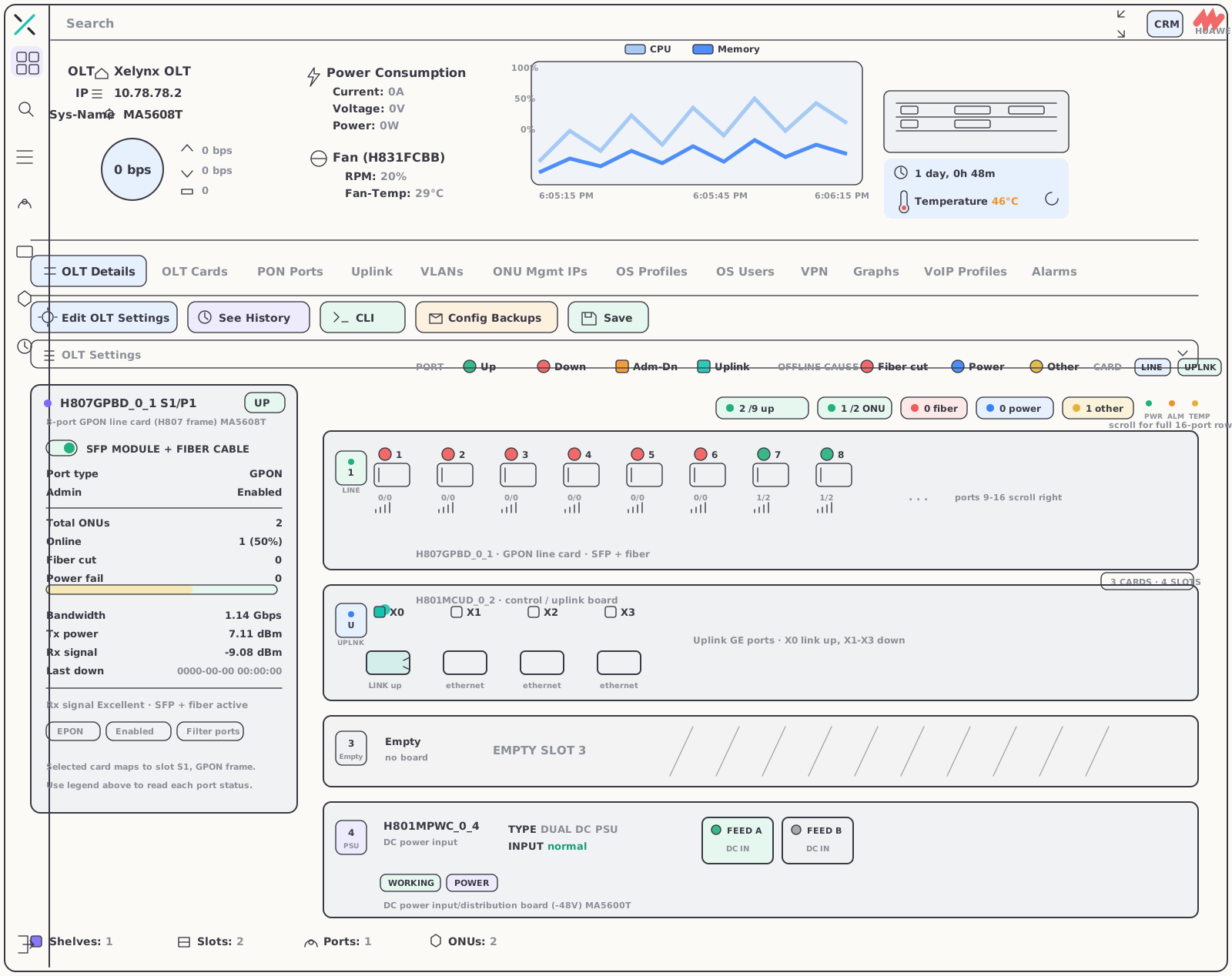
Open any OLT and see the real machine — every shelf, slot and card laid out as it sits in the rack, with each port drawn live and colour-coded by status. Read a board’s type, power and temperature, watch CPU and memory, and spot a dead port or a pulled card at a glance.
Every port, live
Each PON and uplink port is colour-coded — online, down, fiber-cut or admin-off — so an outage on a single port is obvious at a glance.
Per-card detail
Every board shows its type and mode (EPON/GPON), power draw, temperature and state — including empty slots and dual-input PSUs.
Health & inventory
Power, fan RPM and temperatures read in real time, with shelves, slots, ports and ONUs counted across the whole chassis.
06 — Graphs
From a microburst
to a full year.
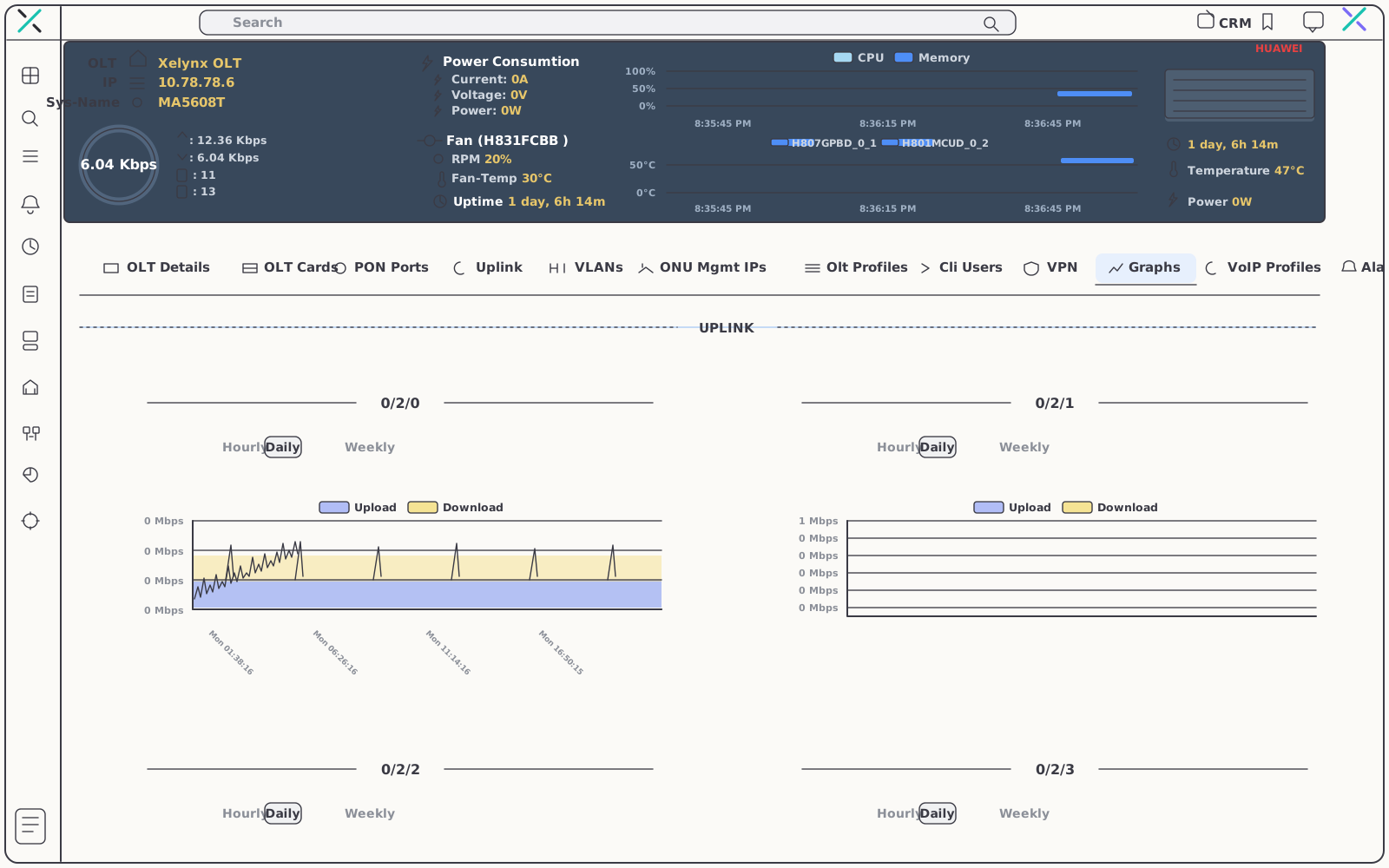
Every PON port, every uplink and every subscriber gets its own graph — at five-second resolution for live debugging, out to a year for capacity decisions.
| Graph | What it shows | Resolution |
|---|---|---|
| PON port traffic | Per-interface load for every PON port — not an aggregate | 5 seconds to 1 year |
| Uplink traffic | Each uplink interface graphed on its own, for split and upgrade planning | 5 seconds to 1 year |
| ONU traffic + signal | Throughput and optical dBm on one shared timeline per subscriber, so drops correlate with events | 5 seconds to 1 year |
07 — Day-to-day operations
The details that keep a NOC honest.
Streaming events, hands-on topology editing and a console you can lock in a tap.
Real-time SNMP notifications
SNMP traps stream into a side panel as they arrive — port flaps, fiber cuts and power issues land in front of you the instant the network reports them.
Optical-core editor
Double-click any map marker and choose "Edit Layout" to open an mxGraph editor of the splitter and optical-core layout — model the real plant, splice by splice.
Lock-screen console
Step away safely. "Lock now" blanks the screen instantly and unlocks with a PIN — the same lock works across both the NMS and the CRM.
08 — Related
Pairs well with the rest of Xelynx.
The NMS shares one database with the CRM, billing and RADIUS — the ONU on the map is the subscriber on the invoice.
RADIUS & Provisioning
Authenticate, authorize and provision subscribers automatically from the same record the NMS monitors.
Explore RADIUSXRTG Graphing
Long-term traffic and interface graphs across routers and the rest of the network.
Explore XRTGAI Network Planner
Design and forecast network expansion with AI guidance — then watch the build live in the NMS.
Explore the PlannerGet started
Find the break
before the calls start.
OLT and ONU health, alarms, root cause and maps in one console — for GPON and EPON, Huawei and ZTE. Free for 15 days, no card required.