Module — XRTG
Live bandwidth, second by second.
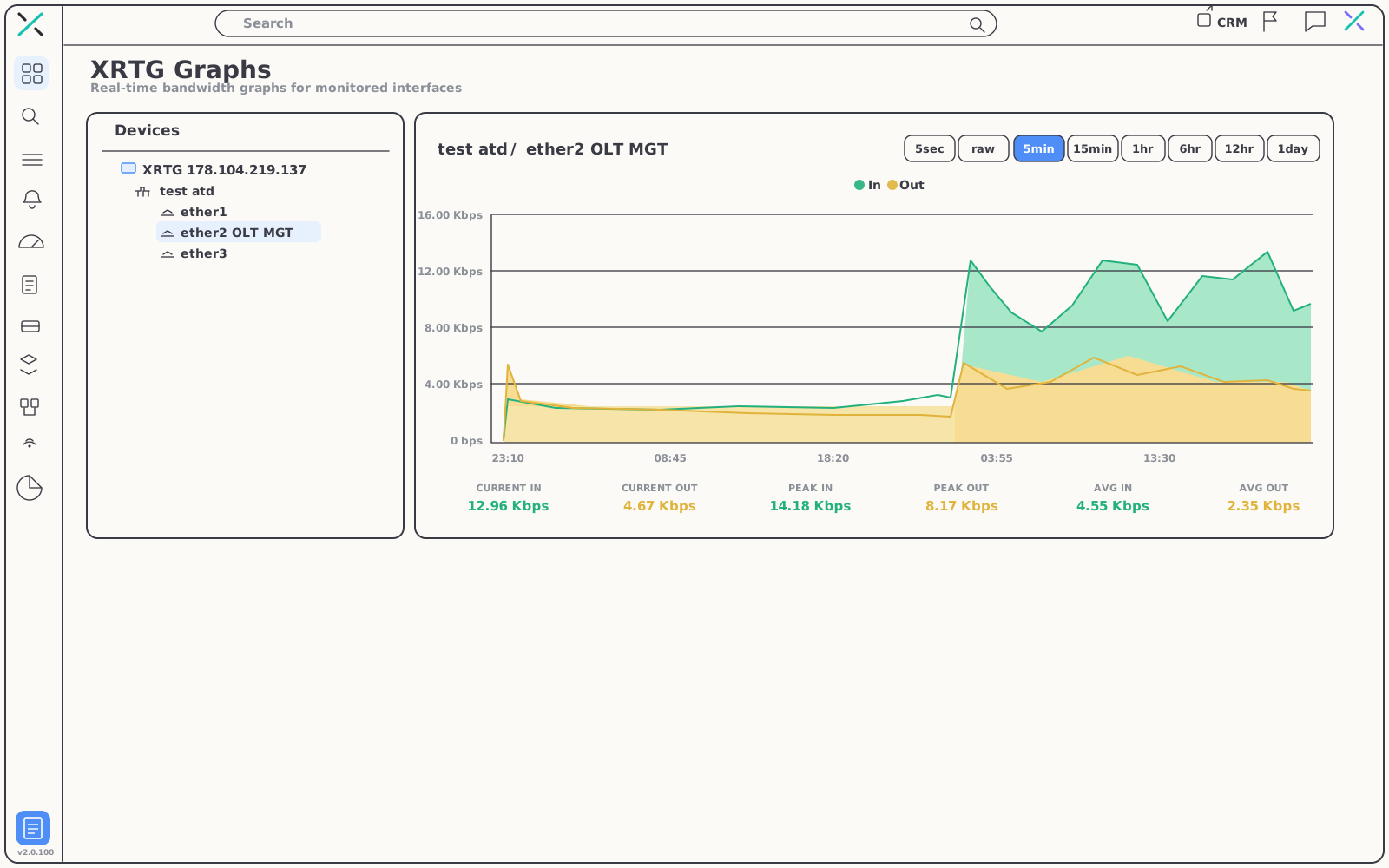
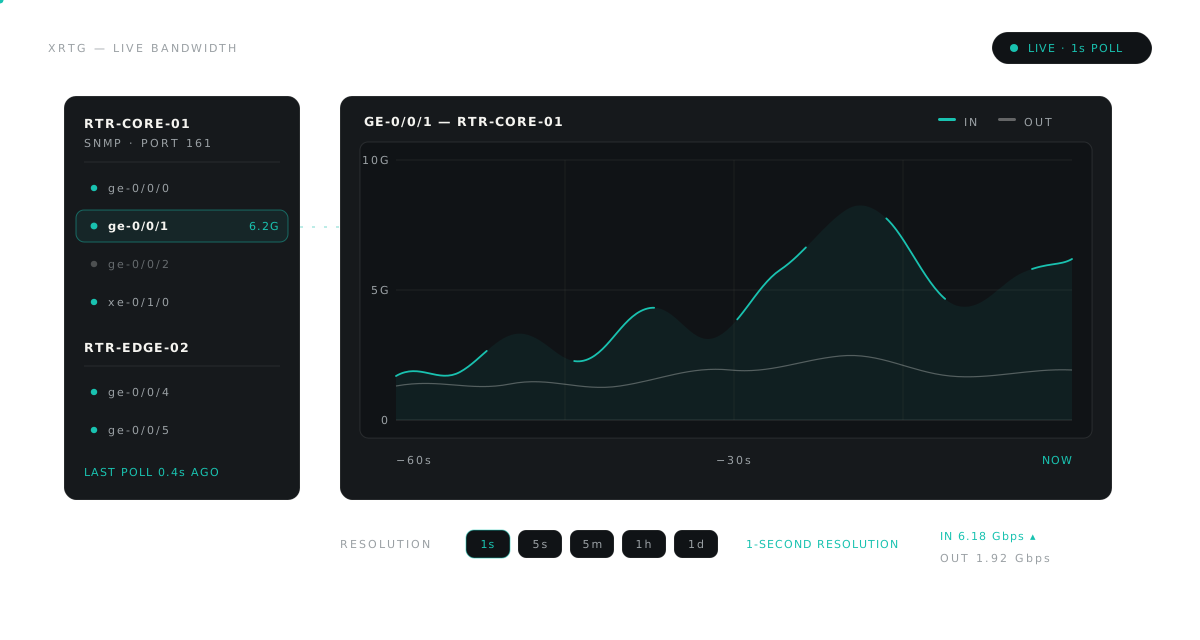
Pick a router and an interface from the tree and watch In/Out traffic draw itself in real time — with the current, peak and average figures you need to size links and catch saturation early.
01 — The graph
Built to be watched,
not waited on.
Most graphing tools make you wait out a five-minute poll to see what just happened. XRTG renders the moment you select an interface — and keeps drawing as traffic flows.
02 — XRTG Routers
Every router, neatly on one tree.
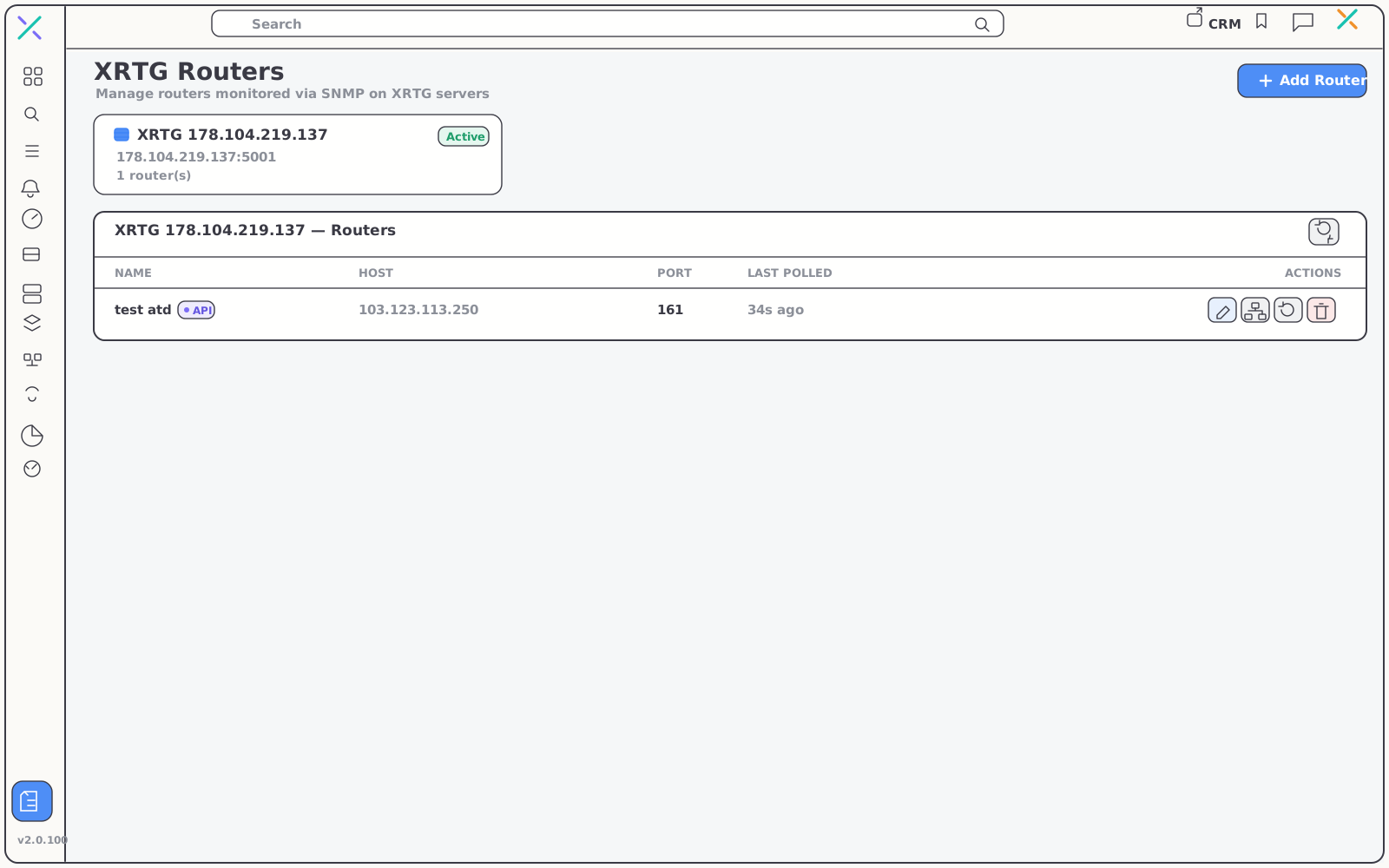
Routers attach to XRTG servers and get polled over SNMP from there. The routers table keeps the operational facts in one row — host, SNMP port, how fresh the last poll is — so a stale device stands out immediately.
- Add a router in seconds — a name, a host and an SNMP port are all XRTG needs to start polling
- Freshness at a glance — each row shows host, port and the time since the last poll
- One place to manage — choose which devices and interfaces are graphed and watched
03 — X Traffic Diagnosis
Test from the router's vantage point.
Not from your desk.
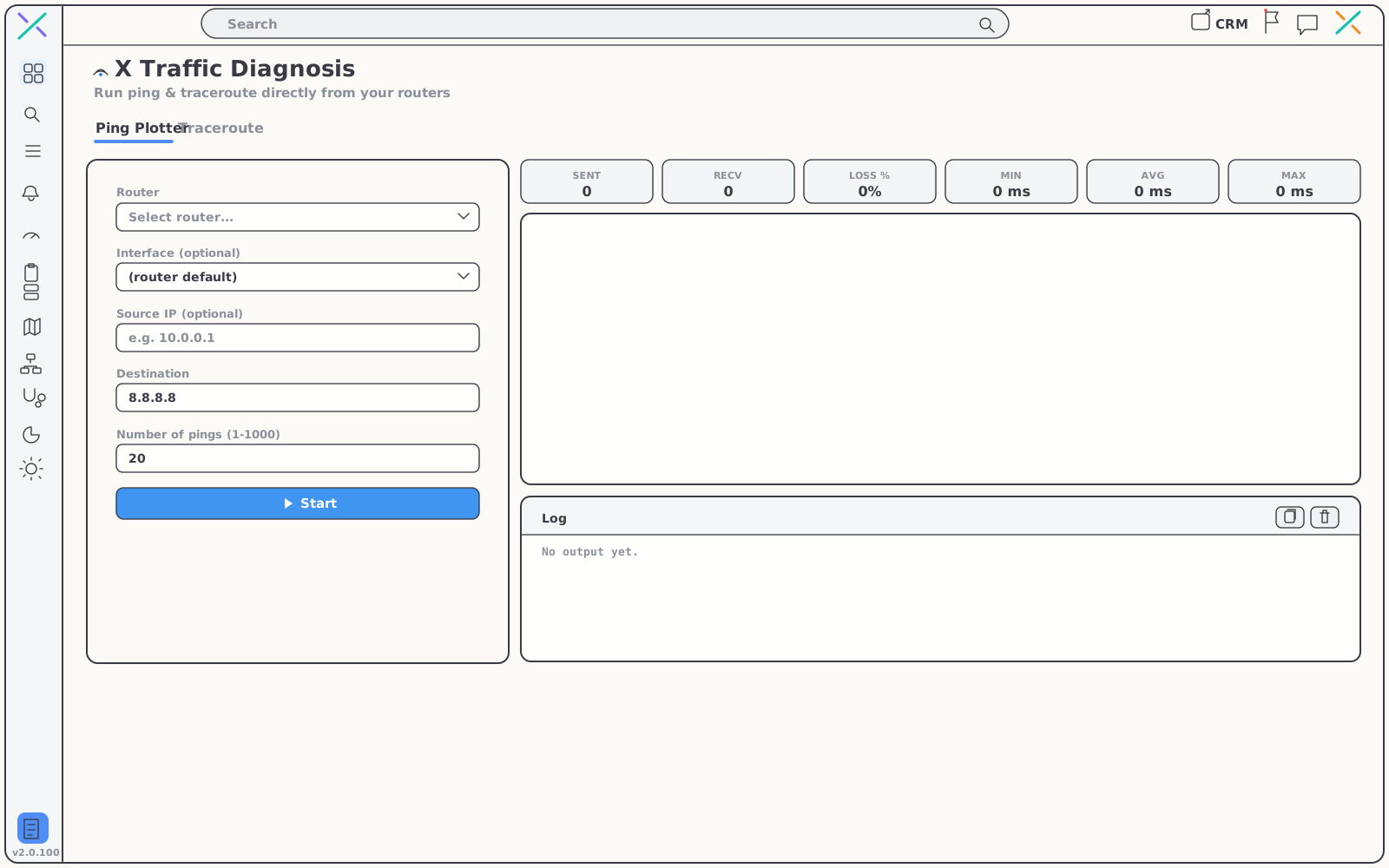
When a link spikes, drops or quietly saturates, the question is always the same: what does the path look like from there? X Traffic Diagnosis runs ping and traceroute directly from your monitored routers — so you measure the route your customers actually take, before they call.
Ping Plotter and Traceroute, built in
Pick a router, set a destination, press start. Results stream back live — into the same NMS that holds your bandwidth graphs and optical layer, so triage never leaves the page.
- Ping Plotter — fire up to 1,000 pings and watch sent, received, loss %, min, avg and max update in real time
- Traceroute — trace the path hop by hop from any router you monitor
- Pick the vantage point — optionally pin a source interface or source IP to test one specific path
- A live log — raw output alongside the counters, ready to copy into a ticket
04 — Resolutions
One graph, eight distances.
The same interface, read at whatever range the question demands — switch views in a click and the figures recompute with the graph.
| Range | Views | What you see |
|---|---|---|
| Live | 5sec · raw | Traffic as it happens — watch a config change take effect the second you apply it |
| Recent | 5min · 15min | The shape of the last few hours, smoothed enough to read a trend |
| Daily | 1hr · 6hr | Busy hours and the daily rhythm of a link |
| Long view | 12hr · 1day | The long arc — the view you size and upgrade links against |
Get started
See your traffic
the moment it moves.
Real-time graphs, SNMP routers and traffic diagnosis in one NMS. Free for 15 days, no card required.