Module 06 — AI Network Planner
Draw a polygon. Get an FTTH plan.
Sketch your service area on a satellite map, set the optical power budget, and let AI place every OLT, FAT and splitter — a complete, budget-checked FTTH design in minutes, not days.
01 — Workflow
Three moves from map to plan.
02 — The canvas
Start on real ground, not a blank CAD sheet.
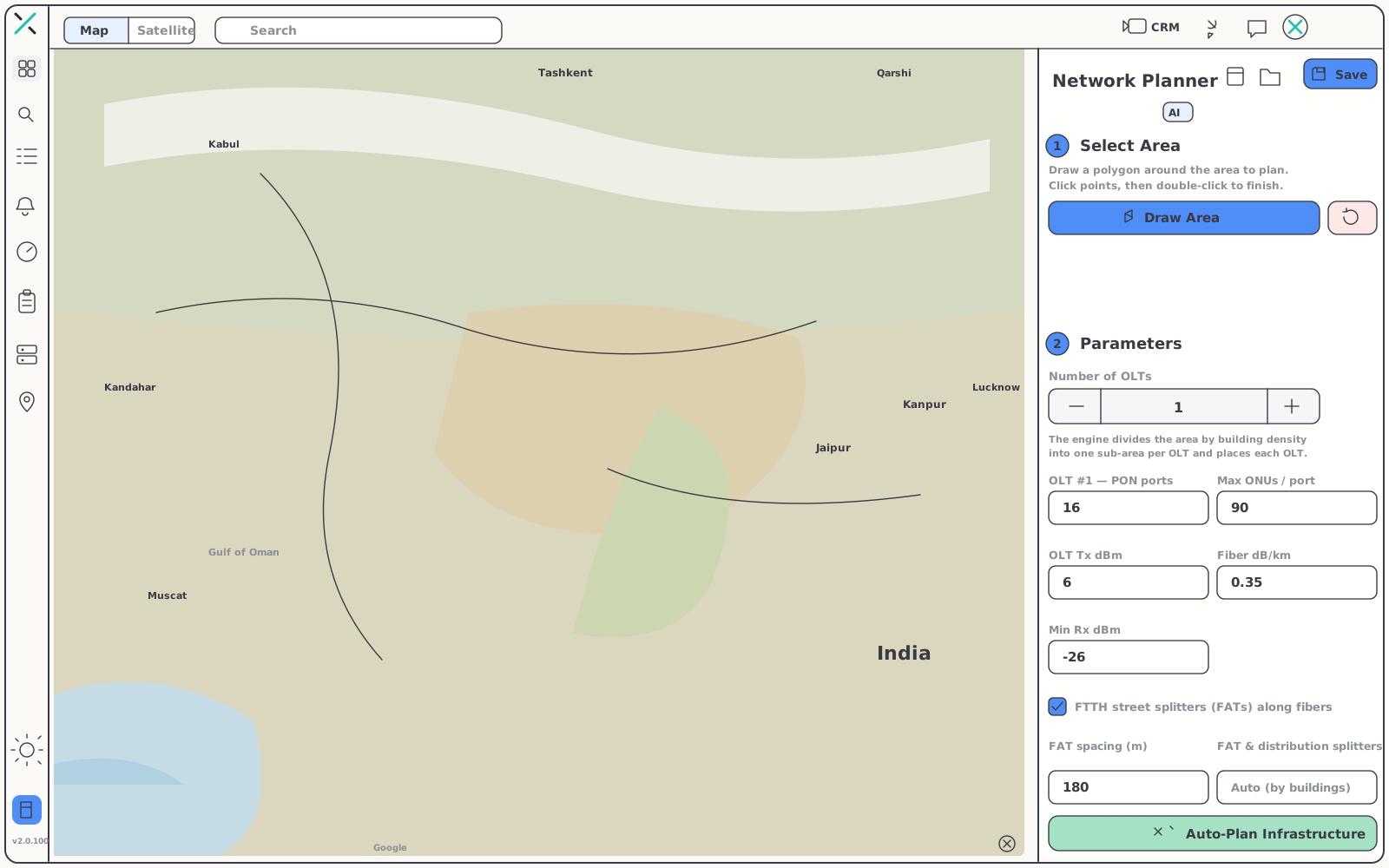
Draw exactly where you intend to build, on high-resolution satellite imagery. Because the AI works from the same ground you see, every placement lands in context — along streets, beside structures, where plant can actually go.
- Buildings and poles, auto-flagged — the planner picks structures out of the imagery so nothing gets missed
- Any scale — a single block or an entire district, all in one canvas
- One polygon — the service-area outline is the only drawing the design needs from you
03 — Constraints
Set the physics once.
The plan obeys everywhere.
The planner treats your optical and physical parameters as hard constraints. Define them up front, and every OLT, FAT and splitter in the finished layout respects them.
| Parameter | What it controls |
|---|---|
| PON ports | How many PON interfaces each OLT contributes, and how the area divides between them |
| ONUs per port | The ceiling on subscribers a single PON port may serve |
| OLT count | How many OLTs the design distributes across the polygon |
| OLT Tx (dBm) | The transmit power every downstream loss calculation starts from |
| Fiber loss (dB/km) | Attenuation applied along every route the plan draws |
| Minimum Rx (dBm) | The receive floor no path in the layout is allowed to fall below |
| FAT spacing | How far apart fiber access terminals fan out across the area |
| Splitter distribution | How splitters cascade between the OLT and the customer |
Together, these define a power budget the AI never breaks — no path in the generated design lands below your minimum Rx.
04 — Auto Plan Infrastructure
One button.
A buildable FTTH design.
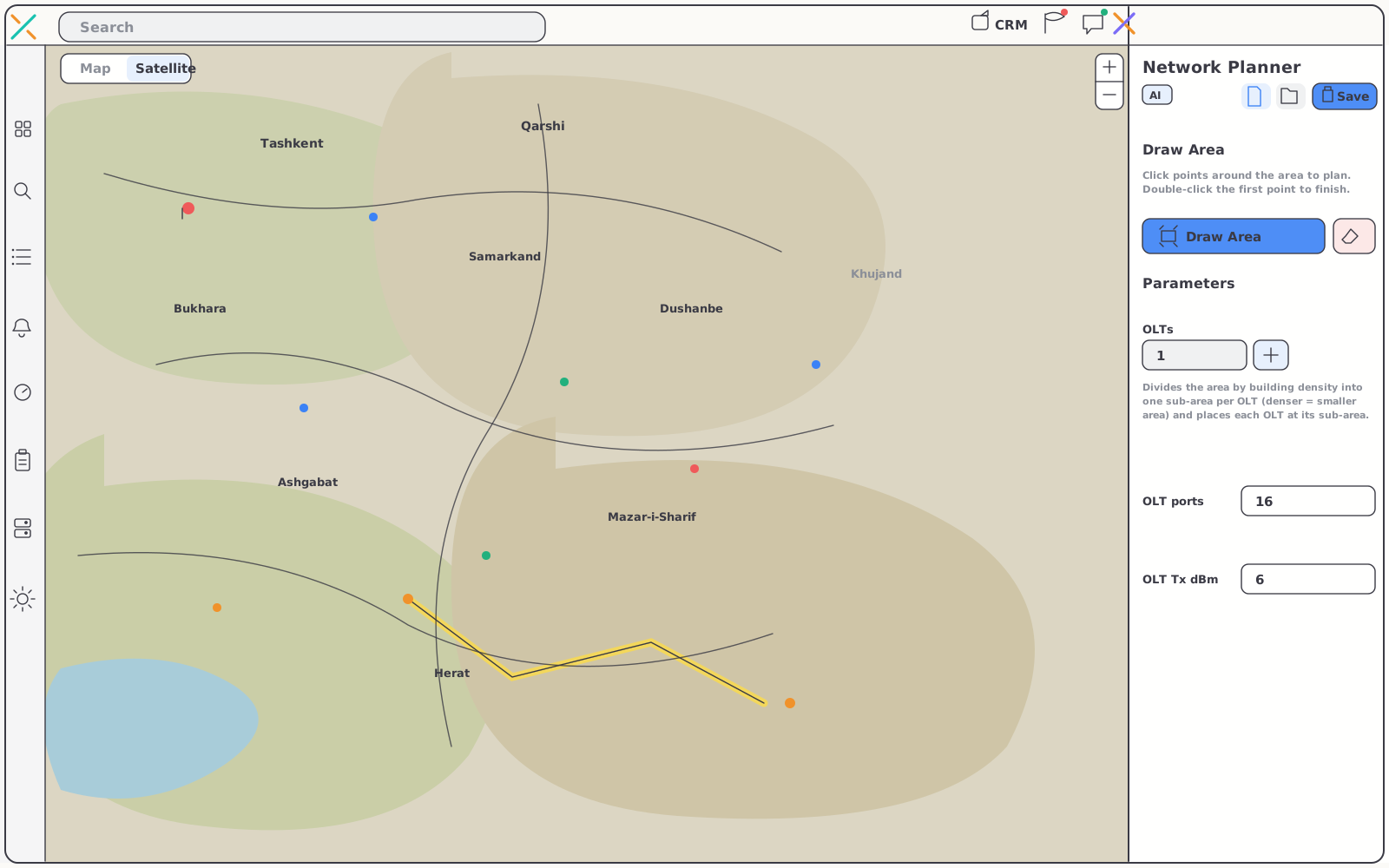
Auto Plan Infrastructure hands your polygon and constraints to the AI. It comes back with every OLT, FAT and splitter placed across the area — and a complete fiber power budget computed for every path, end to end.

From blank map to plan in minutes
What used to take days of manual drafting comes back while you watch. Review the layout, adjust anything by hand, and push the finished design straight into your NMS — the same platform that will monitor the network once it's built.
- Automatic placement — OLTs, FATs and splitters laid out across the entire polygon
- End-to-end budget — transmit power, fiber loss and split loss accounted for on every path
- Refine, don't redraw — the generated layout is a starting point you can edit, not a black box
- Plan to production — the design flows into the NMS that runs your live network
05 — Capabilities
Everything the planner handles.
06 — Pairs with
A plan that lands in a platform.
The planner isn't a standalone drawing tool. Its output lives in the same system that monitors, provisions and bills the network it describes.
Optical-Fiber NMS
Monitor every OLT, ONU and fiber path the planner lays out — live maps, optical power per hop, real-time alarms.
Explore the NMSAI Suite
Ask anything about your network and get answers, reports and actions grounded in your live platform data.
Explore AIRADIUS & Provisioning
Turn planned access points into authenticated, provisioned subscribers on the same subscriber record.
Explore RADIUSGet started
Your next FTTH build,
designed in minutes.
Draw the area, set the budget, let the AI place the infrastructure — then run it on the same platform. Free for 15 days, no card required.