Operations — 01
Every ticket triaged. Every install on the board.
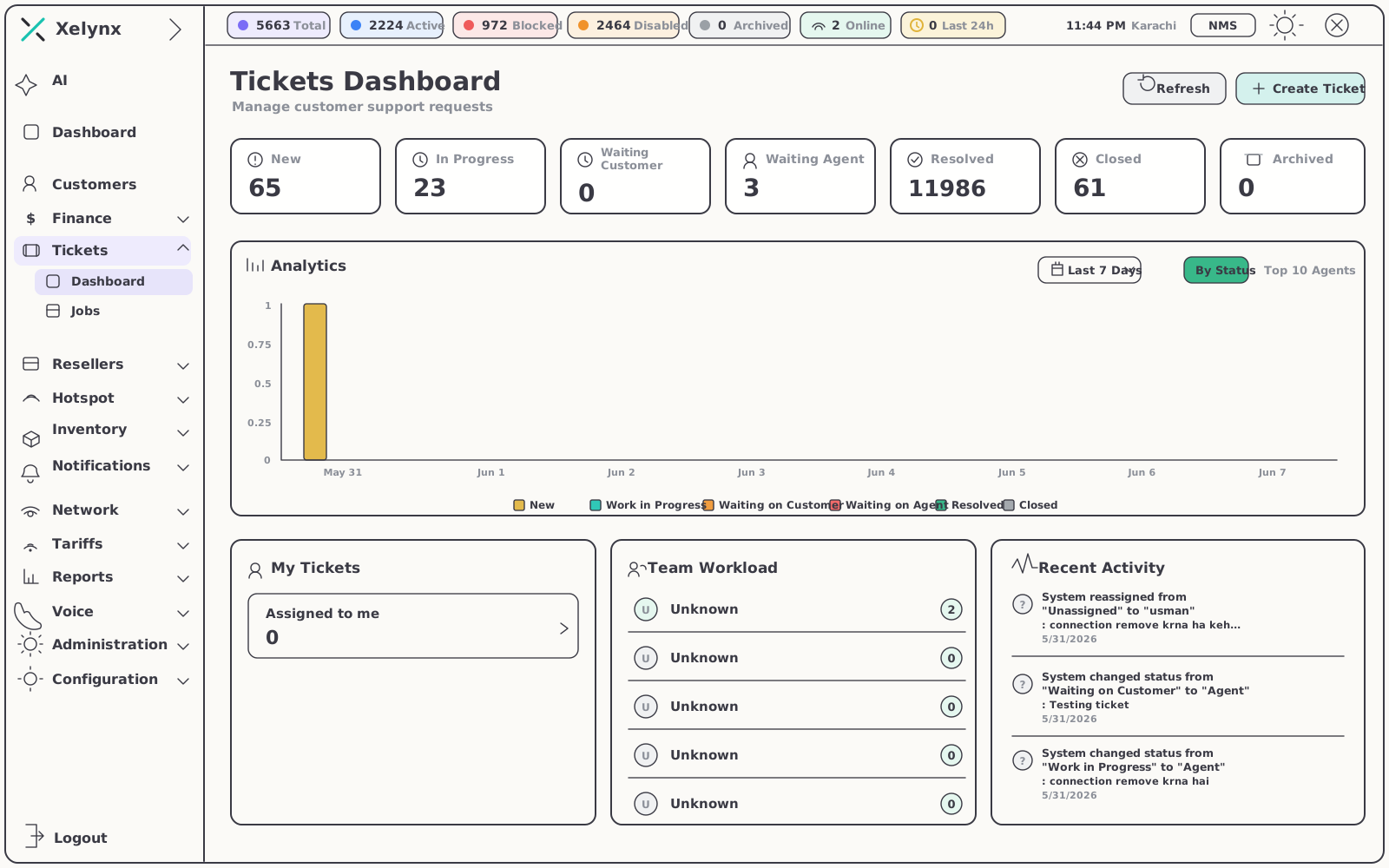
Xelynx pairs a customer support desk with a Kanban board for installations and field work — and ties every ticket and job to the subscriber and CPEs it belongs to, so context travels with the work.
01 — Capabilities
Support and delivery, one system.
A request that starts as a ticket often ends as a truck roll. Xelynx keeps both halves in the same place, against the same subscriber record.
02 — The support desk
Always know what's still open.
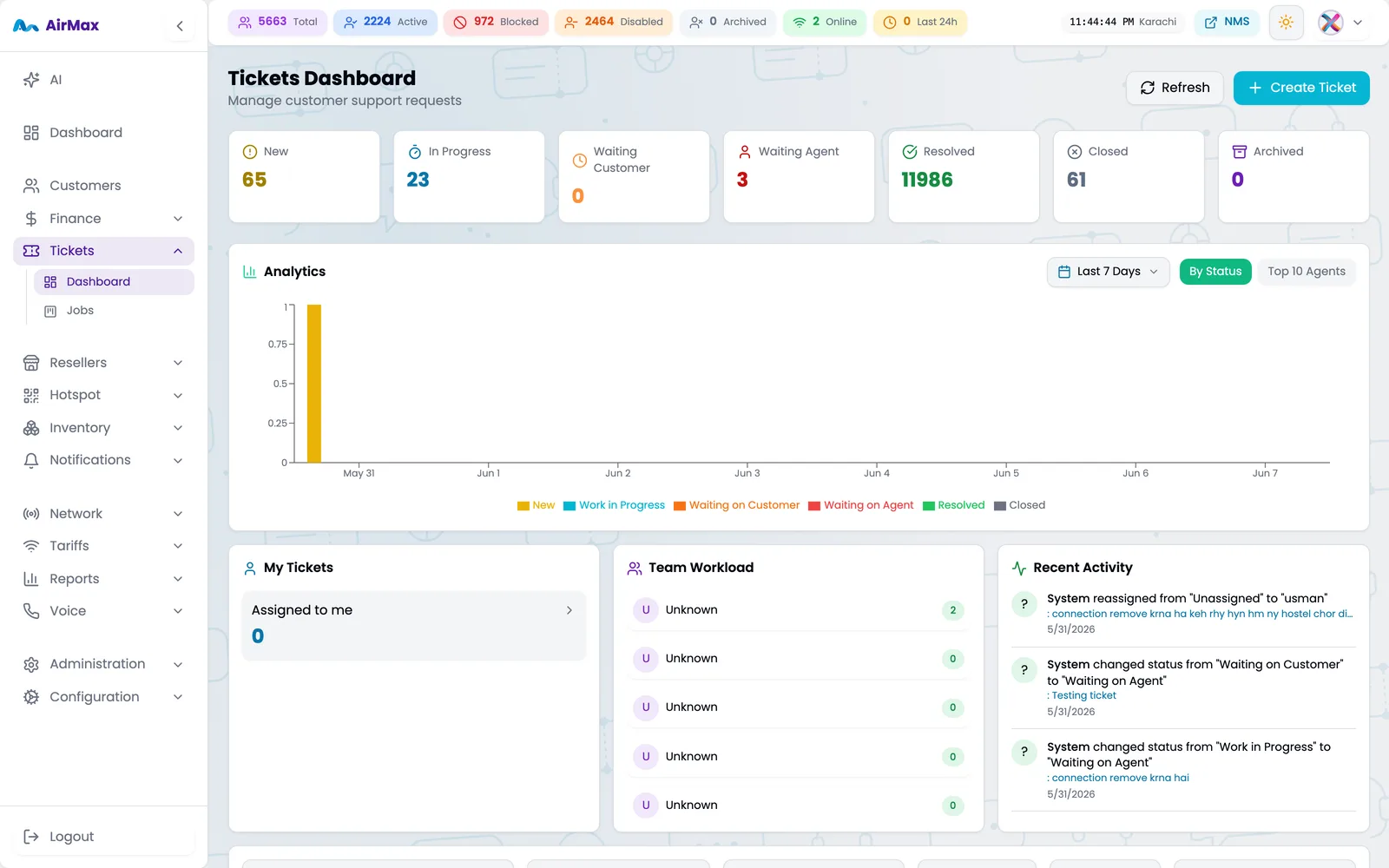
One desk for every inbound issue. The pipeline tells you where each request stands; the filters tell you where to look first.
Triage
The work that needs you now, front and centre.
Pull up unresolved tickets without the noise of everything already handled. When a customer writes back, the unread indicator puts that conversation at the top of your attention — not at the bottom of an inbox.
- Open work, isolated — focus on unresolved tickets; closed history stays one click away
- Unread indicators — conversations waiting on a reply from your team are flagged, never missed
- Full account context — each ticket opens on the subscriber and CPEs behind it
| Status | What it means |
|---|---|
| New | A request has arrived and is waiting for first triage. |
| In Progress | Your team is actively working the issue. |
| Waiting on Customer | The next move belongs to the subscriber — the ticket waits without nagging you. |
| Waiting on Agent | The customer has replied; the unread indicator puts it back in front of your team. |
| Resolved | The issue is fixed and the outcome recorded. |
| Closed | Archived to history — the clean trail behind your SLA reporting. |
03 — The jobs board
Field work, run like a pipeline.
Not a phone tree.
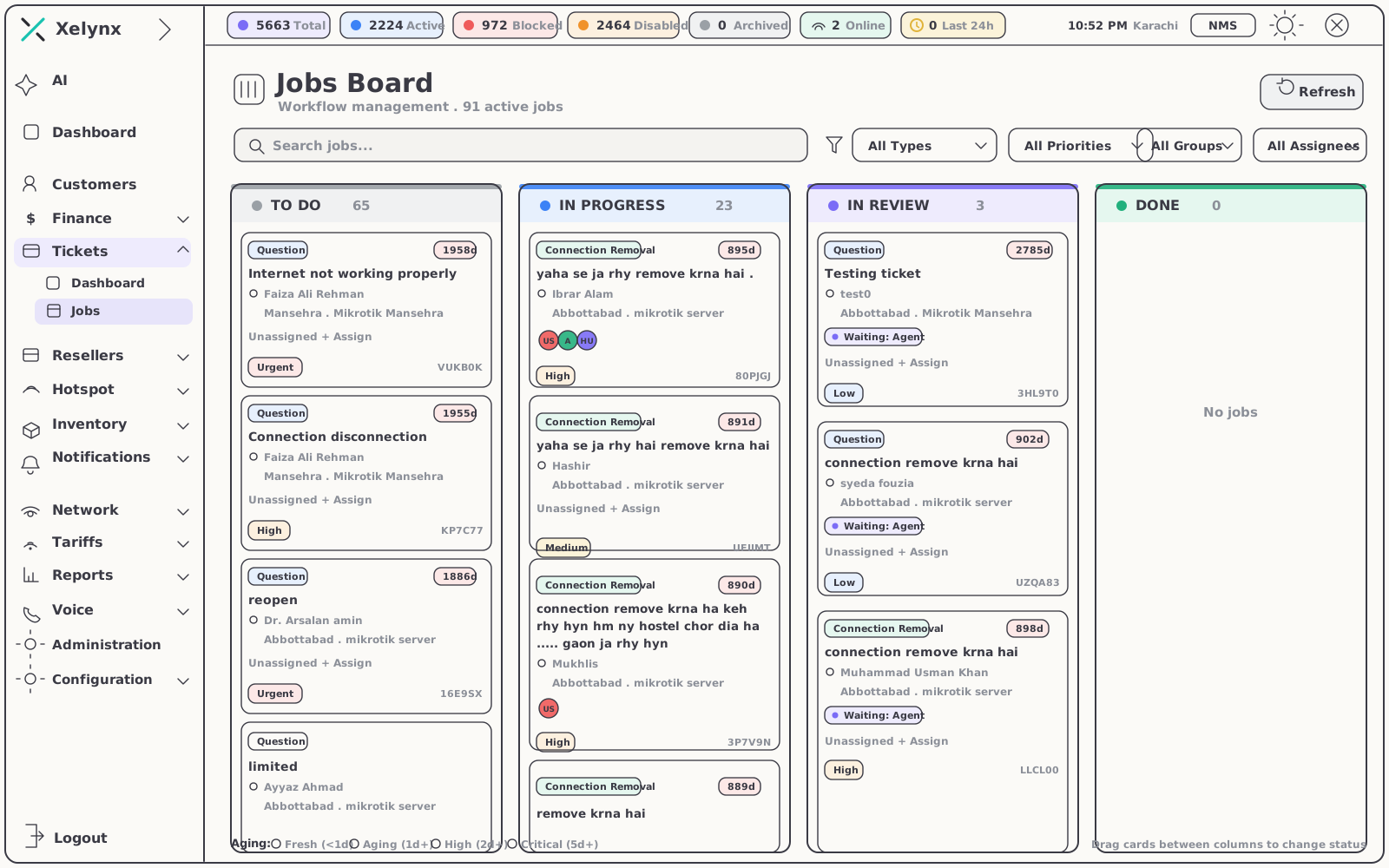
Installs and field jobs live on a Kanban board, moved column by column from first install to final sign-off — with an at-a-glance count of everything in flight.
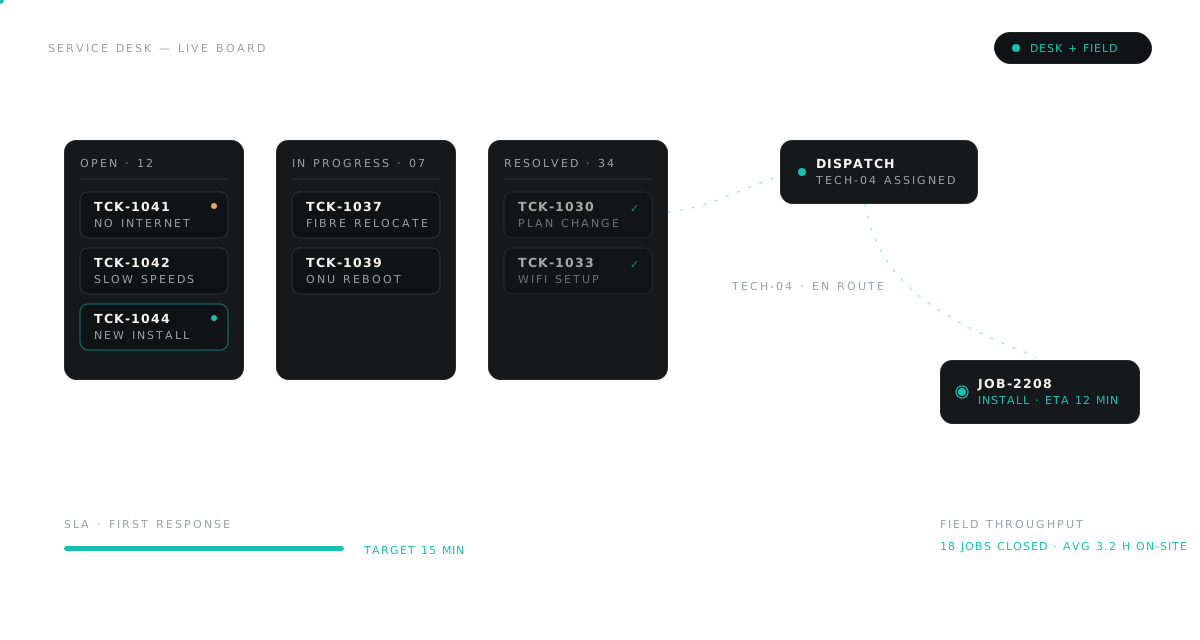
From "scheduled" to "signed off", one column at a time.
Each card is a real job tied to a real subscriber. When a technician picks it up, the address, the account and the CPEs are already on the card — field teams arrive knowing exactly what's on the wall.
- Kanban workflow — installations and field jobs advance column by column, never by memory
- Active counts at a glance — 91 active jobs in the demo board, visible the moment it loads
- Subscriber & CPE on every card — the job carries its own context into the field
04 — In the box
Everything you need to support and deliver.
05 — Works with
The modules around the desk.
Tickets and jobs draw their context from the rest of the platform — and feed it back as work gets done.
CRM & Subscribers
The customer records every ticket and job links back to — services, CPE and history on one profile.
Explore CRMNotifications
Keep customers and agents in the loop over push, email and WhatsApp as work moves through the pipeline.
Explore NotificationsInventory
The CPEs and stock behind every install job — assigned to customers, returned and replaced from the same system.
Explore InventoryGet started
From first ticket
to final sign-off.
Bring your support desk and your jobs board into one system. Free for 15 days, no card required.