Operations — Reports & Analytics
Every number your ISP runs on.
Six reports cover the money, the subscriber base and the people who bill it — plan financials, account statements, status breakdowns, non-invoiced lists, agent performance and your user hierarchy. Every view exports to CSV.
01 — The index
Six reports. No dashboards to build.
Each report ships ready to read — open it, filter it, export it. Nothing to configure before the numbers make sense.
02 — Finance
The money, traced both ways.
Per-plan economics for the decisions you make once a quarter; per-customer statements for the questions you answer every day.
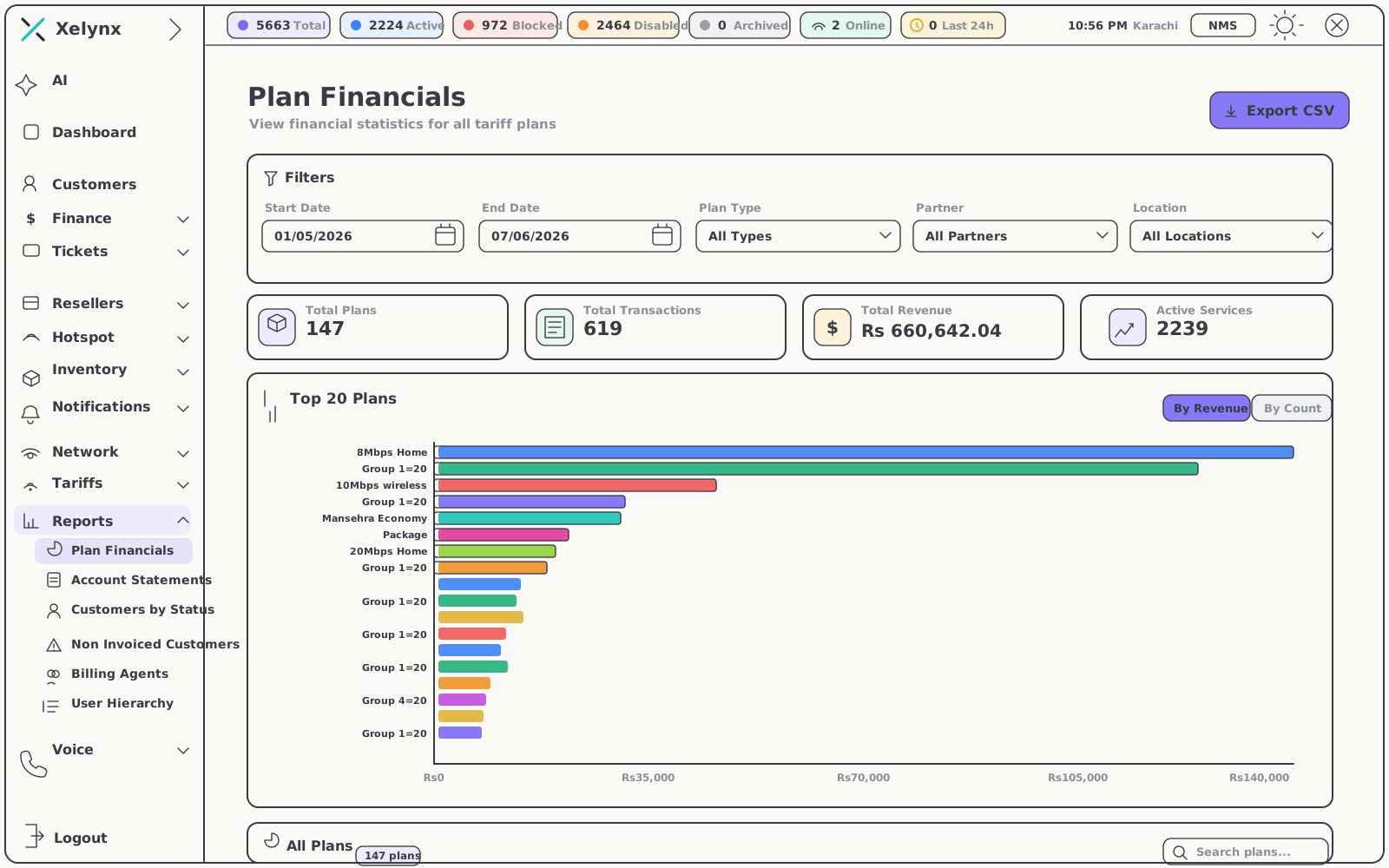
Plan financials
Know which plans actually pay.
Financial statistics for all tariff plans sit side by side in one view, so you see exactly which plans drive revenue — and which only look like they do.
- Per-plan statistics — revenue and subscriber economics at a glance
- Compare tariffs — spot your strongest and weakest plans in seconds
- CSV export — for board decks, finance teams and deeper modelling
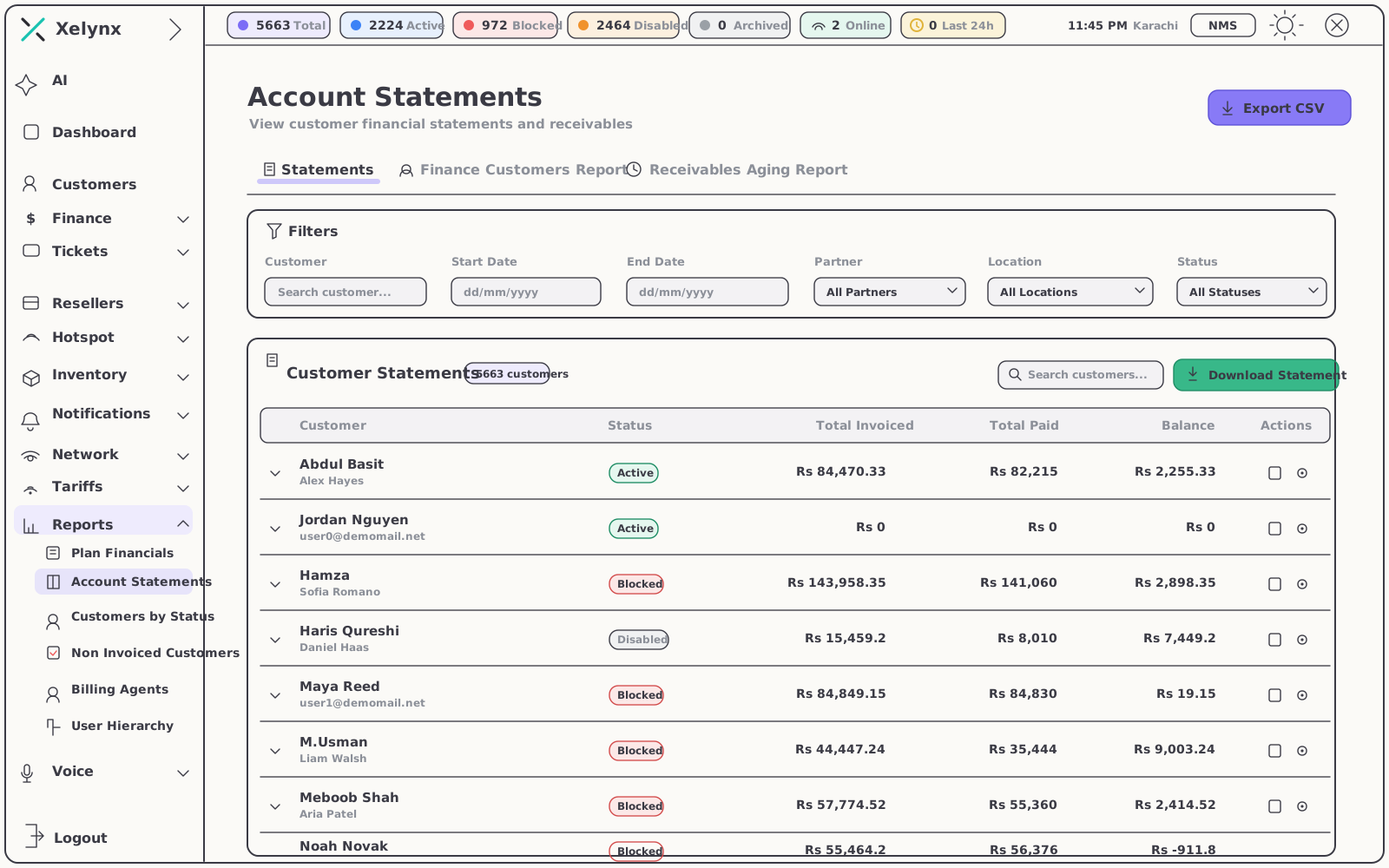
Account statements
Every charge, payment and balance.
Customer account statements give a clean, auditable trail from the first invoice to the current balance — one document that ends most billing arguments.
- Full history per customer — every charge and payment, line by line
- Resolve disputes faster — point to the record instead of reconstructing it
- CSV export — reconciliation and hand-off to your accounting stack
03 — The subscriber base
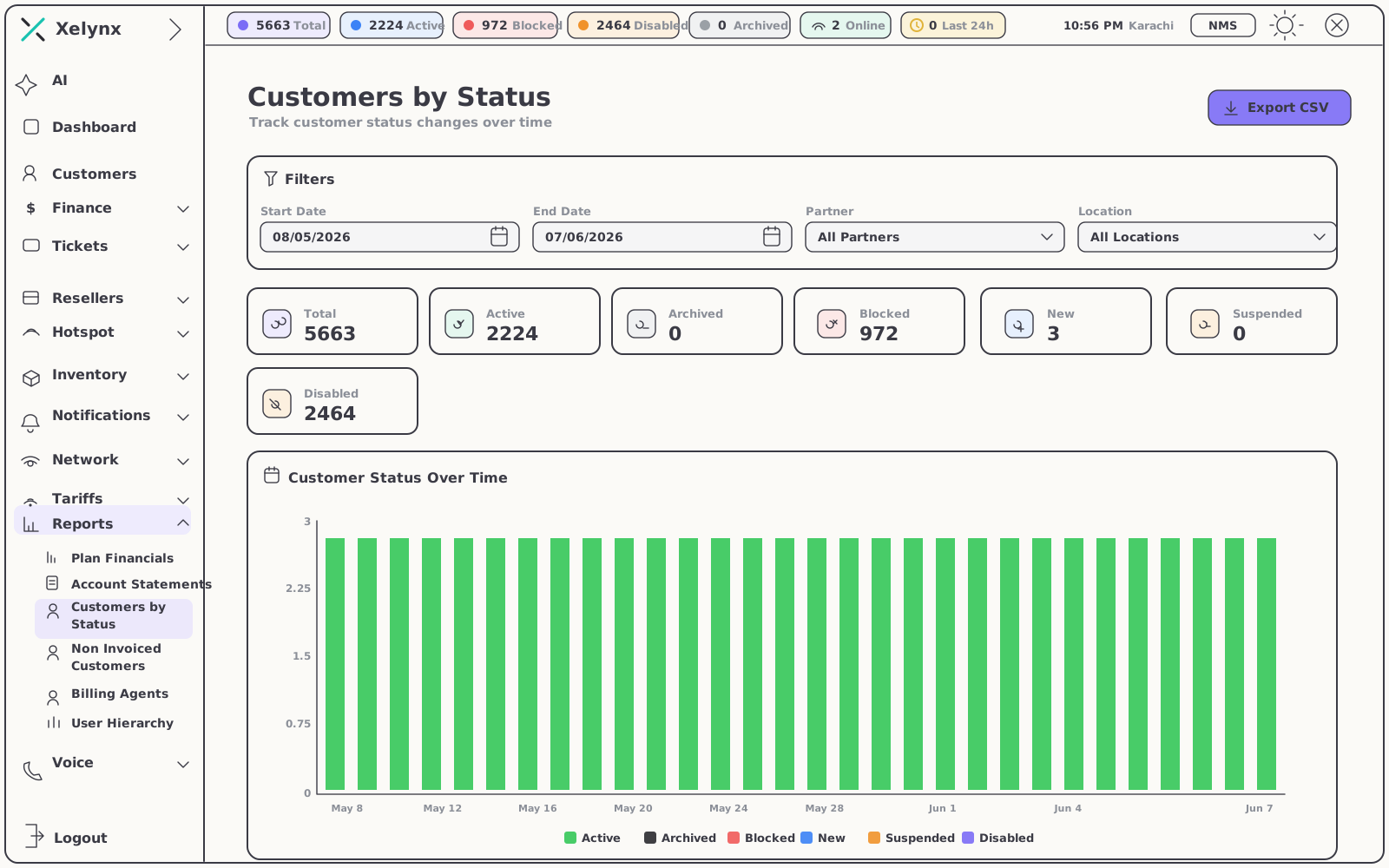
Your base, by status.
The customers-by-status report breaks the entire subscriber base down by state, so a glance tells you who is active, who is suspended and where attention is due — before churn shows up in the revenue line.
- Status breakdowns — across the whole base, not a sample
- Spot the drift — suspended and lapsing accounts surface immediately
- CSV export — turn any status segment into a working list
04 — Revenue assurance
Revenue you earned.
Invoices you never raised.
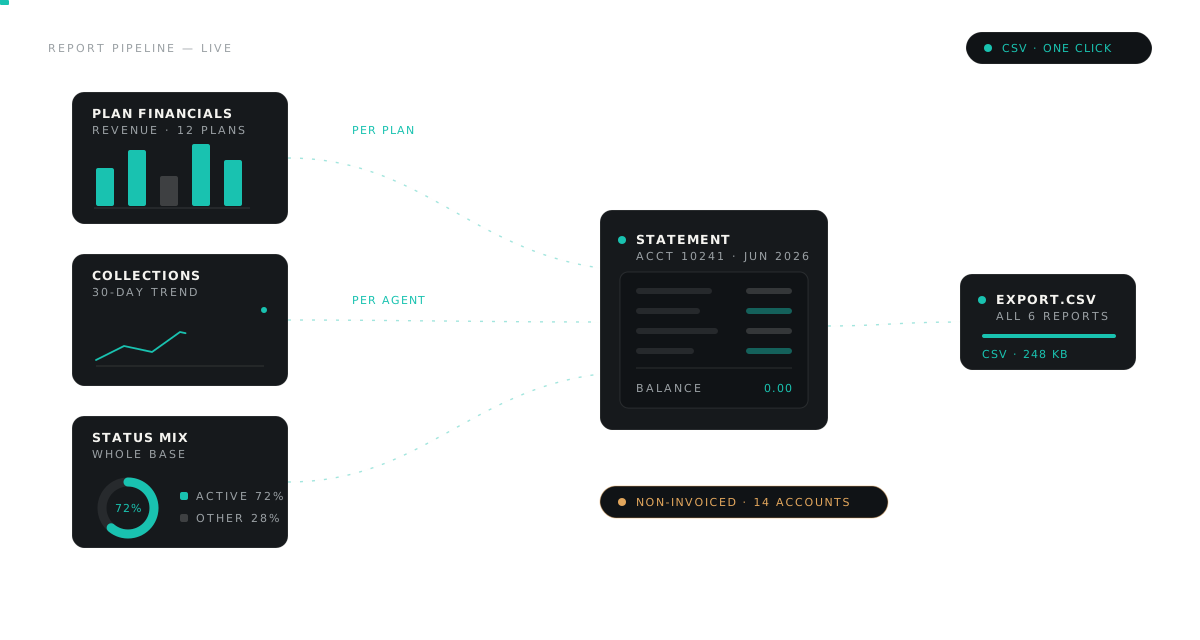
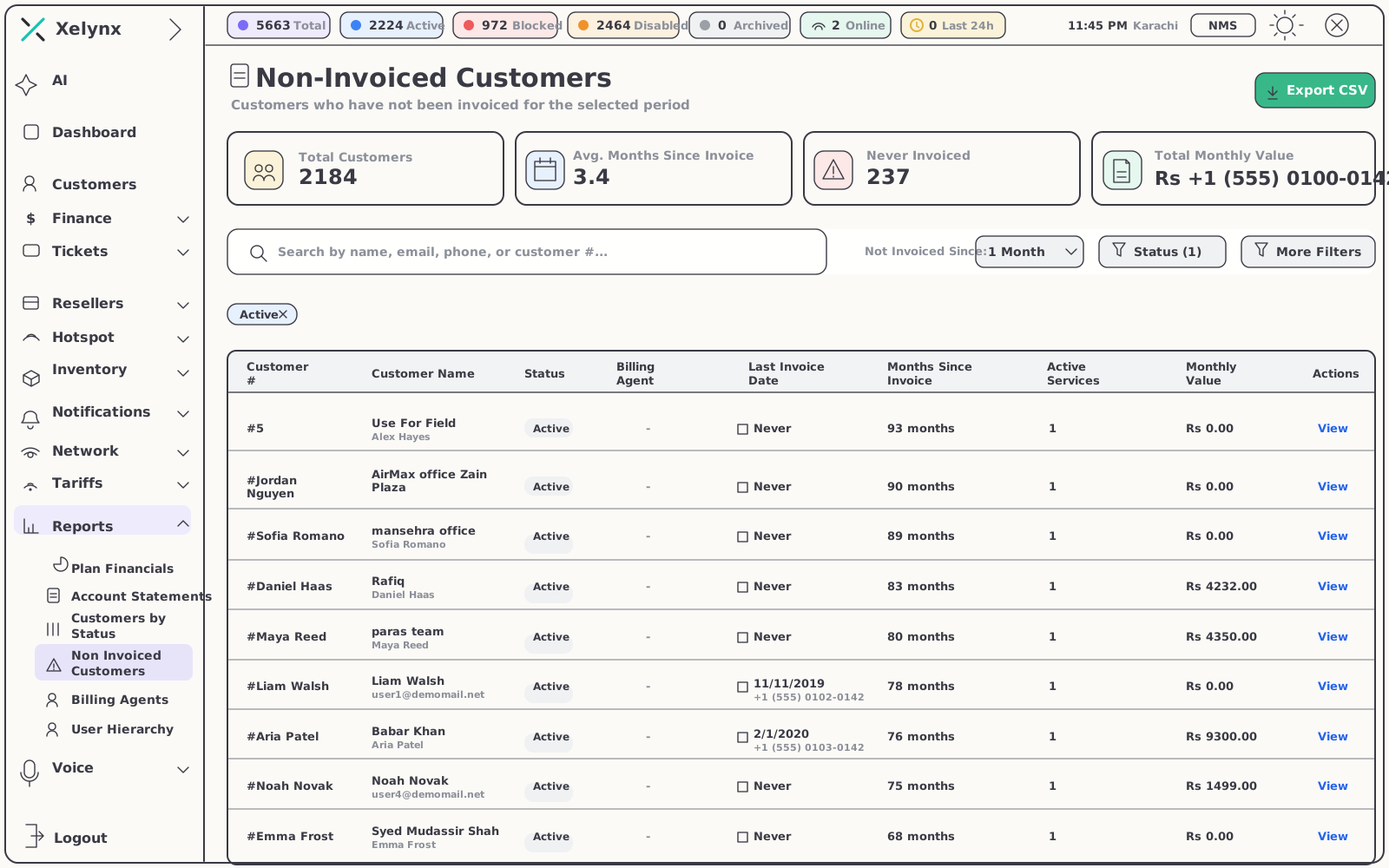
Every growing ISP accumulates them: customers in the base with no invoice against their name. The non-invoiced report finds every one — before the month closes, not after the audit.
The list that pays for the module.
One view lists every non-invoiced customer in your base. Export it, bill it, and the gap between service delivered and revenue collected closes. Then ask the AI Suite about it — or about any report — in plain language.
- Non-invoiced customer lists — catch revenue that hasn't been billed
- CSV export — the report becomes a billing worklist
- Conversational analysis — query any report through the AI Suite
05 — People
Measure the people behind the billing.
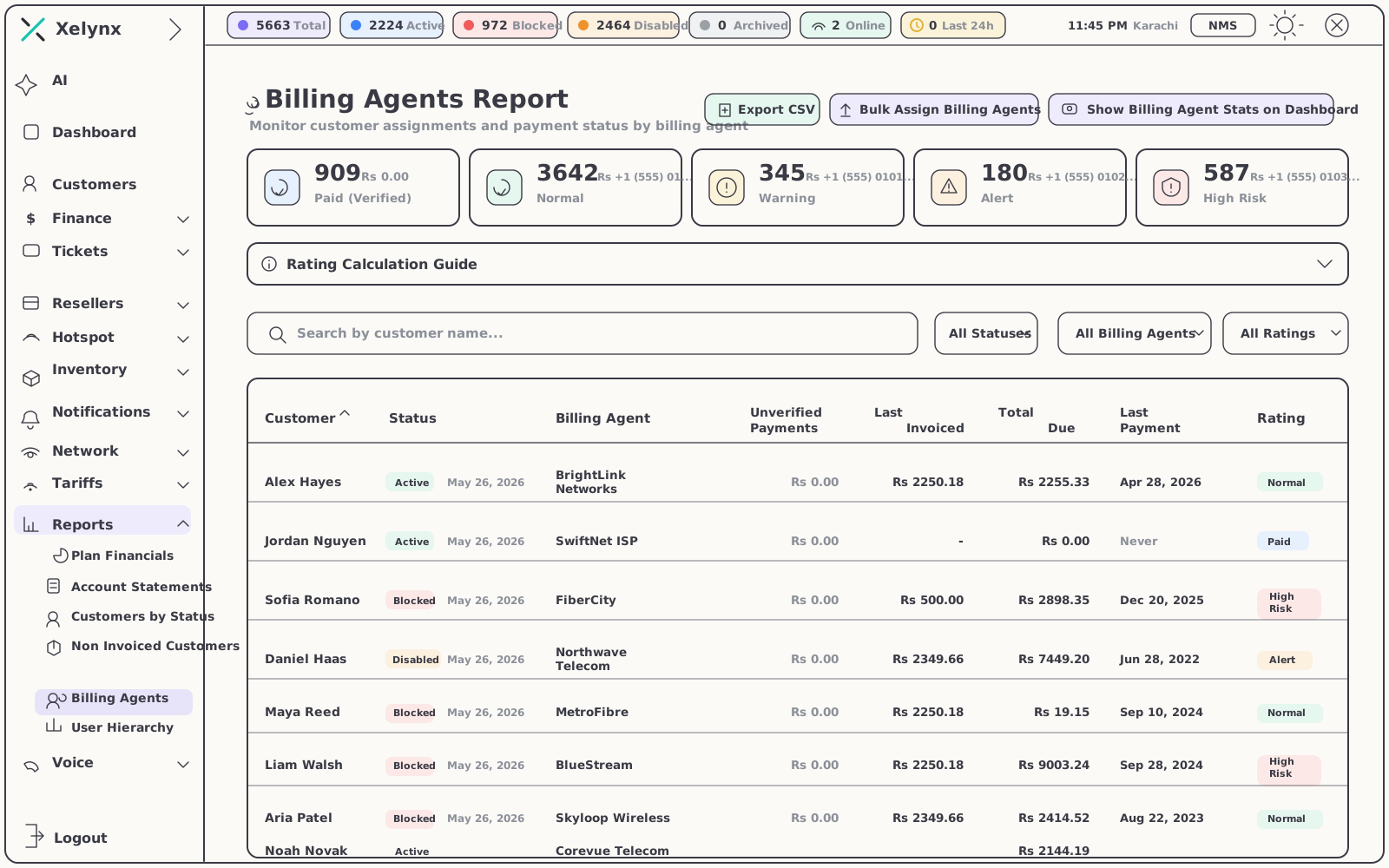
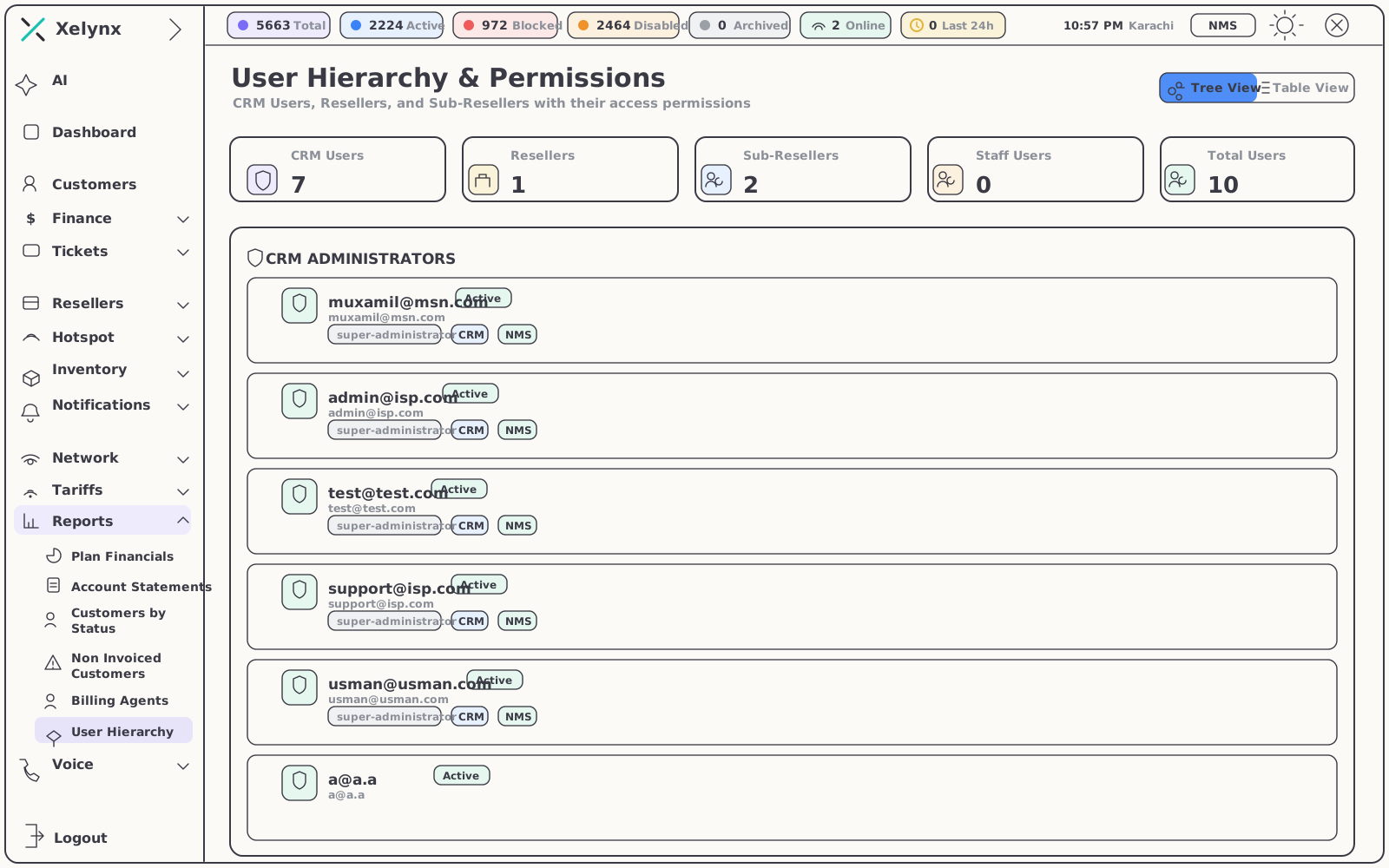
Billing-agent statistics show who is collecting and who is onboarding, so you know where to focus the team. The organisation user hierarchy ties every result back to the structure it came from.
06 — Export
Numbers that leave the building.
Every report exports to CSV — so the data works in board decks, accounting systems and your own models, not just on our screens.
| Report | What the CSV export is for |
|---|---|
| Plan financials | Board decks, pricing reviews and deeper modelling in your own tools |
| Account statements | Reconciliation and hand-off to your accounting stack |
| Customers by status | Working lists for the accounts that need attention |
| Non-invoiced customers | A billing worklist — revenue that hasn't been captured yet |
| Billing-agent statistics | Performance reviews across your collection workforce |
| User hierarchy | Mapping results back to teams and roles |
Get started
Turn billing data
into decisions.
Plan financials, statements and agent statistics — live on day one. Free for 15 days, no card required.