Operations — 05
Reach every subscriber. Prove every message.
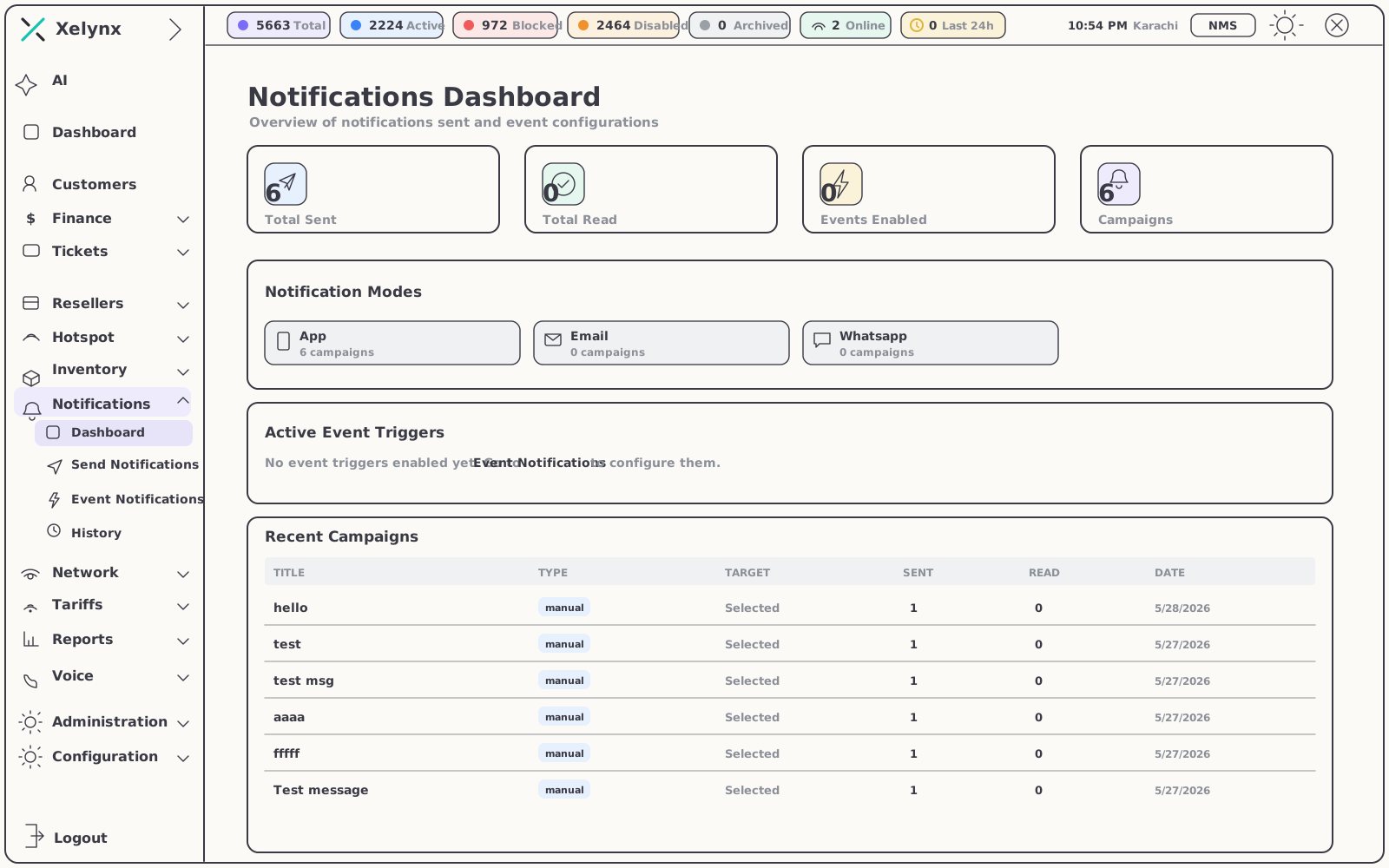
Broadcast announcements, fire event-triggered alerts and meet customers on WhatsApp, email and in-app push — with a searchable history and a read status behind every message you send.
01 — Capabilities
One pipeline for everything you tell a customer.
From a one-off outage announcement to a payment confirmation that fires at 3 a.m. — composed, delivered and logged in the same place.
02 — Compose & configure
Write it once. Decide who hears it, and how.
A single composer covers the announcement you send today and the triggers that run quietly for years.
Send
Announcements out in seconds.
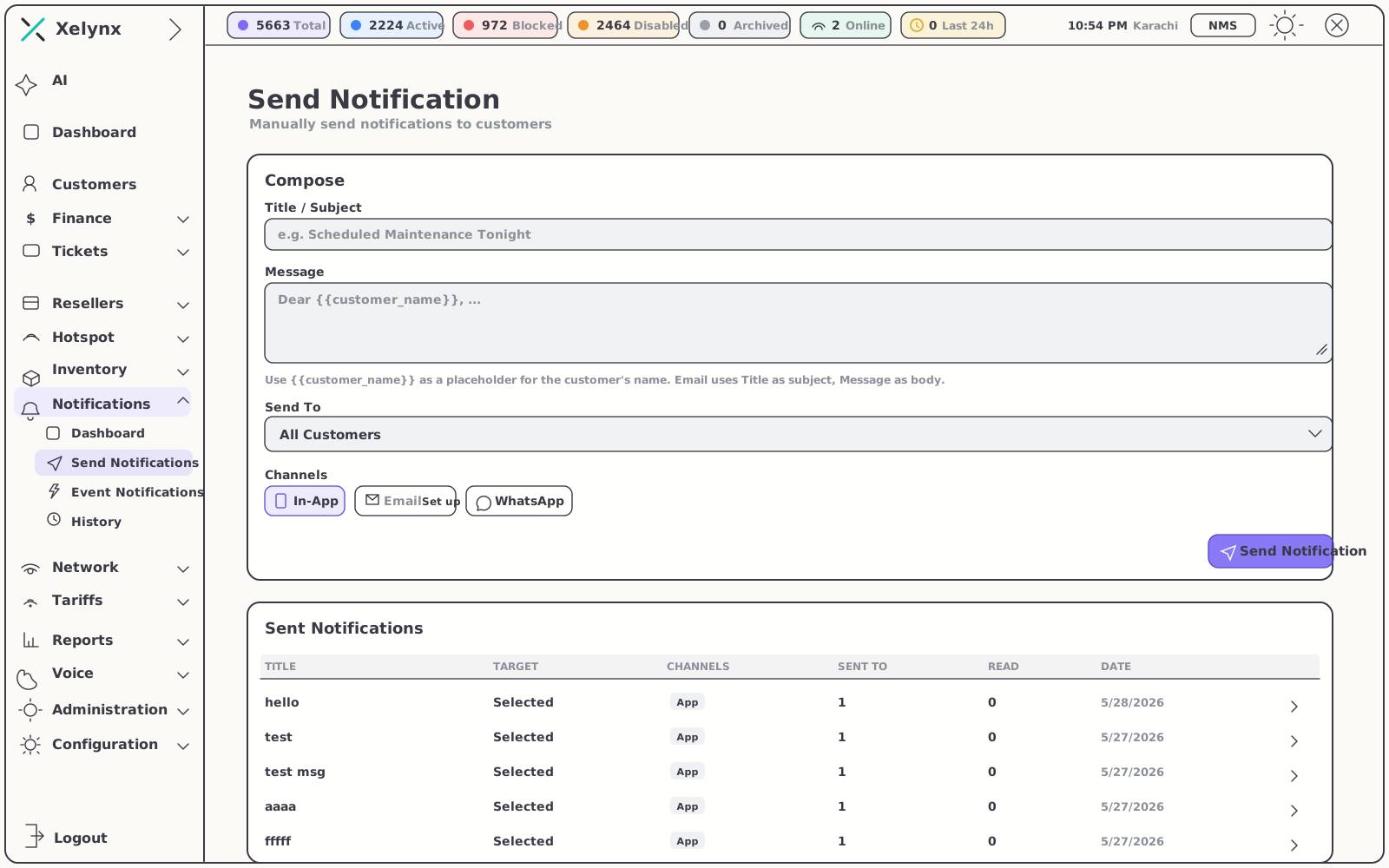
Compose a message once and push it to everyone — or a precise slice of your base. Planned maintenance, an outage in one area, a new offer: each goes out the moment it matters, with no delay.
- Broadcast or targeted — message the whole base or a specific group
- Pick the channel — WhatsApp, email or in-app, all from one composer
- No staging required — write, choose the audience, send
Events
Messages that send themselves.
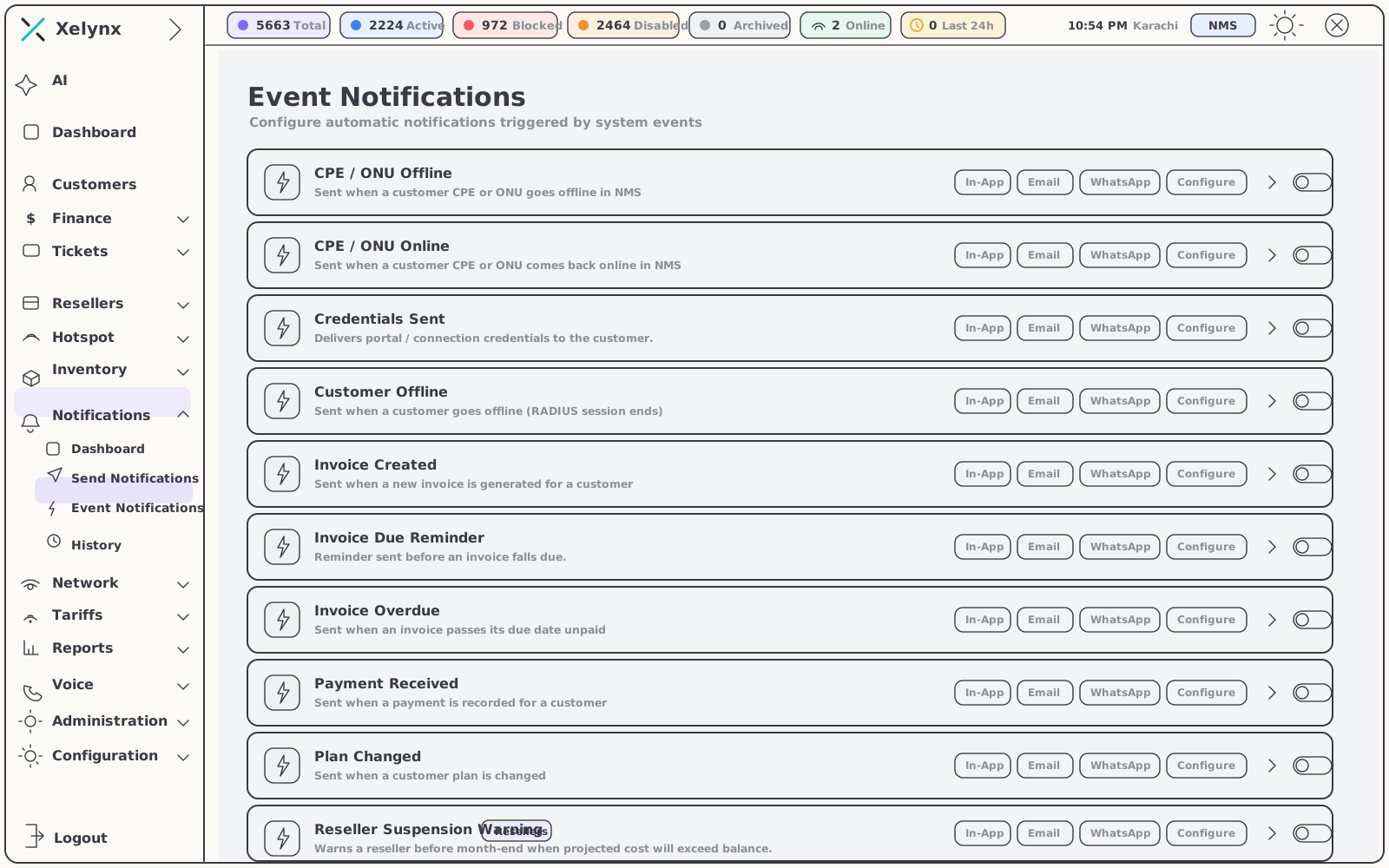
Configure the events that matter once, and Xelynx keeps customers in the loop without an agent touching anything. The dashboard always shows which triggers are live.
- Expiry reminders — a nudge before a subscriber's plan lapses
- Payment confirmations — reassurance the instant a charge clears
- Status changes — alerts fire automatically as accounts move
Channel setup
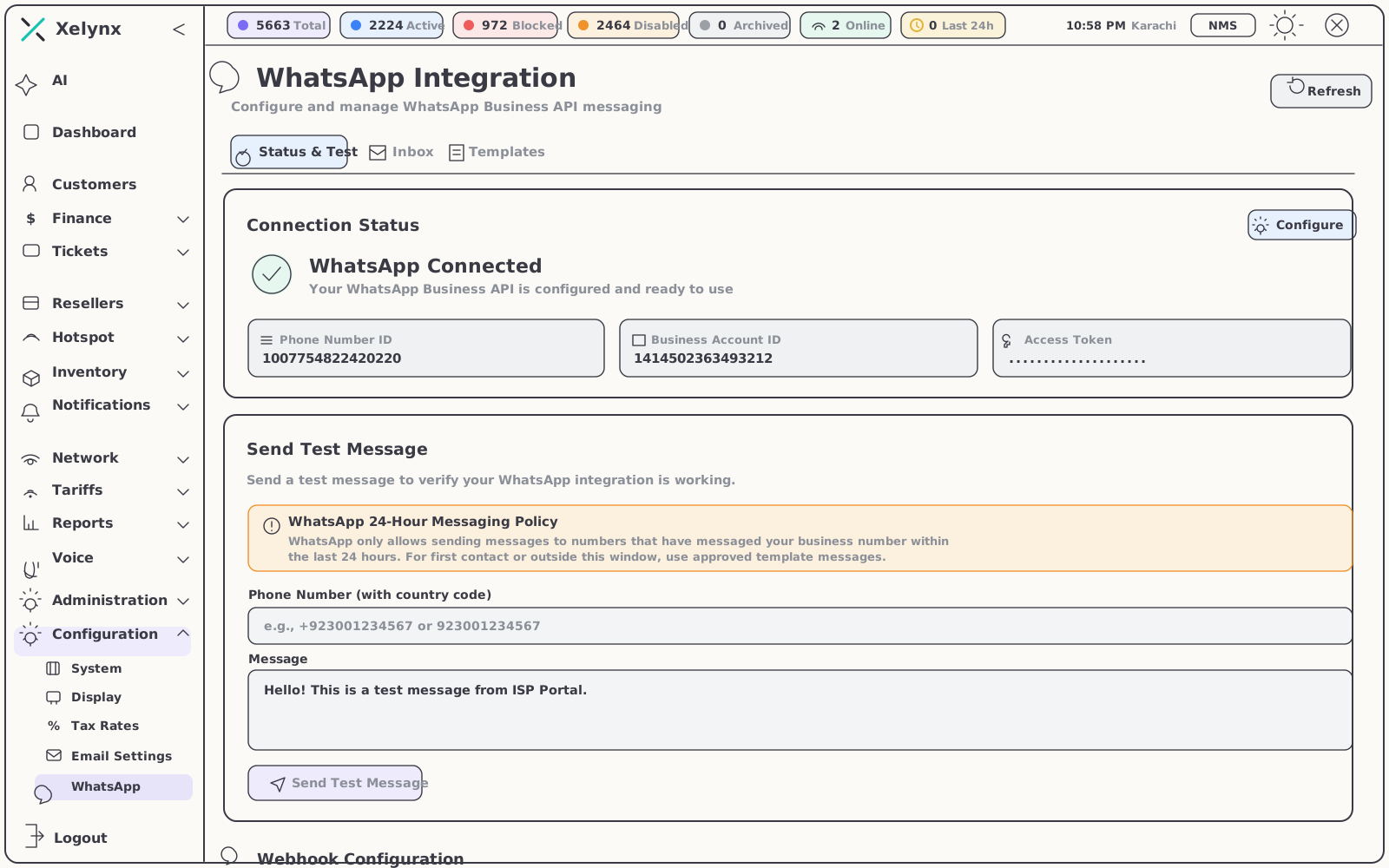
WhatsApp, set up once.
Connect the WhatsApp channel a single time and it becomes available everywhere — to manual broadcasts and automated triggers alike, alongside email and in-app delivery. It ships configured in the demo, ready to go out of the box.
- One audience, three channels — pair WhatsApp with email and in-app push
- Where customers already are — reach them in the app they check daily
- Shared by every message type — broadcasts and event alerts use the same channel
03 — The WhatsApp engine
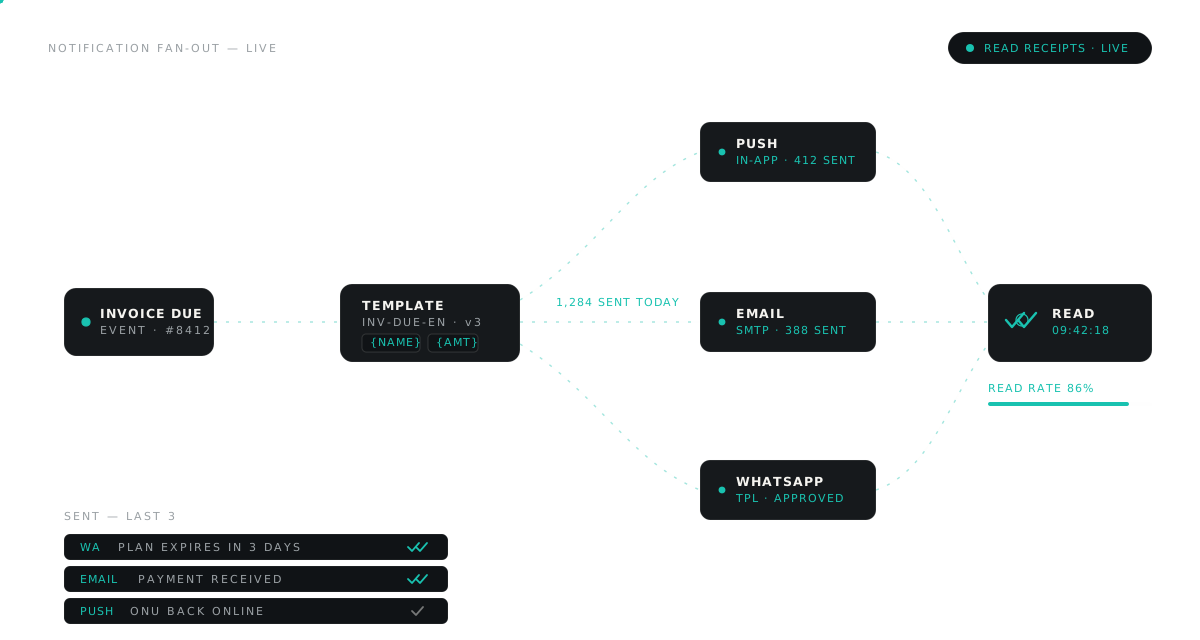
Approved templates, mapped to events.
A read receipt on every message.
Templates, triggers, threads and receipts live inside the platform — so the right approved message fires on its own, and you can prove it arrived.
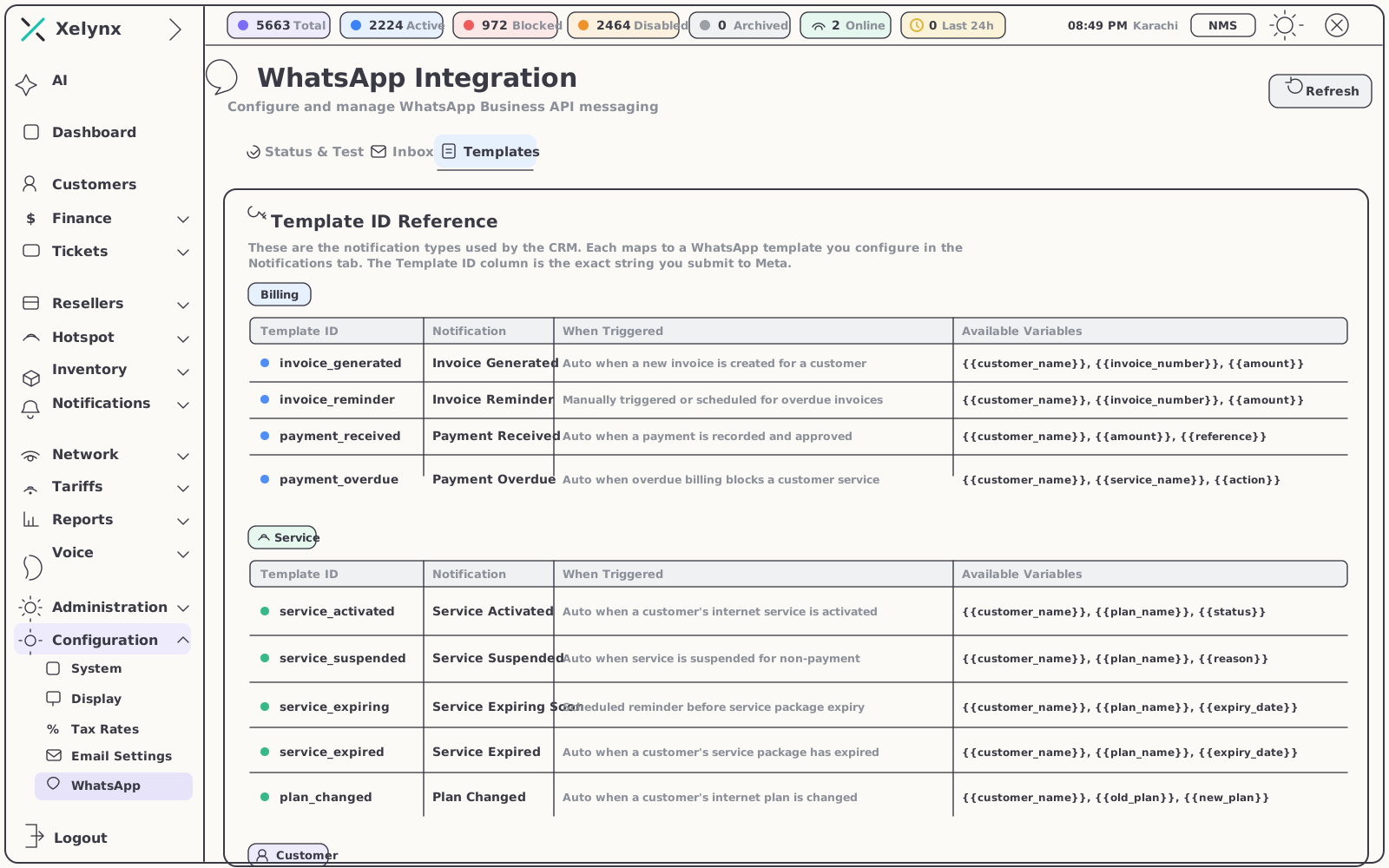
A template library tied to your CRM
Add and manage the message templates WhatsApp has approved, then reference each one against the event that should send it — so expiry, payment or a status change picks up the right approved message automatically.
- Manage the library — add, edit and organise approved templates
- Mapped to CRM events — every template lines up with its trigger
- Full conversation history — review every WhatsApp exchange with a subscriber without leaving Xelynx
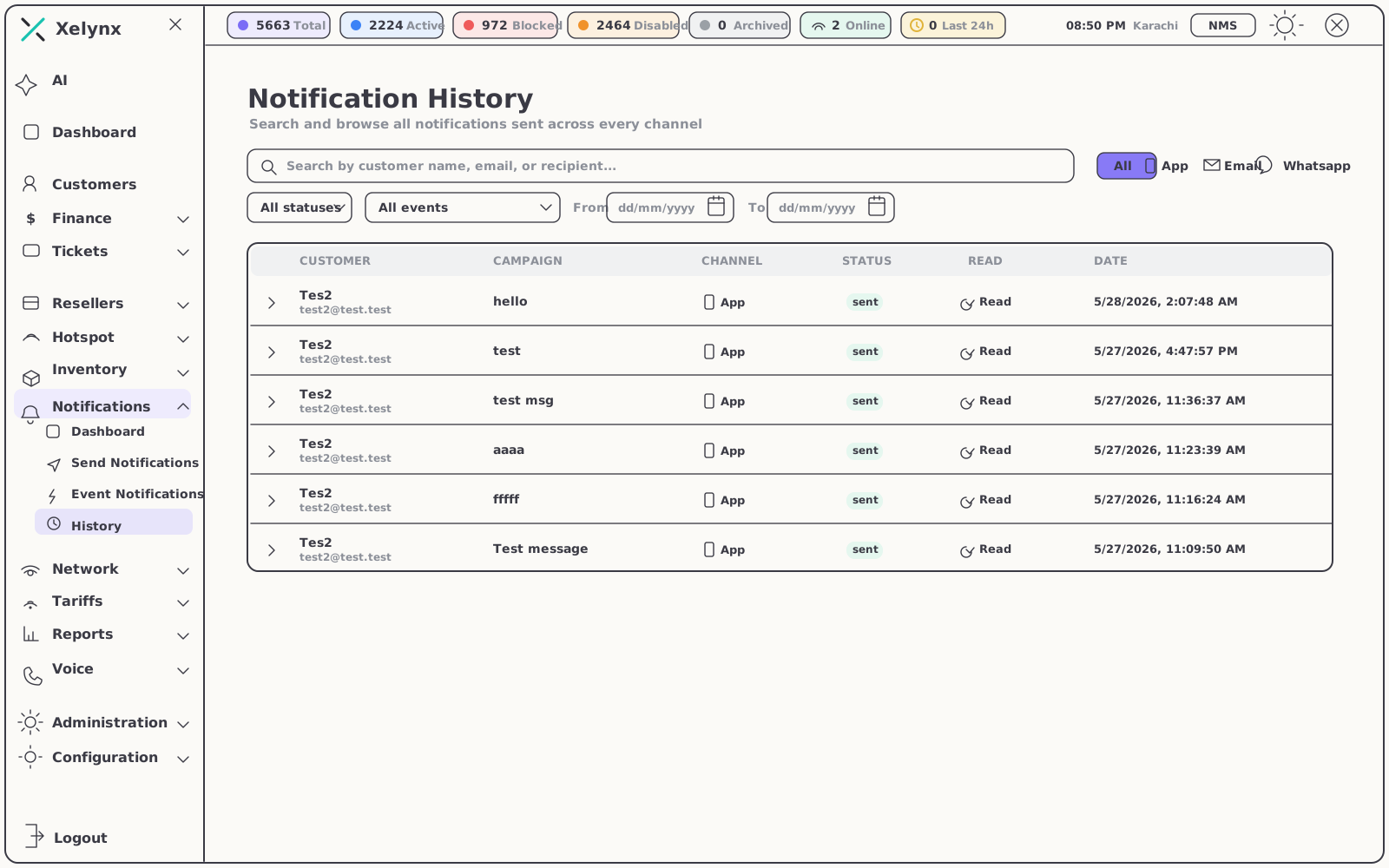
Know exactly what landed — and when it was read
Every notification you send across in-app, email and WhatsApp is logged in one searchable history, with the read status recorded against each message. The same receipts appear on the subscriber's own page, so nothing slips through the cracks.
- A complete audit trail — every channel, one timeline
- Per-message read status — see precisely who has seen what
- Receipts on the customer's page — support agents get the full context at a glance
04 — Event triggers
Fired by your network and your billing.
Events flow from the same platform that runs your OLTs and your invoices — an offline ONU, a lapsed plan or a cleared payment reaches the customer instantly, on the channel they prefer, and lands in the log with a read status against their account.
| Event | Fires when | What the subscriber gets |
|---|---|---|
| Expiry reminder | A plan is about to lapse | A nudge before service is interrupted |
| Payment confirmation | A payment clears | Instant reassurance the charge went through |
| Status change | An account moves between statuses | An automatic update, no agent action required |
| ONU offline | A subscriber's ONU drops off the network | Word from you before they reach for the phone |
| ONU online | Service is restored | Confirmation the connection is back |
05 — Works with
Wired into the rest of Xelynx.
Notifications draw their audience, their triggers and their context from the modules around them.
CRM & Subscribers
The subscriber base behind every targeted broadcast — and the customer page where read receipts sit alongside the rest of the profile.
Explore CRMBilling & Finance
The payment and expiry events that fire the confirmations and reminders your customers receive.
Explore BillingTicketing & Jobs
Turn customer queries into tracked tickets and keep people posted as the work progresses.
Explore TicketingGet started
Keep every subscriber
in the loop.
Broadcast today, automate the rest. Free for 15 days, no card required.