Subscriber Touchpoints — Customer App
Self-service, in their pocket.
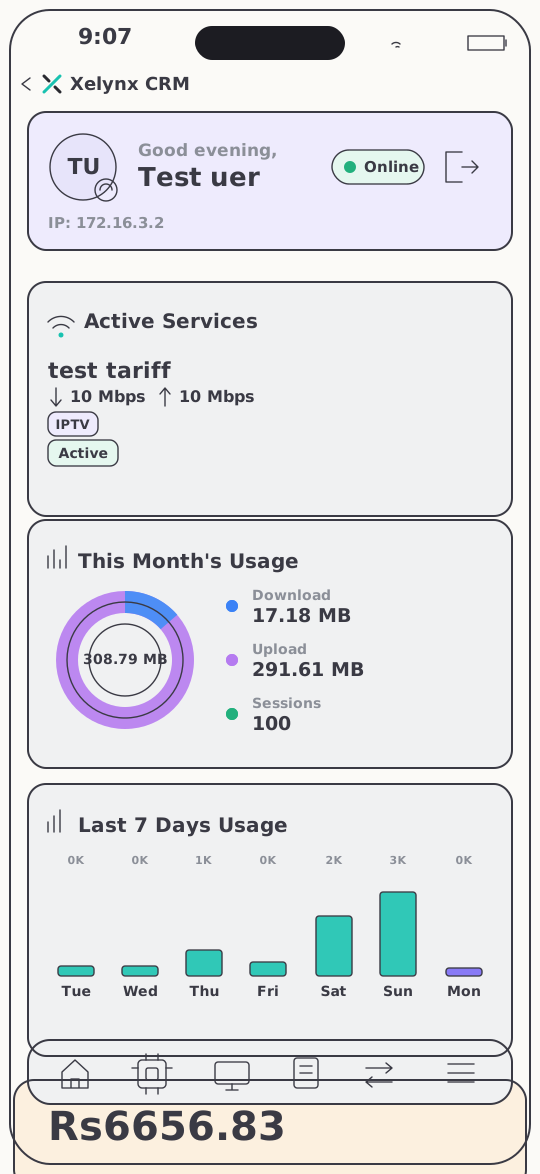
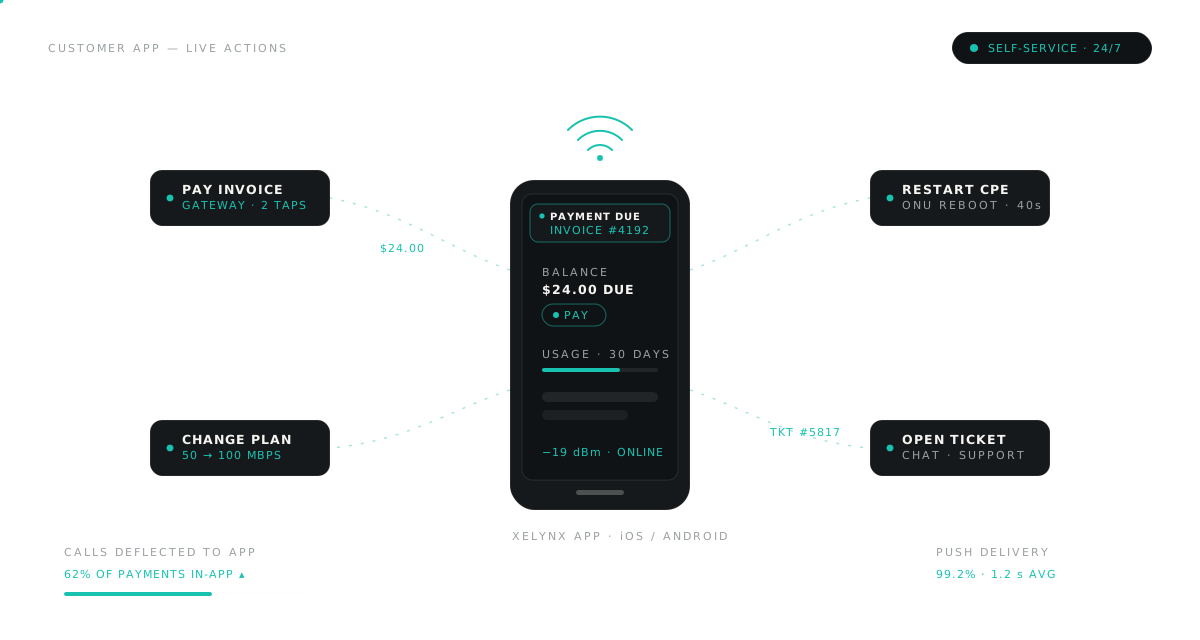
A branded iOS & Android app where subscribers check usage, pay invoices, watch television, tune their Wi-Fi and reach support — fewer calls into your desk, faster answers for them.
01 — The screens
Eight screens.
Fully branded to your ISP.
No generic white-label shell — the app carries your brand, and every screen reads from the same subscriber record your team works in. Here is the whole map.
02 — Self-healing Wi-Fi
Slow Wi-Fi, fixed
before anyone calls.
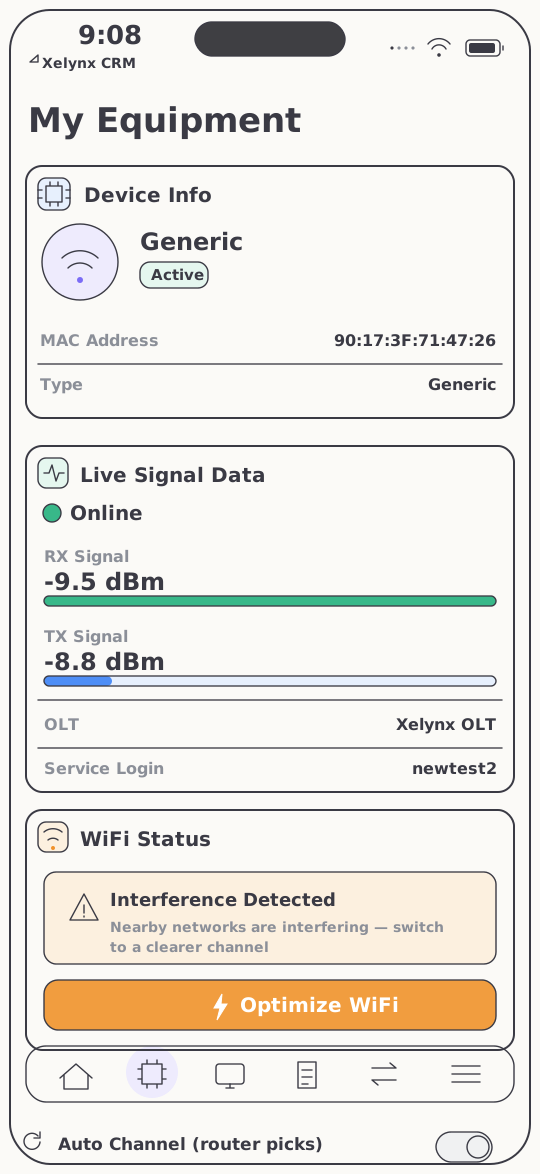
The CPE screen gives subscribers what your NOC sees: live RX/TX optical signal in dBm, plotted against healthy ranges. And when neighbouring networks crowd the spectrum, the fix is a single tap.
Optimize WiFi, one tap.
Most "my internet is slow" complaints are congested Wi-Fi, not the fiber. The app detects interference across the Wi-Fi networks around the customer's CPE and lets them resolve it themselves — tap Optimize WiFi to move to a clearer channel, or leave channel selection on automatic.
- Live signal data — RX/TX in dBm with healthy-range bars
- Interference detection — scans neighbouring Wi-Fi networks for congestion
- One-tap optimise — a clearer channel on demand, or automatic channel selection
- Device info — the CPE's details on the same screen
03 — Billing & plans
Payments and plan changes, without a phone call.
Balances, invoices and upgrades live in the customer's hand — and every action flows back into the same billing and provisioning engine your team runs.
Billing & payments
Pay the bill in two taps.
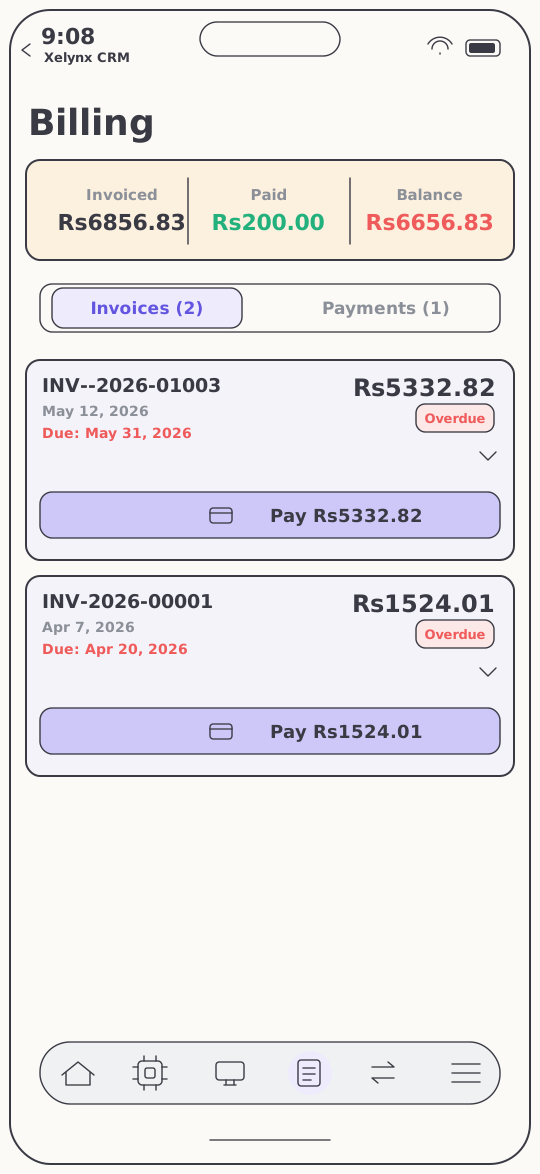
Subscribers see invoiced, paid and outstanding amounts at a glance, with their invoice and payment history in one place. An overdue invoice carries a pay button wired to whichever payment gateways you've enabled — switch a gateway on in admin and it appears in the app automatically.
- Invoiced, paid & balance — the account position on one screen
- One-tap online payment on any due invoice
- Your gateways — enabled gateways surface automatically, no app update
Self-service plans
Upgrades without the upsell call.
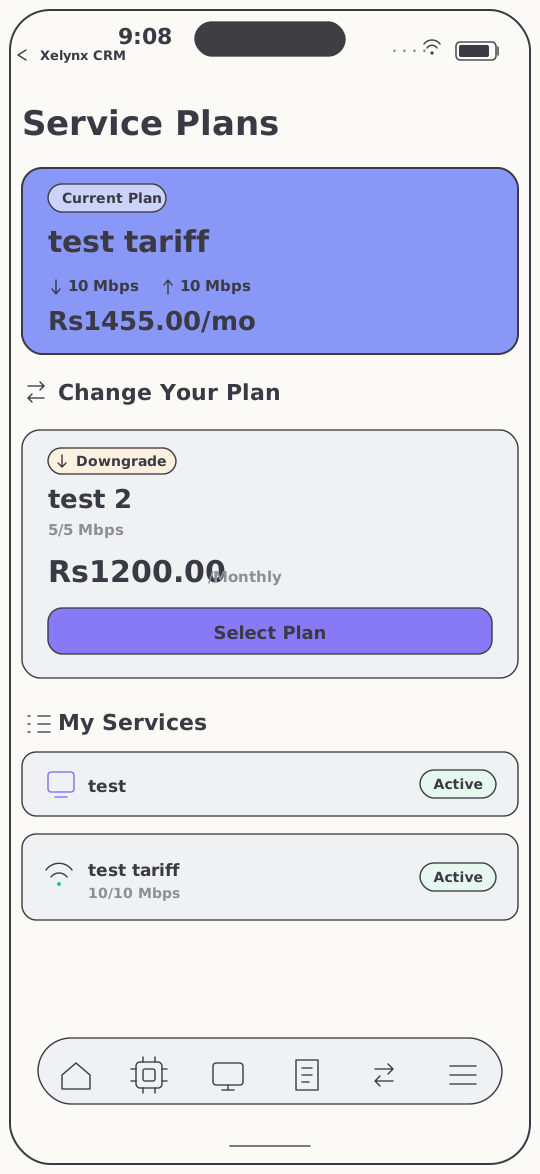
The Change Plan screen puts the customer's current plan — price and speed, clearly stated — next to every option they can move to. They switch themselves, and the change flows straight into provisioning and billing. No ticket, no call-back, no manual edit.
- Current-plan summary — price and speed, side by side with the alternatives
- Upgrade or downgrade with a single tap
- Straight through — the new plan is provisioned and billed automatically
04 — Television
The TV service rides along.
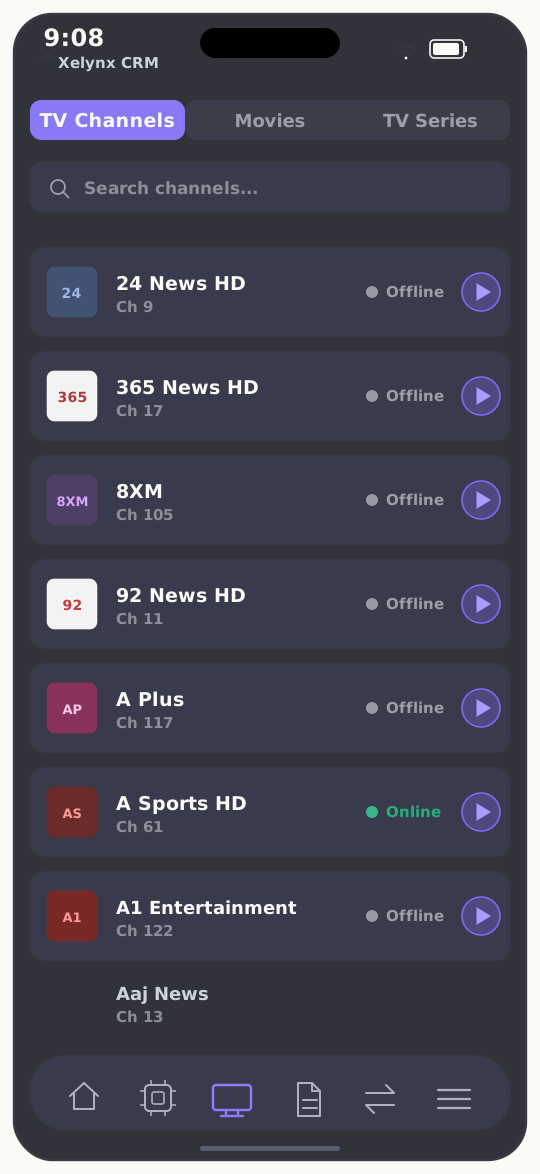
If you run IPTV on Xelynx, the line-up is already in the app — live channels, movies and TV series, ready to watch on the same login. The living-room screen gets the dedicated Xelynx TV app; the phone gets this.
- Live channels — your full channel line-up, streamed in-app
- Movies & series — the on-demand catalogue included
- One account — no second app to install, no second login to forget
05 — The real app
Captured live on iOS.
These are not mockups. Every screen on this page is the native Xelynx customer app running on an iPhone — branded, fast, and connected to the same platform that runs your network.
06 — One platform
A window into Xelynx,
not an island.
Every screen reads and writes the same records your team uses — payments land in the ledger, chats and tickets land on the desk, plan changes land in provisioning.
Billing & Finance
Your invoices and payment gateways power in-app payment — every transaction posts to the same ledger your accountants reconcile.
Explore BillingXelynx TV
The IPTV line-up subscribers watch on their phone streams to the big screen through the dedicated Xelynx TV app.
Meet Xelynx TVTicketing & Jobs
Support requests and two-way chat from the app arrive on the same desk, already tied to the subscriber's record.
Explore TicketingGet started
Put your ISP in
every customer's pocket.
Launch a branded self-service app and watch the call queue shrink. Free for 15 days, no card required.