Module 04 — RADIUS & Provisioning
Built-in FreeRADIUS. One-click provisioning.
Authenticate, authorise and account for every subscriber on a managed FreeRADIUS core — run your NAS devices and MikroTik routers from one console, hand out IP pools, and put new customers online in a single click.
01 — Inside the module
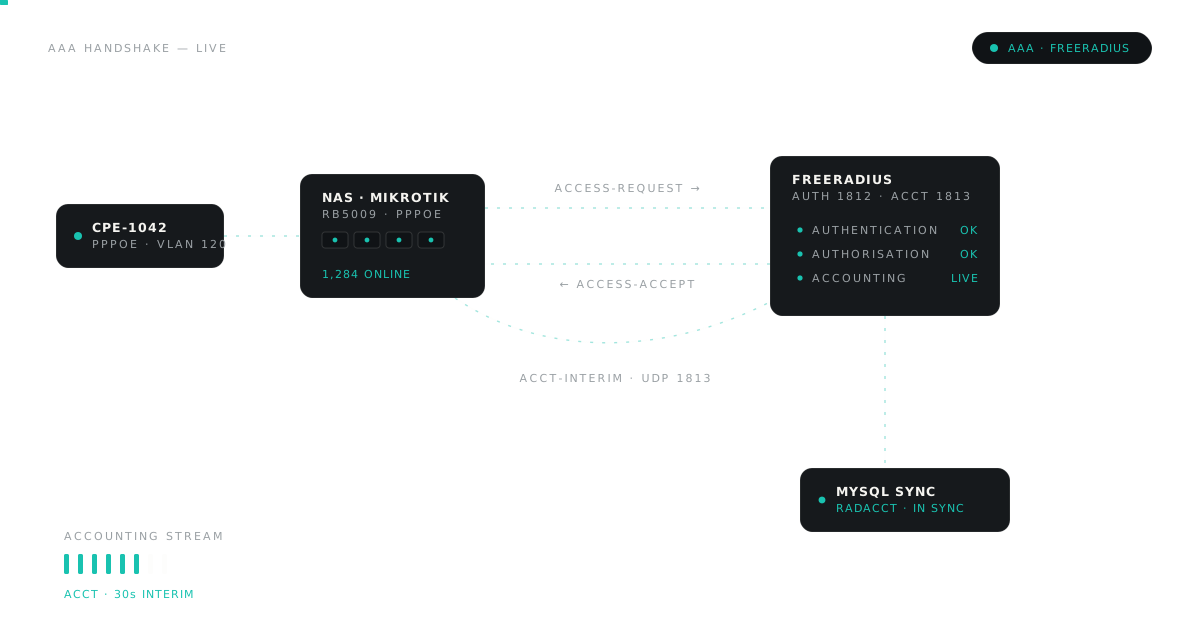
The AAA layer, already wired.
FreeRADIUS runs behind a managed MySQL synchronisation. You configure the database connection once — authentication, sessions and usage flow through the platform from then on.
02 — Control
Every NAS. Every router.
One console.
Your access network is defined once, centrally — and the same policy reaches every device you onboard.
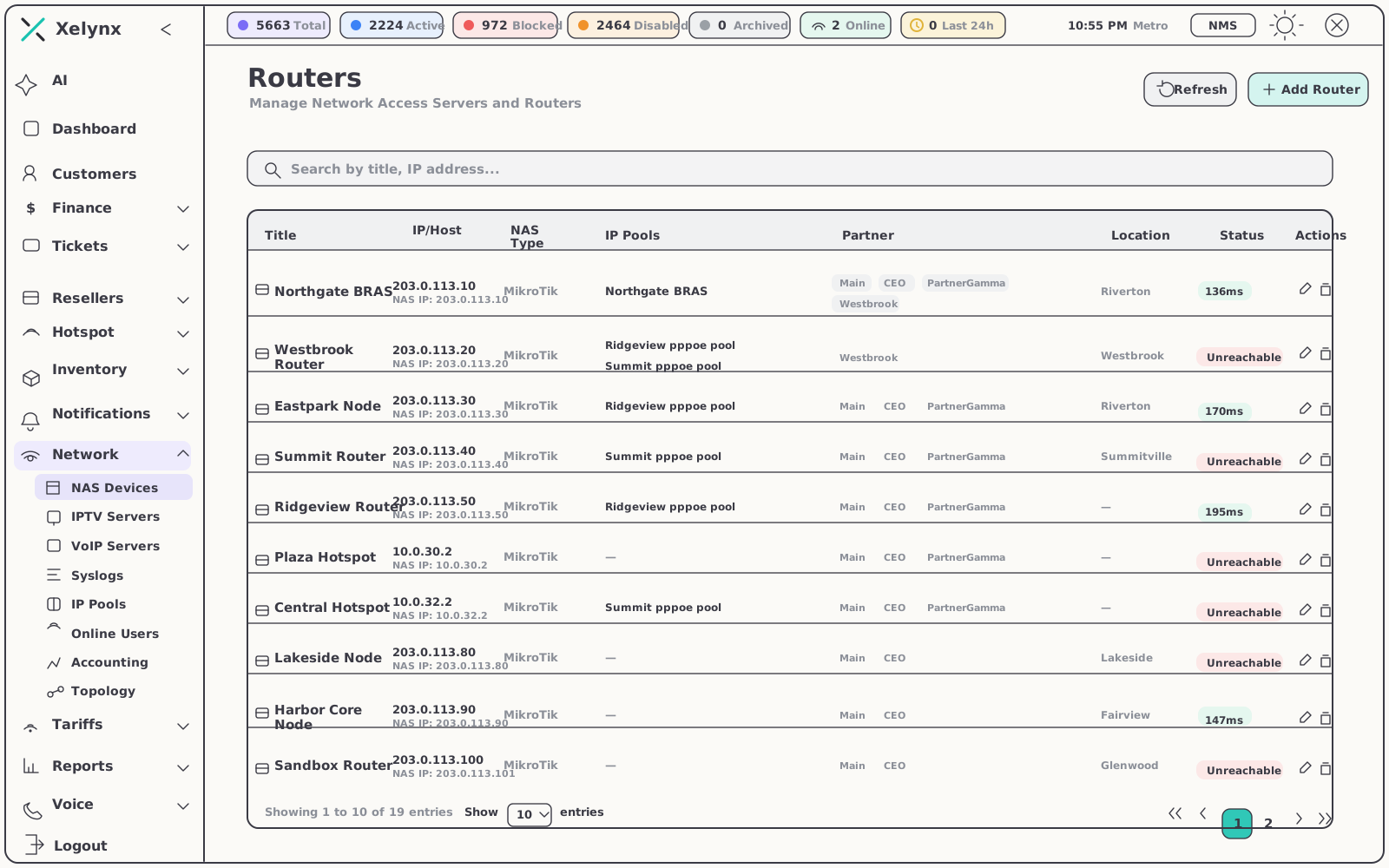
NAS & routers
Your MikroTik estate, managed centrally
Network Access Servers and MikroTik routers are registered in Xelynx, not scattered across terminal sessions. Add a device once and it takes part in authentication, addressing and accounting like the rest of the network.
- NAS & router management — your whole MikroTik estate from one place
- IP address pools — dynamic assignment across the network
- Consistent policy — applied uniformly to every access server you onboard
Accounting
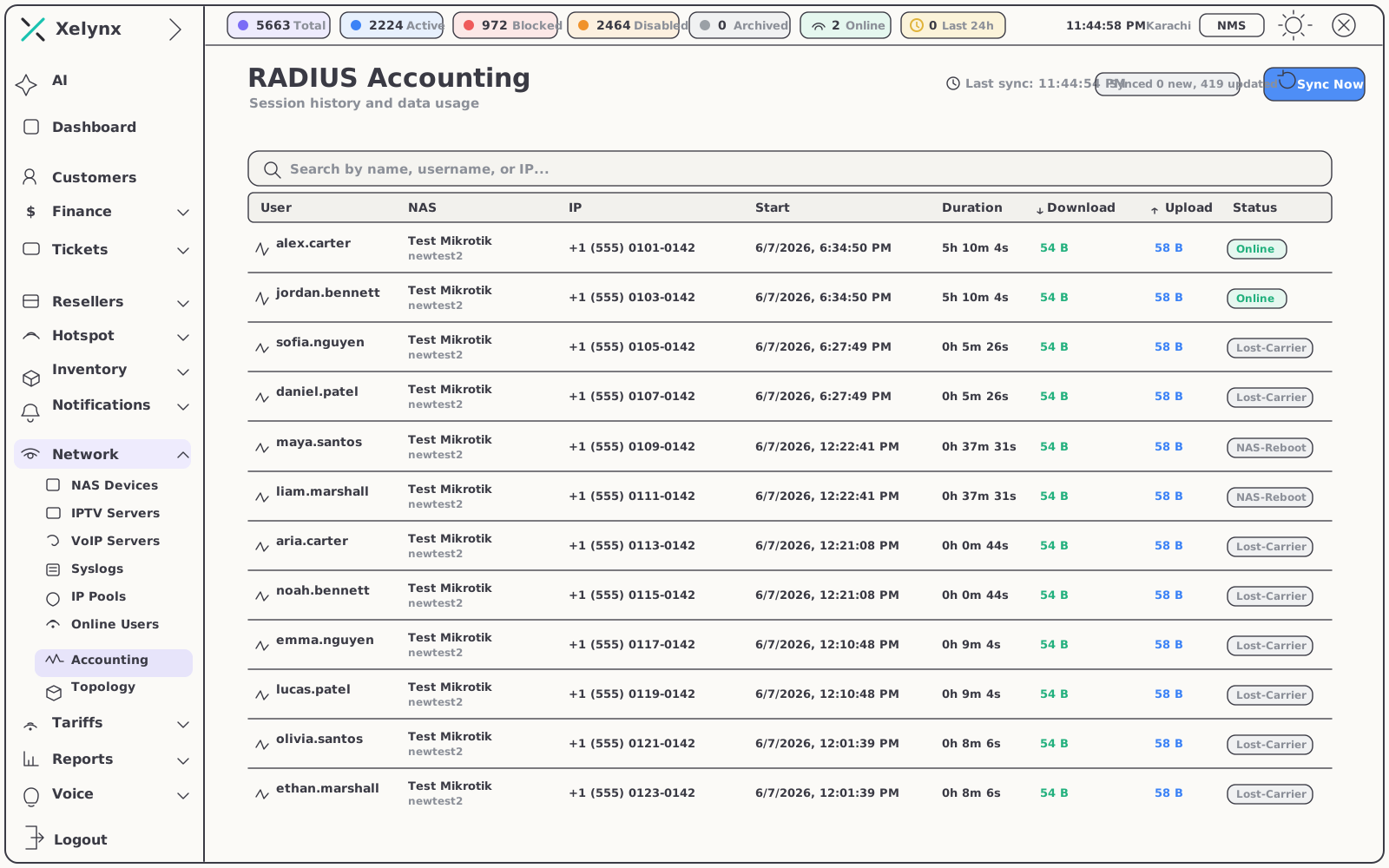
A full record of every session
RADIUS accounting captures session history and data usage for every subscriber. The sync is continuous — new sessions are added and open ones updated — so the numbers support and billing see are the numbers the network produced.
- Session history & data usage — captured per subscriber
- Continuous sync — new sessions added, existing sessions kept current
- Usage you can act on — accurate consumption feeds support and billing
Vendor support
Works with the gear you already run
One policy engine, many access servers. Xelynx emits each vendor's own RADIUS attributes — rate limits, walled-garden redirection and Change-of-Authorisation — so a mixed estate behaves like one network.
03 — Provisioning
From signup to online.
Without touching the router.
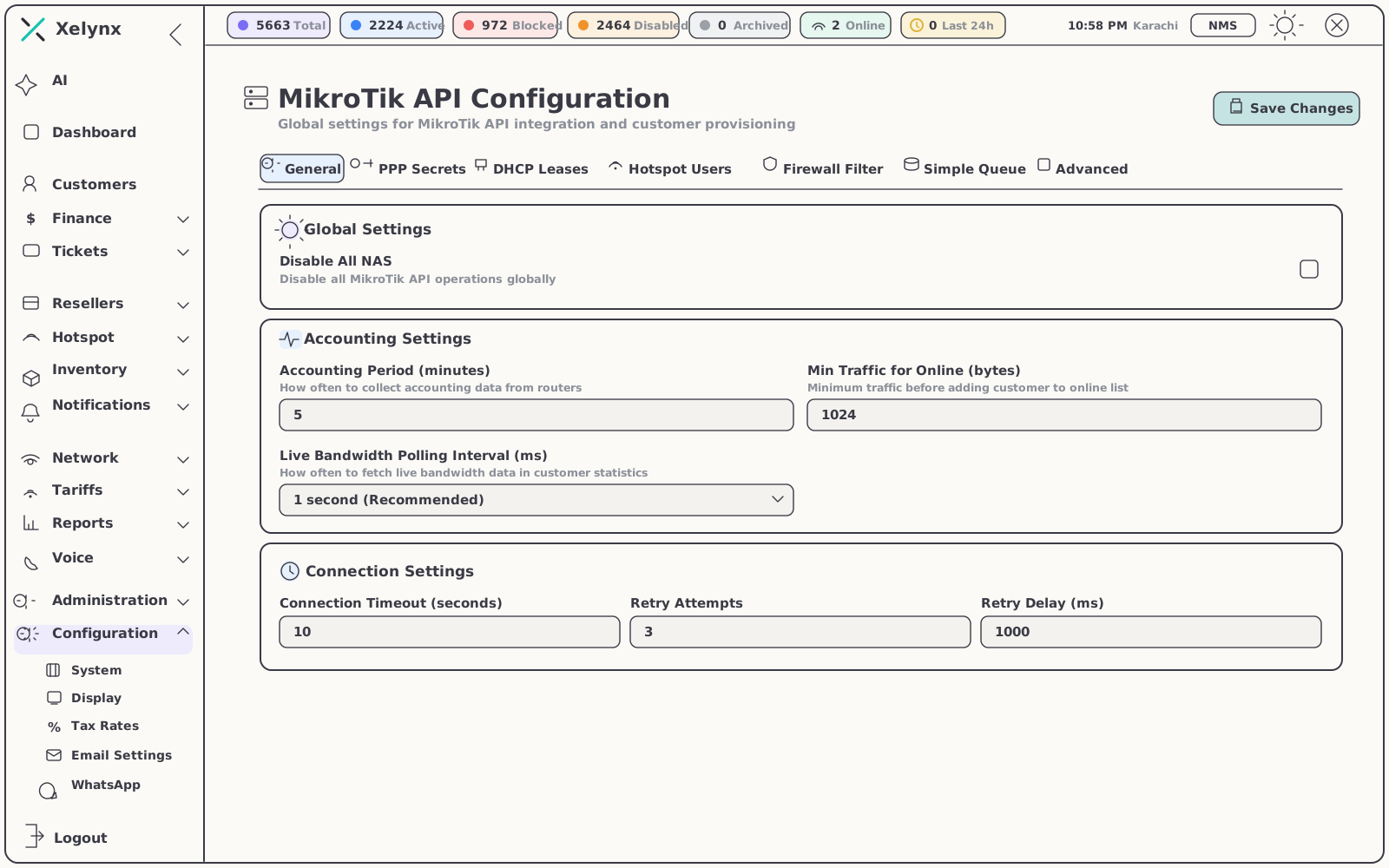
Connect the MikroTik API once and provisioning becomes part of the customer workflow — one click in Xelynx, and the subscriber is on the network with the right plan, address and credentials.
One click, fully provisioned
No SSH session, no copy-pasted secrets. The MikroTik API integration is wired straight into your customer workflows, and the FreeRADIUS MySQL sync runs behind it — configure the database connection once and let it run.
- One-click provisioning — customers go straight onto the network
- MikroTik API integration — part of the customer record, not bolted on
- FreeRADIUS MySQL sync — set up once, synchronised from then on
04 — Topology
The whole path, in one tree.
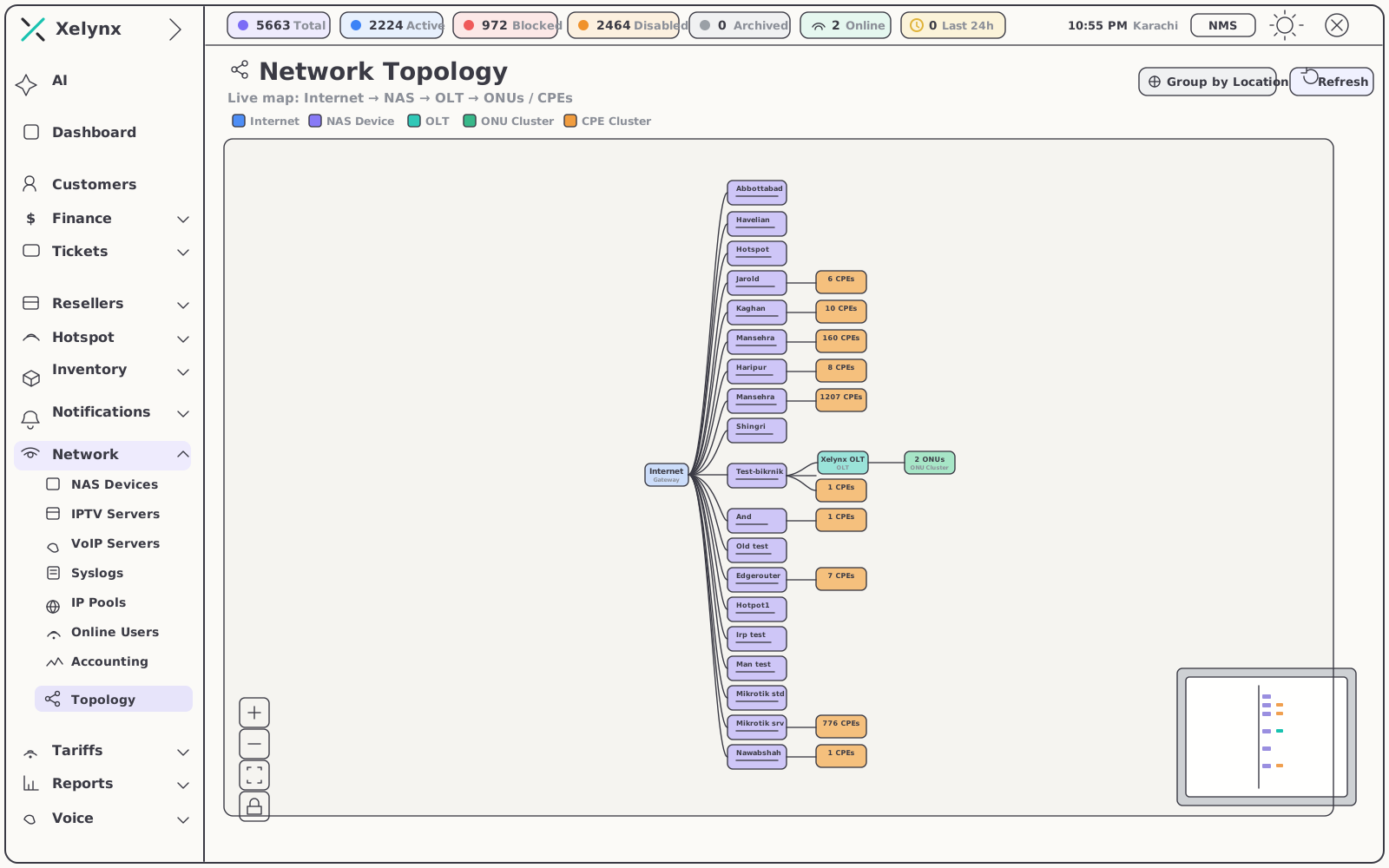
A live topology traces every subscriber from the internet edge down to the device on their wall — Internet → NAS → OLT → ONUs and CPEs — in a single view shared by support and engineering.
- End-to-end map — internet, NAS, OLT, ONUs and CPEs in one live tree
- Fault isolation — trace any subscriber hop by hop to pinpoint where a problem sits
- One shared picture — support and engineering look at the same access network
05 — At a glance
What the RADIUS module covers.
| Layer | What you get | Detail |
|---|---|---|
| Authentication | FreeRADIUS-backed subscriber auth | Managed MySQL synchronisation, configured once |
| Authorisation | NAS & router policy | IP address pools for dynamic assignment |
| Accounting | Session history & data usage | Continuous sync — new sessions added, open ones updated |
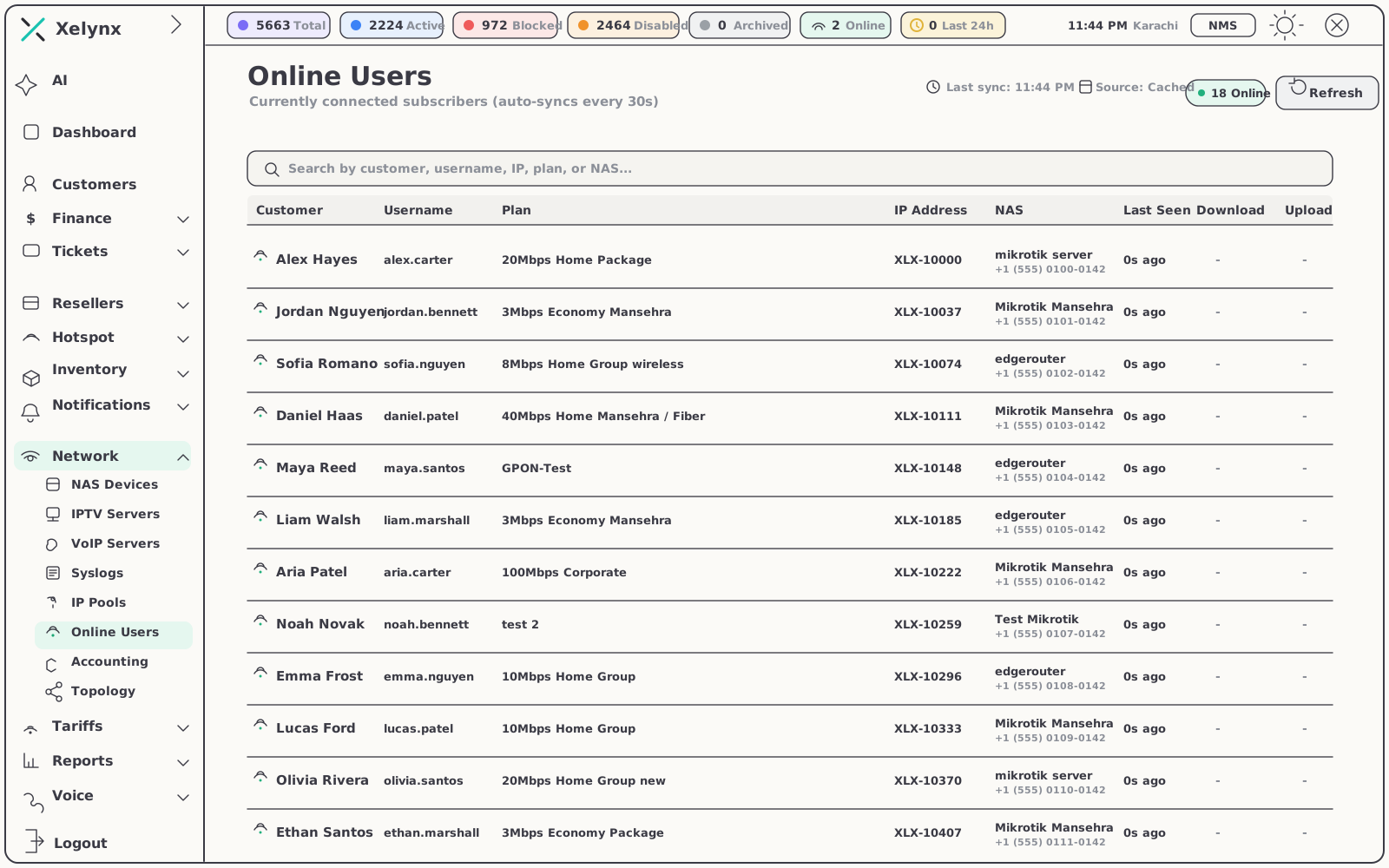
| Visibility | Live online users | View auto-syncs every 30 seconds |
| Provisioning | One-click MikroTik provisioning | MikroTik API wired into customer workflows |
| Topology | Live network tree | Internet → NAS → OLT → ONUs / CPEs |
06 — Pairs well with
RADIUS is the access layer.
These complete it.
Optical-Fiber NMS
The same subscribers, seen from the fiber side — OLTs, ONUs and optical power monitored in real time.
Explore the NMSSyslog
Centralised device logs matched to subscribers — trace events and faults fast when a session misbehaves.
Explore SyslogHotspot
Captive-portal Wi-Fi with RADIUS-backed access — run a prepaid voucher business on the same AAA core.
Explore HotspotGet started
Every session accounted for.
Every customer one click from online.
FreeRADIUS, NAS management, IP pools and MikroTik provisioning in one platform. Free for 15 days, no card required.