Adding ONUs
Xelynx automatically discovers ONUs that are connected to an OLT but not yet configured. This guide shows how to find them on the autofind page and add (authorize) them.
Autofind page
Xelynx displays a list of ONUs that are connected to the OLT but are not configured. You can enable autofind on PON ports from the OLT settings.
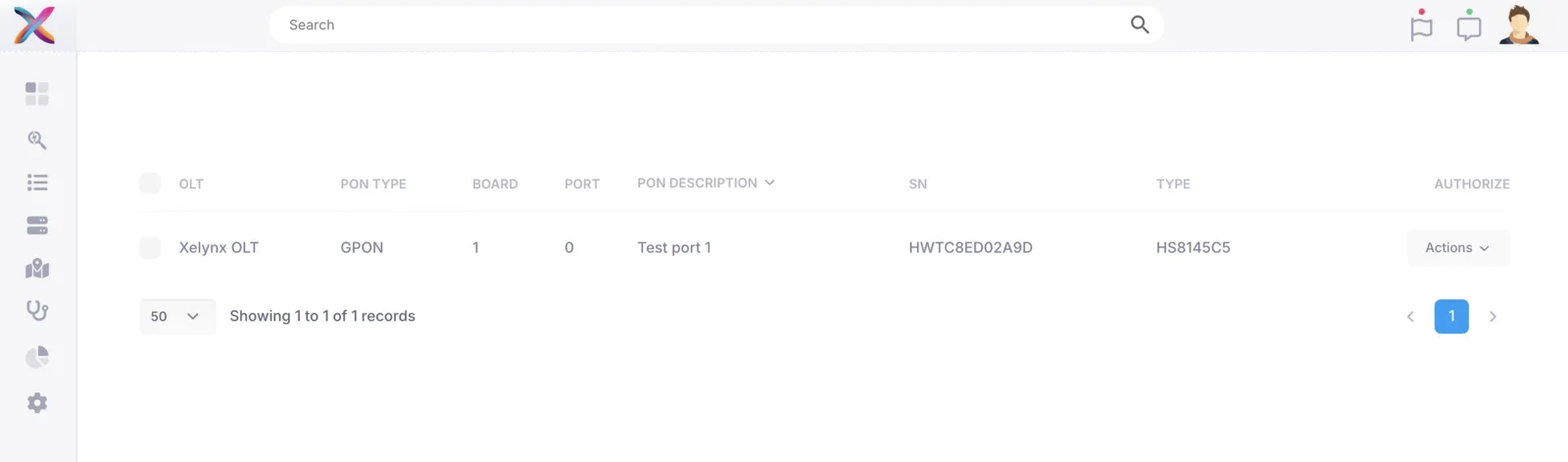
You can select Add/Authorize from the actions dropdown to add the ONU. If the ONU has been moved to a different port, a Move option appears here instead.
When you click the Add/Authorize button, the following screen comes up, where you can enter the details of the ONU to be added.
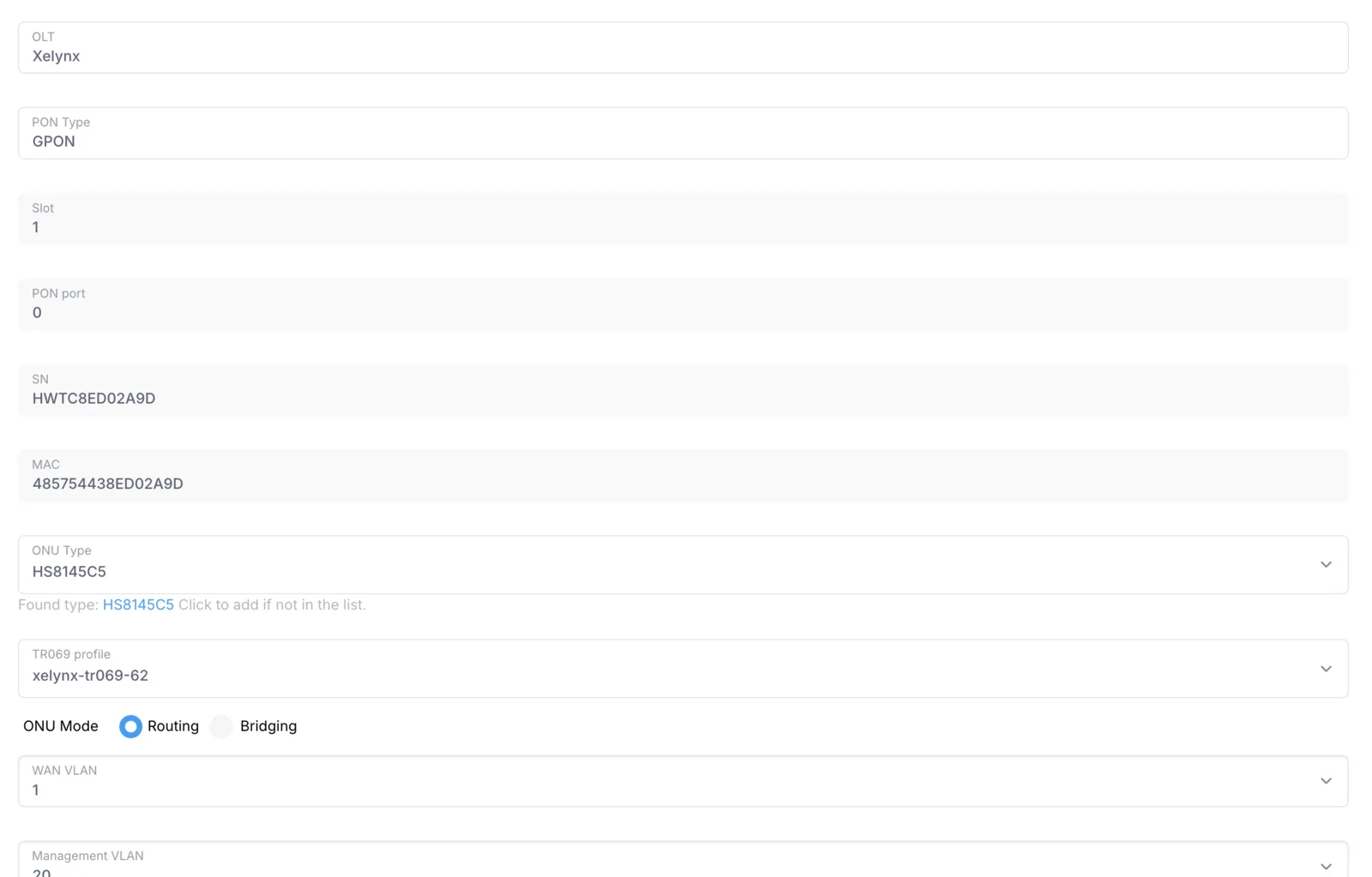
Most of the details are filled in automatically. The ONU type is matched automatically if found; otherwise it is set to Generic.
Note: you need to have set a VLAN as the management VLAN in OLT settings before you can add an ONU.